
Inventory
Inventory app builder
Describe the stock room and Nyravi builds an inventory app the team can sign in to: products, quantities, locations, and a clear mark when something is running low.
 Nyravi AIProduct guide
Inventory app
When a spreadsheet stops being enough
A stock count in a file works until two people update it on the same afternoon. An inventory app builder is the next step: one desk the team signs in to, with the same products, the same quantities, and a warning before a shelf goes empty. You describe that desk. Nyravi builds the app.
What the first inventory app includes
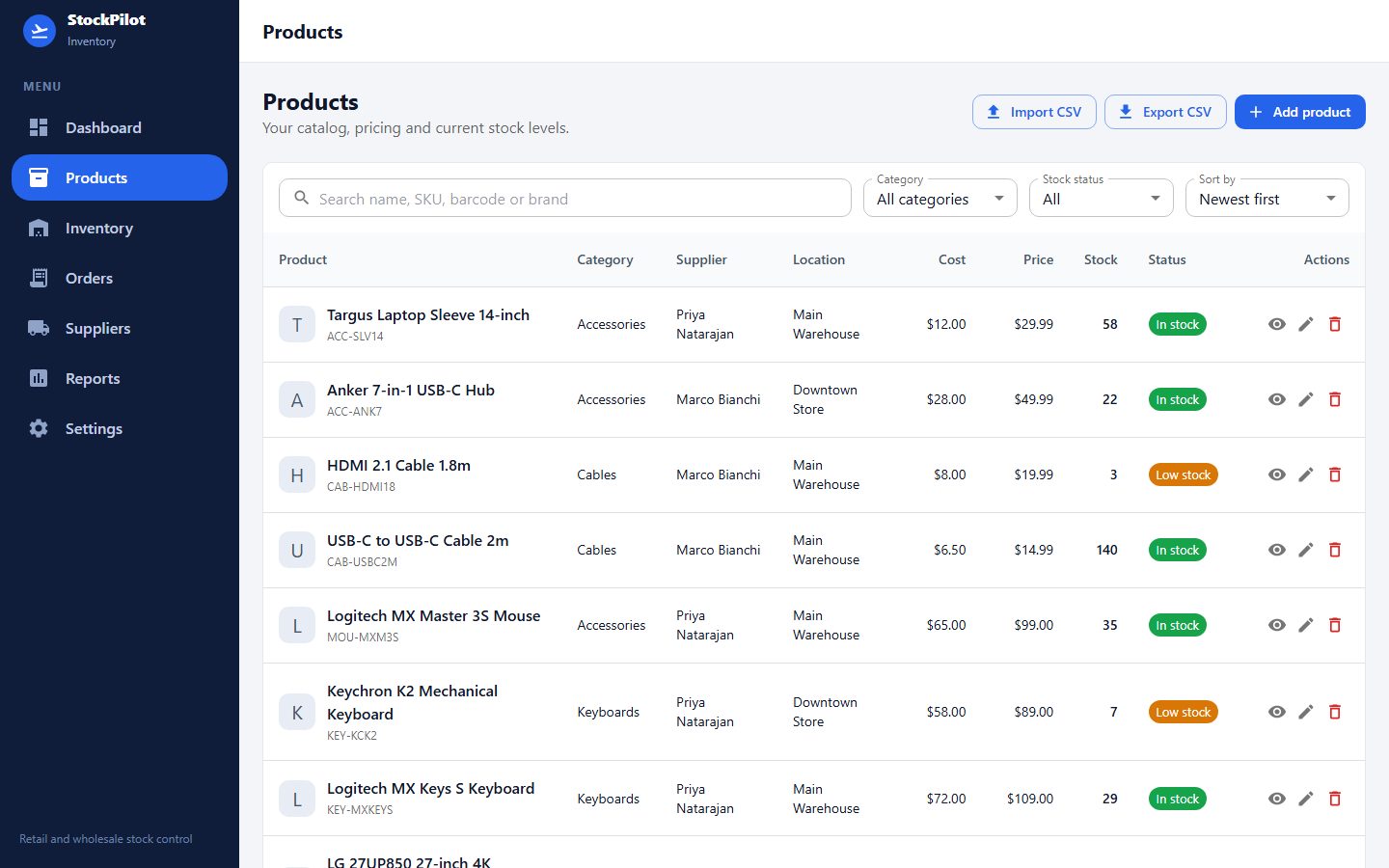
The first version covers the work a stock room actually does. Products have a name and a code. Each one has a quantity. Locations say where that quantity sits. A low-stock mark shows what to reorder. Orders can sit beside the stock if you receive or sell goods in the same app. You do not have to name every screen on the first try. Search by name or code is an easy follow-up in the same project.
From a description to a working desk
Inventory management app development often starts as a long brief. Here the brief is the paragraph you type. Say who counts the stock, whether they work in one room or several, and what counts as low for you. Nyravi generates the web app and the API, then checks the build. The preview on this page is a running inventory desk, so you can click through that shape before you write your own version.
Tracking the count, and keeping it
Inventory tracking is the part people feel first. A quantity changes when stock comes in or goes out, and the number on the screen is the number in the room. Inventory keeping is the habit around that number: a record the next person can trust without asking. Both live in the same application for inventory management. If the count should also open on a phone, say so and start a mobile app. If the whole team shares one desk, keep it in the browser.
How to start yours
On the home page, choose Web App and describe the inventory desk, or open Templates and start from an inventory demo. Preview it when that version is ready. Publish when the team should use a Nyravi address. One finished inventory app, including the API the screens call, is written up as its own story. The AI app generator page is the wider door if the product is a different kind of application.
Questions
What does an inventory app builder make?
It makes a signed-in inventory app: the products you stock, how many you have, where they sit, and a mark when a quantity is low. The screens and the API they call are one project you can preview.
Is this inventory management app development?
Yes. Inventory management app development here starts from the description of how your team counts stock. Nyravi generates that application, checks the build, and opens a preview you can click through. A later field, such as search by code, is a message in the same chat.
Can the app track stock in more than one place?
Yes. Name the locations in the description, a shop floor and a back room, or several warehouses. Inventory tracking follows the quantity as stock is received or sold, and the low-stock mark follows with it.
Is this an application for inventory management, or a public shop?
It is an application for inventory management. Your team signs in. Customers do not browse it. A public catalog with a cart is a website, and that is a different product.
I want an inventory keeping app builder. Is this it?
Yes. An inventory keeping app builder and an inventory tracking app builder are the same request: a place the team trusts for what is on hand. Choose Web App, describe the products and where you store them, and preview the desk before you publish it.
Someone searched for application inventory. Is that this?
Yes, if they mean an application for inventory: a signed-in desk for products and quantities. It is not a public catalog. Start here, or read how Nyravi built an inventory app for a finished example.