
Flex banner & signage printing
Flex banner and signage printing business: how to start, run, and improve one
A practical operator playbook for starting, running, and improving a flex banner and outdoor signage printing business in India: what the unit really sells, per-square-foot rate and media-mix formulas, contribution per sq ft, break-even area, printer utilisation, receivables and media-stock formulas with checked ₹ examples, proofing and spelling-error control, installation safety, PVC flex and permission rules to confirm locally, a team of designers, operators, and installers, weekly scoreboards, WhatsApp chatbots for rate and artwork enquiries, and when a website, job-tracking web app, field mobile app, or logo actually helps. Business operations only, not legal, structural-engineering, or tax advice.
 Nyravi AILearn playbookFirst-time flex banner, vinyl, and signage printing entrepreneurs, sign painters and print-shop owners moving to a large-format digital printer, advertising and branding agencies bringing printing in-house, family businesses adding outdoor signage to a stationery or print shop, and existing unit owners who want fewer reprints, higher utilisation, faster collections, and a steadier mix of repeat business clients
Who this guide is for
Read this if you want to open or improve a flex banner and signage printing unit: a shop with a large-format printer that turns artwork into frontlit flex, vinyl, backlit boards, canopy and shop-front signs, event backdrops, and pole kiosks, and sometimes installs them. It is also for a sign painter whose clients now ask for digital printing, a stationery or printing shop adding a wide-format machine, an agency tired of outsourcing every banner, and an owner whose printer is busy before festivals and election seasons but half idle in the weeks between. If your reprints, your idle printer, your slow-paying clients, or your installation risk are the weak part, this playbook is for you.
The playbook covers the business around the machine: media mix, per-sq-ft pricing, capacity, proof approval, installation, receivables, compliance, and growth. If you mainly print on garments, read screen printing. If you sell illuminated and digital boards, see LED signboard. If you run a photocopy and small-job shop, see xerox and stationery. If you fabricate frames and structures, read aluminium fabrication. A flex printing unit is judged on spelling accuracy, colour match, delivery on the promised hour, and whether the board is still on the wall after the first heavy wind.
How a flex unit differs from a print shop, an LED sign business, and an advertising agency
Owners often borrow numbers from a nearby business and misjudge their own. A flex unit is machine-hour and media driven, produces to order from customer artwork, and carries safety risk when it installs. That changes the staff you need, the cash you tie up, and the rules you must respect.
Where the lines fall
- Digital and offset print shops: small formats, many short jobs, paper stock. See printing and xerox and stationery for how those margins and queues differ
- Garment and merchandise printing: a different process and customer. See screen printing and embroidery unit
- LED and illuminated signage: higher ticket, electronics, warranty, and electrical safety. See LED signboard for that model, and consider it as an upgrade path for shop-front clients
- Advertising and media agencies: they plan campaigns and buy printing from units like yours. See digital marketing agency for how agencies buy and bill
- Event and exhibition setups: banners are one input among many. See event management and tent house for a customer who may be your repeat client
- Glass, aluminium, and fabrication shops: they build frames, fascias, and structures that you may print for. See glass and glazing and aluminium fabrication
Choose a model before you buy a printer
A unit can serve everyone, which is why many serve no one profitably. Choose the customers you understand, the media you can print consistently, and the service level you can deliver, and treat every other segment as a pilot.
Common models and what they ask of you
- Walk-in print and sign shop: highest rates per job, small jobs, and many proofs. The challenge is front-desk time and minimum charges
- Trade printer for agencies, sign makers, and resellers: higher volume at lower rates with steady repeat work. The challenge is credit control and tight turnaround
- Retail and franchise branding specialist: repeat refresh jobs for chains of outlets with brand-colour discipline. The challenge is colour consistency across batches and cities
- Event, political, and seasonal printing: sharp peaks and strict content and permission rules. The challenge is cash, staffing, and legal exposure for what you print
- Vinyl and vehicle branding: higher rates and skilled application. The challenge is wastage and the installer’s hand skill
- Print plus install turnkey signage: higher ticket and stickier clients. The challenge is working-at-height safety and warranty
- Outsourced printing with in-house finishing and install: low capital and a thin margin. The challenge is quality control and depending on a supplier’s deadline
Decide these before you commit money
- Machine width and ink system, based on the jobs you will actually print, and whether a used or new machine suits your cash
- Your core media list, and which media you will refuse because the wastage or complaint rate is too high
- Your minimum charge, rate card, and rush surcharge, written before the first quote
- Credit policy: which customers pay in advance, which get 15 or 30 days, and who is cut off at 45
- Whether you install, and if so who is trained, insured, and equipped to work at height
- Where waste media, empty ink bottles, and solvent fumes will go
How a flex job works, from enquiry to installation
Every job follows the same shape: understand the need, quote on size and media, receive or create artwork, get the proof approved, print, finish, quality-check, deliver or install, and collect payment. The units that run smoothly protect the proof step and the quality check, because most disputes start at one of those two.
A typical job lifecycle
- 1
1. Enquiry and measurement
Capture size, media, quantity, location, due date, and whether fixing is needed, and measure on site for anything that will be installed.
- 2
2. Quote
Quote area × rate plus finishing, design, install, and rush charges from the rate card, with GST stated, and confirm the minimum charge.
- 3
3. Artwork
Receive print-ready files or design them, and check resolution, colour mode, bleed, and every phone number, address, and spelling.
- 4
4. Proof and advance
Send a proof with size and text, get written approval on WhatsApp or email, and take the advance before printing.
- 5
5. Nesting and printing
Nest jobs to save media, print with the right profile for the media, and keep a log of roll, ink, and operator.
- 6
6. Finishing
Hem, eyelet, laminate, cut, or mount, and add wind slits or pockets where the board will face wind.
- 7
7. Quality check
Check against the approved proof for text, colour, size, and finishing before it leaves the shop, and photograph it.
- 8
8. Delivery, installation, and payment
Deliver or install with a safety checklist, get a signed or messaged acceptance, and invoice with payment terms.
Start-up and monthly cost formulas
A flex unit needs a printer, finishing tools, a computer with RIP software, ventilation and power backup, a shop or workshop, installer tools, and cash for media and wages. Founders most often under-budget ventilation and power backup, and over-budget the printer width they will not fill.
Unit economics: rate, media cost, and contribution per sq ft
A flex unit pays for itself only if every printed sq ft earns more than the media, ink, finishing, and wastage it consumes. Work out the blended rate, the variable cost per sq ft, and the contribution, and price from those numbers rather than from the cheapest unit on the road.
Break-even, capacity, and profit
Because rent, salaries, and machine upkeep are paid whether you print 15,000 or 26,000 sq ft, the area you must print each month is the most important number on the wall. Put it where the operator and the front desk can see it, and compare it with what the machine can actually produce.
Registration, licences, and compliance basics
A flex unit touches business registration, tax, pollution and fire rules for ink and solvents, plastic-waste rules for PVC, advertisement and hoarding permissions, election-material rules, and labour safety. The framework differs by state, city, and structure. Treat this section as a checklist to confirm, not as instructions.
Confirm each with a qualified professional and the authority
- Business structure and registration, such as proprietorship, partnership, LLP, or company, and Udyam (MSME) registration where it helps
- Shop and establishment registration or an equivalent local registration, and a trade licence where the municipality requires one
- GST registration, the rate on printing and signage supplies, and invoicing for jobs that combine goods and installation, confirmed with a chartered accountant
- State pollution control board requirements for solvent or eco-solvent inks, ventilation, and waste disposal, and whether consent applies to your size of unit
- Fire safety for ink, solvent, and media storage, including extinguishers, electrical load, and exit access, and any fire clearance your local authority asks for
- Whether your city or state restricts or bans PVC flex banners, requires permits for banners and hoardings, or requires an approved printer’s name or a permit number on the print
- Plastic waste rules for PVC flex off-cuts and used banners, and a recycler or take-back route
- Election-related printing rules, including printer’s details on election material and any declaration the law or the election authority requires
- Rules on working at height, scaffolding, harnesses, and electrical safety for your installers, and insurance cover for workers and third parties
- Copyright and trademark: do not print someone else’s brand, photograph, or font licence without permission, and keep a written right to refuse unlawful, obscene, or defamatory content
Proofing, colour, and the spelling-error system
The costliest line in a flex unit is a reprint. A misspelt name, a wrong phone digit, a stretched logo, or a colour that does not match the brand wastes media, ink, machine time, and goodwill, and the customer will often refuse to pay for it. The cure is a short system, followed on every job, including the favourite customer’s.
A proofing system worth writing down
- Every job gets a proof showing size, orientation, text, and phone numbers, and the customer’s approval is recorded in writing on WhatsApp or email before printing
- Phone numbers, addresses, dates, and names are read aloud by a second person, not only checked by the designer
- Files are checked for resolution at actual print size, colour mode, bleed, and safe margins, and low-resolution logos are rebuilt or declined
- Brand colours are matched against a printed swatch or a stored colour profile, and repeat customers get their approved values saved
- A first-article check on large or repeat jobs: print a small section or a swatch before running the whole roll
- A reprint log records the cause, the job, and the person, and the monthly review focuses on the biggest cause
- A clear policy on who pays for a reprint: the unit if the error was yours, the customer if the approved proof was wrong
Quality habits for the print room
- Keep media and ink in the conditions the supplier recommends, and record temperature and humidity where banding or drying is a problem
- Run nozzle checks and head cleaning on a schedule, not after a bad print
- Use the correct ICC or media profile for each media and ink combination, and label saved profiles clearly
- Allow for edge shrinkage and trimming on flex and vinyl, and confirm finished size against the order
- Photograph every finished job against its proof before it leaves, so a dispute has evidence
Installation, safety, and structural stability
Installation is where a printing business meets real danger. Falls, electric shocks, and boards blowing onto people and vehicles are the worst outcomes, and they are all preventable with process. If you cannot run installation safely, sell printing only and partner with a qualified installer.
A safe installation routine
- Survey the site before the quote: height, access, wall or structure strength, overhead wires, public footfall, and the owner’s permission to fix
- Use proper ladders, scaffolding, or a platform, with harnesses and helmets for anyone working above a safe height, and never let one person work alone at height
- Keep clear of overhead electric lines and live fittings, switch off lights you must touch, and use a qualified electrician for illuminated boards
- Add wind slits, mesh media, or an approved frame for large boards, and use fixings suited to brick, concrete, steel, or glass
- Barricade the area below the work, and avoid installation during rain, high wind, or night without proper lighting
- Do not hang heavy boards on weak parapets or sheet roofs, and ask for a qualified structural opinion on large hoardings and rooftop signs
- Carry a first-aid kit and the owner’s emergency contacts, and report and record every near miss
- Give the customer a written note on what you installed, the fixing method, and who is responsible for inspection afterwards
The team a flex unit needs
A flex unit works when each person owns a step and a standard, not when the owner sits at the printer all night. Hire for care with text and numbers, and train every installer on safety before a ladder is touched.
Roles that keep jobs correct and on time
- Owner or unit head: pricing, key customers, credit policy, machine decisions, and the weekly review
- Designer or pre-press operator: artwork checks, proofs, nesting, and colour consistency
- Printer operator: runs the machine, cleaning schedule, media logs, and print quality
- Finisher: hemming, eyelets, lamination, mounting, and the final quality check
- Installers: site survey, safe fixing, and a short written handover
- Front desk and sales: quotes, proof follow-up, delivery slots, and collections
- Part-time accountant: GST, invoices, ageing report, and payroll
Pay the operator and finisher a base plus a bonus for first-time-right jobs and low waste, not only for volume. A bonus on square feet alone teaches people to skip checks, which costs more in reprints than it earns.
Pricing, rate cards, and credit rules
Customers compare you on rate per sq ft, but they stay for reliability. Price from your contribution and capacity, write the rate card, and set the credit rule before the first quote. A discount handed out at the counter is a rate card that does not exist.
Pricing habits worth keeping
- Publish a rate card by media with a minimum charge, a rush surcharge, and a design fee, and quote from it every time
- Take an advance for every first-time customer and for every job above a set value, and print only against approved proof
- Give volume and contract rates in writing, tied to a monthly commitment, not as a verbal favour
- Keep an agency and reseller rate separate from the walk-in rate, and do not undercut your own resellers
- Set a credit limit per customer, stop printing when the limit or the due date is crossed, and never carry an unpaid job as a favour
- Review your rate card every quarter against media cost changes, and revise it before the cost hits your margin
The customer journey from first enquiry to the repeat order
Most customers do not choose the cheapest quote. They choose the unit that replied in ten minutes, showed a proof, delivered on the promised hour, and fixed the problem when it appeared. The journey from the first message to the second order is where a print shop becomes a supplier.
A standard journey
- 1
1. First message
Reply within ten minutes with a question list for size, media, quantity, and due date, and a quote range from your rate card.
- 2
2. Quote and artwork
Send a written quote, receive or create artwork, and confirm every phone number and spelling.
- 3
3. Proof and advance
Send the proof, get written approval, and take the advance, before the machine starts.
- 4
4. Production update
Message a short update when printing starts and when it finishes, with the promised delivery time.
- 5
5. Delivery or installation
Deliver with a check against the proof, or install safely with a written handover.
- 6
6. Invoice and payment
Send the invoice the same day with payment terms and a UPI link, and follow up on the due date.
- 7
7. Feedback
Ask one question the next day: was anything not as expected?
- 8
8. Next job reminder
Remind repeat customers before seasons, renewals, and brand refreshes, and offer a rate you can keep.
A simple weekly rhythm
Run the unit on a short scoreboard
- Daily morning: jobs due today, proofs awaiting approval, media on the machine, and installers’ schedule and weather
- Daily work: first-time-right jobs, reprints and their cause, and every enquiry replied within the target time
- Daily close: invoices sent, collections recorded, the next day’s jobs nested, and the machine cleaned and covered
- Weekly: printed sq ft against the break-even and the target, blended rate, and utilisation
- Weekly: reprint rate and cost, wastage by media, and the ageing report of unpaid invoices
- Weekly: enquiries by source, quote-to-order rate, and installation safety observations
- Monthly: contribution by customer type, media stock cover, print-head and spares status, and a review of the rate card
Money: the numbers that decide survival
Watch these every week and every month
- Printed sq ft, blended rate, and contribution per sq ft, with a daily check against the break-even
- Reprint rate, wastage by media, and the cost of each cause
- Printer utilisation and idle hours, and the jobs that fill a quiet day
- Receivables ageing by customer, with a hard stop on overdue accounts
- Media stock cover in days, and the ageing of rolls bought on a discount
- Cash in hand against three months of fixed cost, because festival and election seasons are followed by quiet weeks
- Installation incidents, near misses, and warranty or fade complaints
ROI formulas you can use this month
Reviews, relationships, and reputation
A flex unit is judged by a handful of shop owners who talk to the next shop owner. One error handled badly is remembered longer than a hundred correct jobs, and one error handled well often creates a loyal customer.
A routine that works
- Message each customer the day after delivery and ask if anything needs fixing, before they post a review
- Tag every complaint by cause: spelling, colour, size, delay, fixing, or payment dispute
- Fix the cause with the biggest count first, tell the team, and measure the same complaint again next week
- Ask satisfied customers for a Google review with a direct link, never as a condition of service
- Reply to every public review within 48 hours, thank the good ones, and offer a private fix to the unhappy ones
- Never argue publicly, and never share a customer’s artwork or details without permission
Channels that bring jobs
Rank them by contribution per job and payment days, not by volume alone
- Repeat shops, schools, clinics, and franchise outlets: the most reliable channel, with predictable refreshes
- Agencies, designers, and architects: higher volume at trade rates, with tighter deadlines and credit risk
- Walk-ins and Google search for “flex printing near me”: higher rates, and the best place to upsell vinyl or install
- Event planners and exhibition organisers: sharp peaks and urgent work. See event management for how they buy
- Builders and real estate sales offices: hoardings, site boards, and brochures, with project-based demand
- Political and campaign printing: large volumes in short windows, with legal and payment risks that need an advance and written content approval
- Online and WhatsApp orders from nearby towns: useful for repeat artwork, with delivery cost and trust issues to manage
Log the source of every enquiry. After a quarter you will know which channel gives contribution and prompt payment and which gives only volume and chasing.
Automation that frees the owner
Automate these first
- An enquiry inbox that logs every message from WhatsApp, the website, calls, and walk-ins with source, size, and follow-up date
- A quote template that calculates area × rate from the rate card and adds finishing, GST, and minimum charges
- A proof and approval record that stores the approved file, the time, and who approved it
- A job board with stage, machine slot, due time, and owner for each job
- Invoice, UPI link, and payment reminders at due date and at seven days after
- Low-media and low-ink alerts that trigger a reorder before a roll ends mid-job
- A weekly digest to the owner: printed sq ft, blended rate, reprints, utilisation, receivables, and complaints
Where a WhatsApp chatbot helps
Customers message at night and on Sundays: “Price for 10×4 flex?”, “Can I get it by 6 pm?”, “Here is my logo, what is the vinyl rate?” If those messages wait until the next morning, the customer has already ordered from the first unit that replied.
What a business WhatsApp chatbot is good for
- Answering questions about media, sizes, turnaround times, delivery, and installation areas, from facts you approve
- Collecting a new enquiry with size, media, quantity, location, due date, and artwork, then alerting a person
- Giving an indicative range from your approved rate card and stating clearly that the final quote follows the proof
- Receiving artwork and sending the proof for written approval, with the approval stored against the job
- Sending job status updates, delivery slots, and installation visit times
- Sending invoices, UPI links, and polite payment reminders to opted-in customers
- Handing the whole thread to a person for custom designs, disputes, election material, large hoardings, and anything involving structure or safety
Why units use it
- Customers already live on WhatsApp and prefer it to calling
- One shared inbox instead of the owner’s personal phone holding every order
- Written, time-stamped proof approvals reduce disputes about spelling and size
- Faster first replies, which is where urgent orders are won
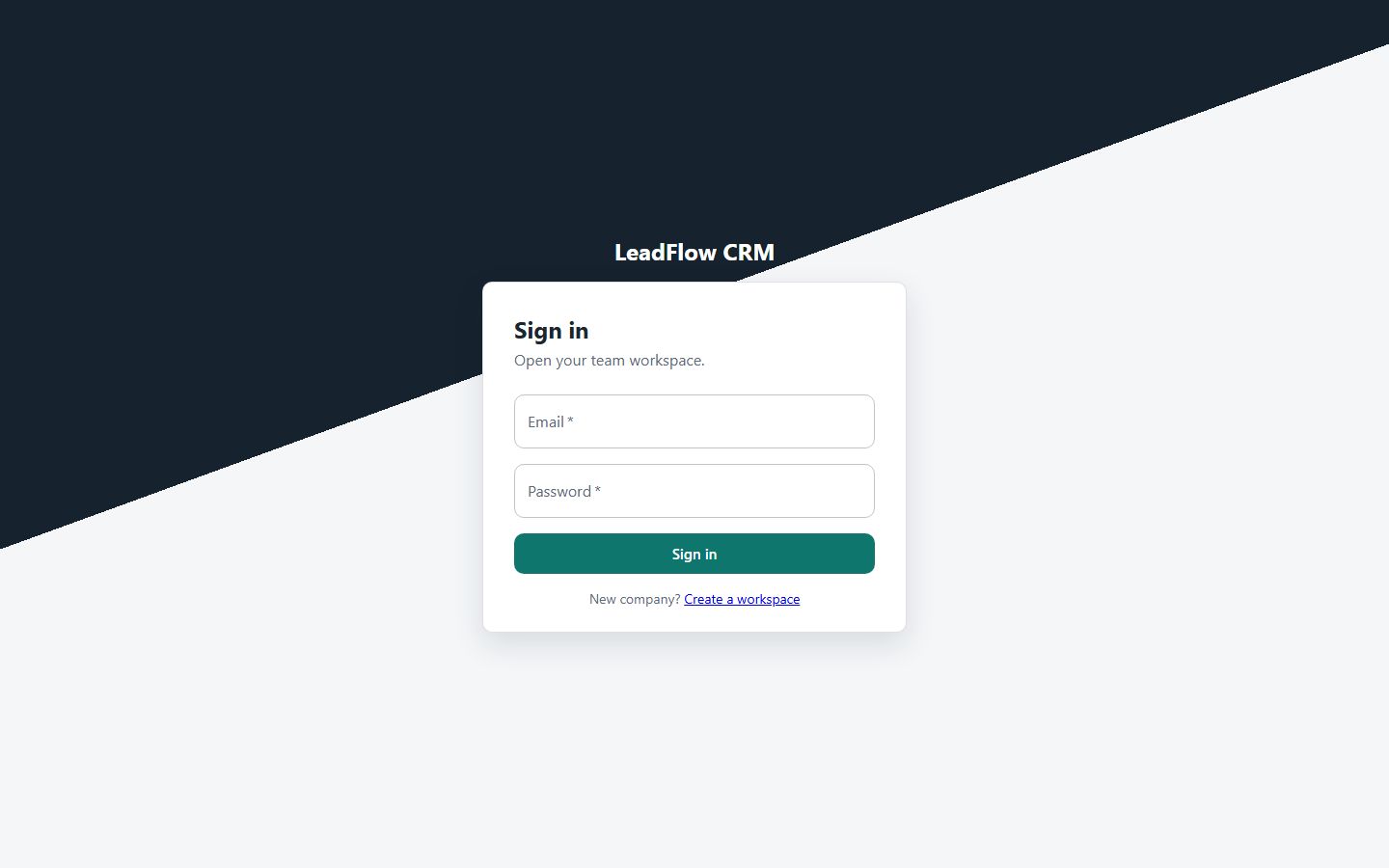
Use WhatsApp for conversation, your website for samples and rate guidance, and a web app when enquiries, proofs, jobs, and invoices need to live in one place.
Where a website helps
Customers search “flex banner printing near me”, “vinyl printing in Nagpur”, or “shop board maker” before they call. Your website should show your services and media, sample sizes and turnaround times, rate guidance, past installations, your address and hours, a file upload or enquiry form, and a WhatsApp button, in that order. A site with only a logo and a phone number loses to the unit that answers the first five questions on one page. Add clear headings, service pages for each media type, and structured data for a local business so search engines and AI assistants can quote your location, services, and contact details correctly.
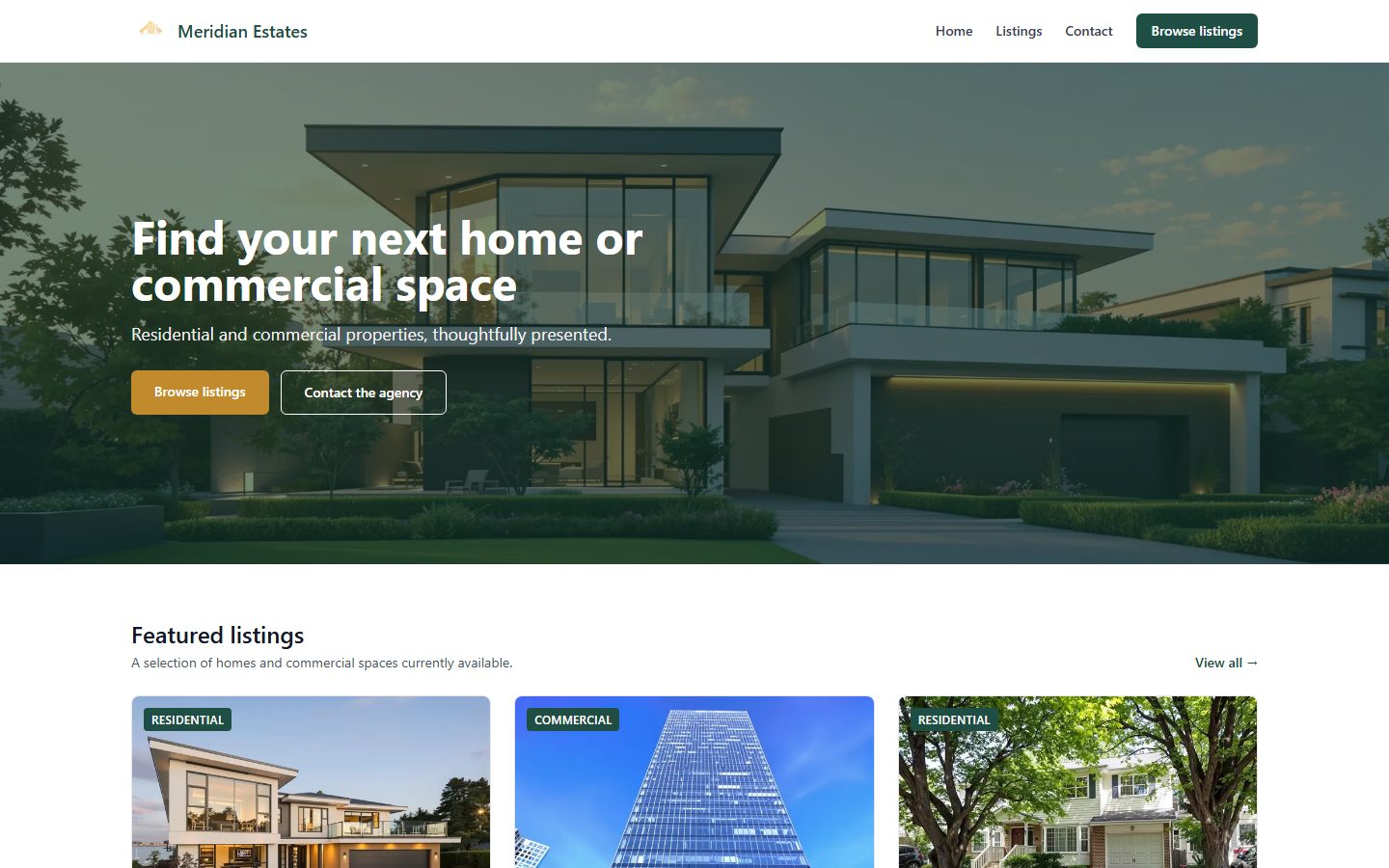
Start from the AI website builder or build a website with AI and describe your media, sizes, turnaround, rate guidance, and the five questions you want a customer to answer on the page.
Where a web app helps
A web app helps when enquiries, proofs, jobs, machine slots, invoices, and customer credit outgrow a notebook and a spreadsheet, and when the designer, operator, installer, and accounts person each need the same truth. A signed-in board that shows each job’s proof status, due time, media, stage, and payment status gives the owner an answer without a phone call.
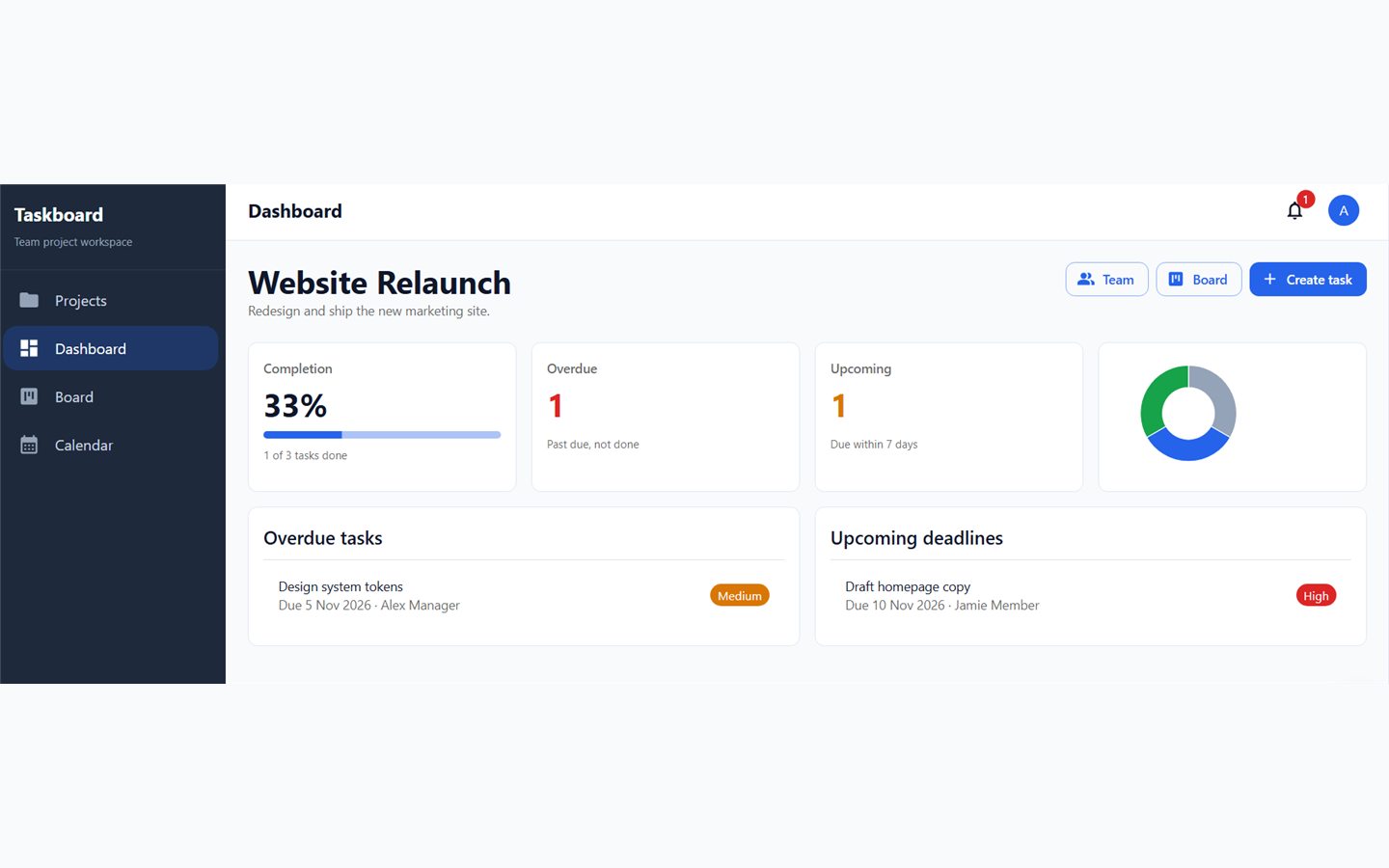
Open the AI app generator or the AI web app builder and describe the screens: enquiry and quote, proof approval, job board by stage, media and ink stock, customer ledger with credit limit, and a daily sq ft and reprint dashboard. Describe who may see rates and credit and who may not.
Where a mobile app helps
A mobile app suits the installer and the supervisor who need a job list, site address, a safety checklist, before-and-after photographs, a customer sign-off, and a quick invoice trigger from a phone, even on weak signal. Build it after your web board has worked for three months. A customer-facing app is rarely worth it for a single local unit. Start from the AI mobile app builder.
Where a logo and brand mark help
A unit’s mark appears on a signboard, a delivery bag, an invoice, a WhatsApp profile, a vehicle, and the small credit line on installed work, so it should be bold, simple, and readable at a distance and in one colour. Pick a short name that is easy to say on the phone, a mark that survives being printed small and large, and avoid fine detail that disappears on flex. Use the AI logo generator to explore marks, and test each on a banner, a visiting card, and a round profile picture before you print.

A ninety-day plan if you are starting
- 1
Days 1 to 15
Choose your customer segment, visit five units and ten shops, cost your media and rates, and compare new and used machines with written quotes and service support.
- 2
Days 16 to 45
Register the business, set up power backup and ventilation, buy and test the machine, write the rate card, proof policy, and job-acceptance policy, and train the operator and designer.
- 3
Days 46 to 70
Launch with twenty to thirty pilot customers, track enquiry, proof time, reprints, and payment days weekly, and fix every gap in the proof and quality checks.
- 4
Days 71 to 90
Scale marketing carefully, sign your first repeat contracts, lock the weekly scoreboard, and add installation only after the safety routine is written, trained, and insured.
A ninety-day plan if you already run a unit
- 1
Days 1 to 15
Measure honestly: printed sq ft, blended rate, reprint rate, utilisation, receivables ageing, and contribution by customer type.
- 2
Days 16 to 45
Fix one leak: reprints from spelling and colour, an idle weekday pattern, or a customer who pays in sixty days. Rewrite the rate card and credit rule.
- 3
Days 46 to 70
Add a proof record, a job board, nesting, and payment reminders, and train every installer on the safety routine.
- 4
Days 71 to 90
Lock the weekly scoreboard, ask happy customers for reviews and contracts the right way, and plan the next two quarters. Only then consider a second machine or a second site.
Common failure patterns
- Printing without a written proof approval, then absorbing the cost of a wrong phone number
- Buying a wide, expensive machine and filling it with jobs priced below contribution
- Extending credit to large customers without a limit until the receivables swallow working capital
- Sending installers up ladders without harnesses, supervision, or any check on overhead wires
- Ignoring local flex, hoarding, and permission rules and then losing a roll of stock or a customer’s board
- Printing political or sensitive content without written approval and a clear refusal policy
- Over-buying media for a discount and discovering the spec has changed or the roll has aged
- Running the machine without ventilation, nozzle checks, or power backup, and paying in banding, headaches, and reprints
- Discounting at the counter with no record, so no one knows the real blended rate
- Opening a second site before the first runs well without the owner at the printer
When you are ready to build with Nyravi
Use this guide to decide what the unit needs. When the next step is a printing website with a file upload and rate guidance, a job and proof dashboard, an installer’s mobile app, or a brand mark for your signboard and invoices, open Nyravi and describe that product. Keep the brief short: who uses it, what they open first, what they finish, and who may never see it.
If you want help writing that description, ask on Support. Start on the [home page](/), or jump to the product pages linked above. For WhatsApp chatbots, start at cognitivesys.io. The operation comes first. The build carries the system once the system is clear.
Questions
What is a flex banner and signage printing business?+
A flex banner and signage printing business is a make-to-order unit that prints customer artwork on large-format media such as PVC flex, vinyl, and backlit film, finishes it, and often installs it. It earns a net rate per printed square foot plus finishing, design, and installation charges, and it is limited by printer hours, media on hand, finishing speed, and installers’ safe capacity.
How do I start a flex banner printing business in India?+
Choose your customer segment and core media, cost two or three machine options with written quotes, and register the business with the required local permissions. Set up ventilation and power backup, write a rate card, a proof policy, and a credit policy, and train the operator and designer. Pilot with twenty to thirty customers before you scale marketing or add installation.
How much does it cost to start a flex printing business in India?+
A small unit using outsourced printing can start with a few lakh rupees, while a unit with its own large-format printer, finishing tools, and installer kit often needs roughly ₹12 lakh to ₹20 lakh depending on city and machine. The worked example in this guide totals ₹17,70,000, including an ₹8,00,000 printer, ₹1,50,000 of finishing equipment, and ₹3,00,000 of working capital.
What is the flex banner printing rate per sq ft in India?+
Rates vary by city, media, and competition, and common frontlit flex is usually the cheapest while vinyl, backlit, and premium media cost more. In this guide’s example the net rates are ₹12 for frontlit flex, ₹32 for vinyl, ₹28 for backlit, and ₹40 for premium media, which blend to ₹21.20 per sq ft before GST. Use your own media and wastage costs to set your rate card.
How much profit can a flex banner printing business make?+
Profit depends on printed square feet per month, the media mix, and the share you waste or reprint. In this guide’s example, ₹9.43 of contribution per sq ft and ₹2,17,000 of monthly fixed cost break even at about 17,922 sq ft a month and earn about ₹76,180 at 26,000 sq ft after the owner’s draw. At 15,000 sq ft the unit loses about ₹27,550 a month.
What licences does a flex printing business need?+
Most units need business registration, GST where applicable, Udyam registration where it helps, a shop and establishment or trade licence, and checks on pollution-board, fire, and ink-storage rules. Cities and states may also restrict PVC flex or require permits for banners and hoardings, and election material has separate printer rules. Rules differ by state and change over time, so confirm with the local authority and a professional.
How can I reduce reprints and wastage in a flex printing business?+
Get a written proof approval before every job, have a second person read every phone number and spelling aloud, and check file resolution at print size. Nest jobs on the roll, run nozzle checks on a schedule, and log every reprint by cause. In this guide’s example, each percentage point of wastage removed saves about ₹5,512 a month, and better nesting saves about ₹6,006.
Is installation of flex banners and signboards safe to offer?+
Installation can be offered safely only with trained installers, harnesses and proper access equipment, a site survey, and checks for overhead wires, wall strength, and wind load. Large or high boards should be reviewed by a qualified engineer, and illuminated boards need a qualified electrician. If you cannot run that routine, sell printing only and partner with a qualified installer.
Can a WhatsApp chatbot help a flex printing business?+
Yes, a WhatsApp chatbot can answer media and turnaround questions, collect size and artwork details, give an indicative range from your approved rate card, send proofs for approval, and send job updates and payment reminders, while handing custom, disputed, safety, and election-material messages to a person. CognitiveSys, the parent company behind Nyravi, builds WhatsApp chatbots and shared inboxes. Start at cognitivesys.io.
Does a flex banner printing business need a website, an app, or Nyravi?+
A unit benefits most from a simple website with service pages, sample sizes, rate guidance, and an enquiry or file upload form, then from a web app once enquiries, proofs, and jobs outgrow a spreadsheet. An installer’s mobile app helps after the web board works. Nyravi can build the website, job board, installer app, or logo from a plain-language description. For WhatsApp chatbots, start at cognitivesys.io.