

Computer training & IT skills
Computer training institute business: how to start, run, and improve one
A practical operator playbook for starting, running, and improving a computer training and IT skills institute in India: what the institute really sells, enquiry-to-enrolment funnel, batch-margin, seat-utilisation, trainer-load, fee-collection, dropout, and break-even formulas with hand-checked ₹ examples, course-mix and pricing rules, honest placement claims, a small team of trainers and counsellors, a student journey from the first enquiry to the certificate and the next course, weekly scoreboards, WhatsApp chatbots for enquiries and fee reminders, and when a website, student web app, mobile app, or logo actually helps. Business operations only, not legal, tax, or education-regulation advice.
 Nyravi AILearn playbookFirst-time computer institute founders, IT trainers and engineers planning to open a training centre, owners of Tally, DCA, coding, graphic design, and digital marketing classes, franchise-centre holders, college-linked skill trainers, and existing institutes that want fuller batches, fewer dropouts, steadier fee collection, and honest placement results
Who this guide is for
Read this if you want to open or run an institute that teaches computer basics, MS Office, Tally and GST accounting, DCA and ADCA-style diplomas, programming such as Python and Java, web development, data analytics, graphic design, digital marketing, and hardware and networking to school leavers, college students, job seekers, homemakers returning to work, and working professionals. It is also for a software engineer who wants to leave a job and teach, a trainer who has been working in someone else’s centre and wants to run one, an owner whose batches are full in May and half-empty in November, and a centre holder who has noticed that many students pay the first instalment and then vanish. If your enquiries are fine but your demo-to-admission rate, batch fill, fee collection, or placement story is not, this playbook is for you.
The playbook covers the business around the lab: course mix, pricing, batches, trainers, counselling, fee collection, outcomes, and growth. If you teach school subjects and board exams, read the coach and tutor guide. If you teach spoken languages, see language institute. If you teach beauty and grooming skills, the beauty academy guide fits better. If you advise students on courses and careers rather than teaching a skill, read career counselling. A computer institute is judged on whether the student can do something useful on a computer after the course, and whether the institute is still there next year.
What a computer training institute business is
A computer training institute business is a service business that teaches digital and IT skills through scheduled batches in a lab or online, collects course fees (often in instalments), issues certificates, and helps students move into jobs, internships, freelancing, or further study. Revenue comes from enrolments per month at an average fee, and profit is capped by how many enquiries turn into admissions, how full each batch is, how many students finish and keep paying, and how well trainer time and lab seats are used.
Terms you will use every week
- Enquiry: a person who calls, messages, or walks in asking about a course
- Demo and counselling visit: a short free class or session with a counsellor, where most admissions are decided
- Enrolment: a student who pays the booking amount and joins a batch
- Average net fee: course fees after discounts, divided by enrolments
- Batch fill: students in a batch divided by the batch’s planned size
- Seat utilisation: active students divided by lab seats times batch slots per day
- Trainer utilisation: teaching hours delivered divided by planned teaching hours
- Dropout: a student who leaves before finishing, often with fees still unpaid
- Outstanding fees: instalments due from students who are still enrolled
- Placement rate: students placed within a stated time divided by students who completed and wanted a job, with the definition published
An institute is a recurring-cohort business. A lab is expensive to set up and cheap to keep running, so profit comes from filling seats across the day, keeping the batches viable, and selling the next course to students who already trust you.
Computer institute at a glance: the worked example in this guide
Key figures, all illustrative and to be replaced with your own books
- Institute: about 2,400 sq ft with two labs of 18 seats each (36 seats), a seminar room, five batch slots a day, six days a week, in a mid-sized city
- Funnel: about 400 enquiries a month, 30% attend a demo (120), one-third of those enrol, so 40 enrolments, a 10% enquiry-to-enrolment rate
- Revenue: 40 enrolments at an average net fee of ₹12,000, so ₹4,80,000 of fees booked a month
- Margin: variable costs of 14% (materials and certification, counsellor incentives, collection costs, and a dropout allowance), so an 86% contribution
- Fixed cost: about ₹3,50,000 a month including a ₹50,000 owner draw and ₹60,000 of rent
- Break-even: about ₹4,06,977 of monthly fees, roughly 34 enrolments
- Profit: about ₹62,800 a month on average, about ₹2,27,920 in the peak month of May and a loss of about ₹61,040 in November
- Start-up investment: about ₹26,55,000, with a payback of about 42 months on profit after the owner’s draw
Treat these as a template for your own sheet, not as a promise. City, rent, course mix, and trainer pay change everything. The point is to see which numbers move profit most: demo-to-admission rate, batch fill, dropout, and how you survive the lean months.
What a computer institute really sells
A student does not buy forty hours of lab time. A student buys the belief that in three months they will be able to type invoices in Tally, build a simple website, or pass a typing test for a job, and that someone will notice if they fall behind. The institute that answers the anxious question first, “Will I actually get a job or earn from this?”, wins the admission. The institute that only lists syllabus topics wins the browsers.
An institute that offers thirty courses from MS Office to machine learning feels generous and runs badly. Every extra course needs a trainer, a batch that fills, study material, and a counsellor who can explain it. An institute known for one clear promise, such as “job-ready accounting with Tally and GST”, “web development for college students”, “office computing for women returning to work”, or “hardware and networking for technicians”, is easier to staff, easier to explain on a phone call, and easier to defend against free videos and cheap online courses.
How a computer institute differs from tutoring, language, beauty, and counselling businesses
Owners often copy the model of a neighbouring tuition or beauty class and get the wrong economics. A computer institute has an expensive lab, a fast-changing syllabus, outcome-based marketing, and a student who compares you with free online content. That changes what you buy, how you teach, and what you promise.
Where the lines fall
- Coach and tutor: school subjects, board exams, and entrance coaching with a teacher-led model and minimal equipment. See coach and tutor for batch and fee-cycle planning
- Language institute: spoken and exam-oriented languages with a certificate ladder and no lab cost. See language institute for level-based batches
- Beauty academy: hands-on practical skills with a kit and a model-based practice plan. See beauty academy for certification-led teaching
- Career counselling: guidance and course selection rather than teaching. See career counselling, which can also be your referral partner
- Digital marketing agency: sells services to businesses, while your institute teaches the skill. See digital marketing agency for the client-side view
- Freelancer: the path many of your students will take after the course. See freelancer business for how to earn from a skill
Choose an institute model and a course mix before you sign a lease
A computer institute can look like many things, which is why new owners try to be all of them. Pick the model that fits your capital, your teaching strength, and the students within thirty minutes’ travel, and treat every other model as an add-on to test later.
Common models and what they ask of you
- Brand franchise or affiliated centre: a recognised name and ready syllabus, but a franchise fee, fixed fees, and limited freedom on pricing and courses
- Independent multi-skill institute: the widest course choice and full control, but you build the syllabus, the brand, and the trust yourself
- Specialist institute: one deep subject such as Tally and GST, coding, or hardware, with a clear promise and fewer trainers
- School and college partner: classes run inside or near a school or college, with lower fees per student but steady volume
- Corporate and government-scheme trainer: batches for companies or approved skilling programmes, with fixed contracts and slower payments
- Online and hybrid: live online batches with a lab for practicals, a wider catchment, and stronger competition from free content
Decide these before you commit money
- The one or two course families that will carry the first six months
- Who will teach them, how much you will pay, and whether you or a hired trainer will be the lead
- The student you will win: school leaver, college student, job seeker, or working professional
- Which months need the most marketing and how you will fund the lean months
- The rent you can afford, ideally below about 10 to 15% of planned fees
- Which affiliation, partnership, or certificate you will offer, and what it truly is
How the institute works: courses, batches, labs, and trainers
An institute succeeds when the right batch is running at the right time with enough students to be worth teaching. Students choose by timing first and by subject second: after college, before work, on weekends. Your batches should be built around their day, not your trainer’s convenience.
A simple course and batch plan
- 1
1. Course ladder
Offer a basic level such as computer fundamentals, MS Office, or Tally, a professional level such as Python, web development, or digital marketing, and an advanced job-ready bundle that combines skills and a project.
- 2
2. Batch timing
Plan five slots: early morning, late morning, afternoon, early evening, and late evening, with a weekend batch for working professionals and a short vacation batch for students.
- 3
3. Batch size
Cap each batch at the number of working seats, usually 12 to 18, so every student has a machine and the trainer can reach every screen.
- 4
4. Trainer plan
Match each trainer to a course family, set planned teaching hours of about 100 a month for a full-time trainer, and keep one backup who can cover any batch.
- 5
5. Practice and projects
Give every course a project, a mock test, or a portfolio piece, because students judge the institute by what they can show.
- 6
6. Review
Every month list batches by fill, dropout, and margin, and merge or close the weakest before adding a new one.
Start-up and monthly cost formulas
A computer institute needs a deposit, a lab full of machines, networking and power backup, licensed software, and enough cash to pay trainers through the first quiet months. Founders most often under-count two lines: the computers and the working capital to survive November.
Unit economics: fees, course mix, and variable costs
Course fees look generous on the poster and shrink in the books. Work out the average net fee you really collect, the contribution on the mix you really sell, and what each discount quietly costs, and run the institute from those numbers rather than from the rate card.
Break-even, seasonality, and profit
Because rent, trainers, and counsellors are paid whether you enrol 25 or 45 students, the fees you need each month is the most important number in the institute. Put it where the whole team can see it, and test it against your leanest month, not your average one.
Capacity: seats, trainers, and fee collection
A lab seat that sits empty at 11 am is rent you have already paid. A trainer teaching three hours instead of five is salary you have already paid. And a fee that is due in month three is cash you do not have in month one. Capacity, not enquiries alone, decides whether the institute breathes.
Registration, affiliation, and software licensing
An institute touches tax law, local trade rules, education and skill-scheme rules, consumer law, copyright law, and landlord terms. The framework differs by state, programme, and turnover. Treat this section as a checklist of things to confirm, not as instructions.
Confirm each with a qualified professional and the authority
- GST registration and the tax treatment of your training fees, which can differ by course type and by the body that recognises it, confirmed with a chartered accountant
- Shop and establishment registration and any local trade licence or signage permission
- Udyam (MSME) registration, which can help with bank credit
- What any affiliation, franchise, or scheme partnership really entitles you to, in writing, including who issues the certificate and what it is worth
- A rule never to advertise a certificate, ISO mark, or tie-up as government or university recognition unless the awarding body confirms it
- Licensed software for every lab machine, or free and open-source tools, because pirated software is a copyright offence and a reputational risk
- A fee and refund policy that is written, signed at admission, and consistent with consumer-protection rules
- Student and parent data handled with care under current data-protection rules, with consent for messages and for photos
- Fire safety, adequate electrical load, earthing, UPS, and ergonomic seating for a room full of computers
- Child-safety and conduct policies if you teach minors, including CCTV in common areas and staff background checks
The team a computer institute needs
An institute works when each person owns a result: trainers own learning, counsellors own admissions, and the manager owns batches and fees. Hire trainers who can build something live in front of the class, and counsellors who are honest about who a course is not for.
Roles that keep the labs full and the fees collected
- Owner or centre head: course mix, pricing, trainer quality, partnerships, and the weekly review
- Senior trainer: syllabus, advanced batches, project reviews, and mentoring junior trainers
- Junior trainers and lab assistants: basic batches, doubt-clearing, and practice supervision
- Counsellor: enquiry replies, demo scheduling, admission, and fee follow-up, often two people in a small centre
- Front office and accounts: receipts, instalment tracking, certificates, and the daily cash book
- Placement and projects coordinator: employer contacts, internships, mock interviews, and outcome records, often the owner’s job at first
- Lab and IT support: machine upkeep, software updates, and backups, often a part-time technician
Pay trainers a base plus a bonus linked to batch completion and student scores, not to the number of admissions. Pay counsellors a base plus a modest incentive that is partly released only after the student’s second instalment is paid. That teaches the habit of enrolling students who stay.
Pricing, offers, and fee plans
Students compare your fee with a free video, a cheap online course, and the institute down the road. An institute that competes on price alone loses margin to providers with no lab to pay for. An institute that sells small batches, live projects, a mentor, and a clear outcome can hold price and still fill batches.
Pricing habits worth keeping
- Price by outcome and hours, not by topic count, and show the fee per hour of instruction, such as ₹14,000 for 80 hours, which is ₹175 an hour
- Offer one clear fee plan, such as 40% at admission and the rest in three monthly instalments, rather than ad hoc deals
- Use early-bird dates, group offers, and a free add-on module in preference to a straight percentage cut
- Set a rule for the maximum discount a counsellor may give without the owner, and keep a log
- Keep a no-questions trial window or demo, and write the refund rule on the admission form
- Review prices each year against trainer cost and lab cost, and raise them for new batches before old ones
- Never advertise the lowest fee of a range if most students pay the higher one
The student journey from the first enquiry to the next course
A student is often anxious, short of money, and comparing three centres. The journey from the first question to the certificate is where an institute turns a browser into a graduate who sends a friend.
A standard journey
- 1
1. Reply within minutes
Answer the enquiry the same hour and ask what the student wants to do after the course, because the goal decides the course.
- 2
2. Invite to a demo
Offer a free demo class or a counselling visit at a convenient time, and confirm by message the day before.
- 3
3. Counsel honestly
Recommend the right course, tell the student what it will and will not lead to, and suggest a cheaper path if that is the better fit.
- 4
4. Admit and plan fees
Explain the fee, the instalment plan, the refund rule, and the batch timing, and hand over a written receipt and schedule.
- 5
5. Start strong
Run a first-week orientation, set up the student’s login and materials, and introduce a buddy or mentor.
- 6
6. Track attendance and practice
Call any student who misses two classes in a row, and review practice work every week.
- 7
7. Finish with a project and a test
End each course with a project, a mock interview, and an assessment that produces the certificate.
- 8
8. Connect to the next step
Share job openings, internships, or freelance leads, and suggest the next course for those who want to go deeper.
A simple weekly rhythm
Run the institute on a short scoreboard
- Daily open: lab power and internet check, attendance sheet, and the list of students who missed yesterday
- Daily close: fees received, receipts issued, new enquiries answered, and tomorrow’s demo list
- Weekly: enquiries, demos held, enrolments, and each conversion step as a percentage
- Weekly: batch fill by course and by slot, and the batches below the minimum size
- Weekly: attendance, dropouts, and outstanding instalments older than seven days
- Weekly: trainer teaching hours delivered against plan, and student feedback scores
- Monthly: fees booked, contribution, rent ratio, seat utilisation, completion rate, and placement or earnings records
Money: the numbers that decide survival
Watch these every week and every month
- Fees booked, contribution, and the monthly break-even of about ₹4,06,977 or 34 enrolments
- Fees collected against fees due, and outstanding instalments by age
- Cash in hand against three months of fixed cost, because October and November arrive every year
- Demo-to-enrolment rate and average net fee, as two numbers that move profit before any ad spend does
- Dropout by course and by counsellor
- Trainer pay as a share of fees, which should sit near 20 to 25% in this example (₹1,02,000 ÷ ₹4,80,000 = 21.3%)
- Hardware reserve actually set aside against machines that will need replacing
ROI formulas you can use this month
Marketing a computer institute in India
People search for a course when they decide to change something: after results, after a layoff, after a first job offer asks for Excel. Marketing for an institute is mostly about being the centre that answers “what will I be able to do after this?” with proof, a fee, and a batch time.
What moves enrolments
- A complete Google Business Profile with photos of the lab, trainer names, course list with fees, timings, and a WhatsApp number that is answered the same hour
- A clear page for each course with syllabus, hours, project, batch timings, fee plan, and who it is for and not for
- Short demo videos and student project walkthroughs, with permission, which build trust more than a stock image
- Tie-ups with colleges, schools, and coaching centres for vacation batches and workshops, planned before results are declared
- Referral rewards that benefit both the old and the new student, such as a free add-on module
- Honest outcome reports each quarter: completion, projects built, and job or freelance results with the definition
- Calendar campaigns for the May and June peak and for the January new-year resolution wave, planned a month ahead
Reviews, relationships, and reputation
An institute is judged by a few hundred students each year who tell their friends and families whether the course was worth it. A review is often triggered by a small thing: whether the trainer turned up, whether the system worked, or whether someone returned a call about a certificate.
A routine that works
- Ask each completer for a Google review after the final project, with a direct link on WhatsApp, never as a condition of a certificate
- Reply to every public review within 48 hours, thank the good ones, and offer a call to fix the bad ones
- Tag every complaint by cause: trainer change, batch timing, lab machine, fee confusion, or certificate delay
- Fix the cause with the biggest count first, and tell the team what changed
- Keep an alumni list with consent, and invite alumni to demo days and mock interviews
- Never argue publicly and never post a student’s name, photo, or marks without written permission
Channels that bring students
Rank them by contribution per student and by repeatability, not by volume alone
- Walk-ins and local visibility: the main source, driven by location, signage, and Google Maps
- Phone and WhatsApp enquiries: price, timing, and syllabus questions that become demos if answered fast
- Referrals from students and alumni: the cheapest admissions you will ever win
- Schools, colleges, and coaching centres: vacation batches and workshop revenue at lower fees but steady volume
- Social media and short videos: reach among younger students, with a clear call to book a demo
- Employers, small businesses, and accountants: staff training batches and fresher requirements that connect your students to work
- Government schemes and approved skilling programmes: volume, with slower payments and strict records
Log the source of every enrolment for a quarter. You will see which channel brings students who finish and pay, and which brings volume that leaves you with unpaid instalments.
Automation that frees the owner
Automate these first
- An enquiry sheet that records source, course, date, and follow-up status, so no one answers “who called?” from memory
- Automatic demo reminders the evening before and an hour before the session
- An instalment schedule with reminders seven days before, on the due date, and three days after
- Attendance alerts to the counsellor when a student misses two sessions in a row
- A certificate register that issues numbered certificates and lets an employer verify them
- A review request message after the final project and an alumni message before each new batch
- A weekly owner digest with enquiries, demos, enrolments, batch fill, outstanding fees, and dropouts
Where a WhatsApp chatbot helps
Students message late at night, after seeing a post, or during a lab session: “What is the fee for Python?”, “Is there a weekend batch?”, “Can I pay in instalments?” If those messages wait until the counsellor is free, the student has already asked three other centres.
What a business WhatsApp chatbot is good for
- Answering fee, syllabus, duration, batch-timing, and location questions from a list of courses you approve
- Booking a demo class or a counselling visit and sending a reminder before it
- Collecting a student’s goal, current education, and preferred timing, then alerting a counsellor
- Sending instalment reminders, holiday notices, and exam or project schedules to enrolled students
- Asking for feedback after a course and routing complaints to the owner
- Sharing the certificate verification link and alumni job-opening posts to opted-in contacts
- Handing the whole thread to a person for fee disputes, refunds, scholarship requests, and anything about recognition or placement
Why institutes use it
- Students and parents already live on WhatsApp and prefer a message to a call
- One shared inbox instead of the counsellor’s personal number
- Written fee and refund answers reduce the “you never told me” argument
- Faster first replies, which is where most admissions are won
Use WhatsApp for conversation, your website for course pages and proof, and a web app when batches, attendance, and fee schedules need to live in one place.
Growing a computer institute
Growth is not only another branch. It is a better demo conversion, fuller mid-day batches, fewer dropouts, an honest outcome record, and finishers who come back for the next course. Open a second centre only after the first runs smoothly without you teaching in it.
Ways to grow responsibly
- Raise demo-to-admission rate and batch fill before adding seats, because both lift profit without new rent
- Add the next course for finishers, since advanced bundles carry a large share of fees
- Fill empty mid-day slots with college, corporate, homemaker, and vacation batches
- Add weekend and live-online batches for working professionals, using the same trainers and the same syllabus
- Build a small employer network for internships and fresher hiring, and publish honest outcomes
- Run short paid workshops in colleges and companies to find students and earn on the day
- Add a certification-exam centre or a partner programme only after confirming its terms in writing
- Open another centre only after six months of target batch fill, positive profit in the lean months, and a manager who can run the centre for two weeks alone
Where a website helps
Students search “computer course near me”, “Tally course fees in my city”, “Python classes for beginners”, or “best IT institute with placement” before they walk in. Your website should show each course with syllabus, hours, fees and instalment plan, batch timings, trainer profiles, student projects and honest outcomes, your address, map and opening hours, and a WhatsApp button, in that order. A site that shows only a logo and a phone number loses to the centre that answers the first three questions on one page. Add clear headings and structured data for a local business and for each course so search engines and AI assistants can quote your location, courses, and contact details correctly.
Start from the AI website builder or build a website with AI and describe your courses, fees, batch timings, and the three questions you want a student to answer on the page.
Where a web app helps
A web app helps when enquiries, batches, attendance, instalments, and certificates outgrow a notebook and a spreadsheet, and when a second centre or a larger team makes one counsellor’s memory unreliable. A signed-in board that shows enquiries by stage, batches by fill, attendance by student, instalments by age, and certificates by status gives the owner, the counsellors, and the trainers the same answer.
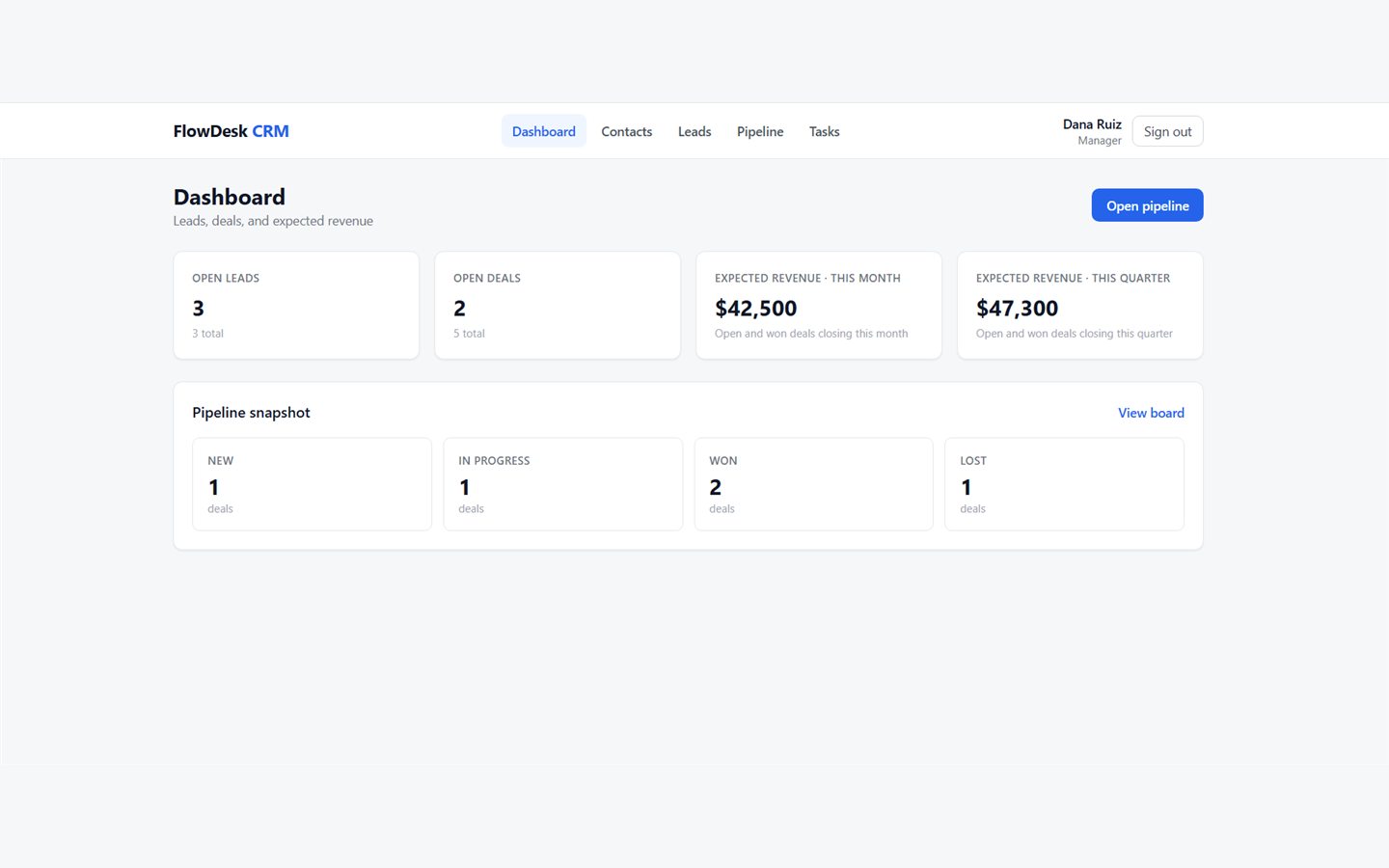
Open the AI app generator or the AI web app builder and describe the screens: enquiry pipeline, batch and seat planner, attendance, instalment tracker, and certificate register.
Where a mobile app helps
A mobile app suits the trainer who marks attendance on a phone in the lab, the counsellor who records a walk-in enquiry on the spot, and the student who wants class timings, assignments, and fee reminders in one place. Build it after your spreadsheet has worked for three months. A branded student app is worth it only when you have several batches and the same questions arrive daily. Start from the AI mobile app builder.
Where a logo and brand mark help
An institute mark appears on a signboard, a certificate, an ID card, a notebook, a WhatsApp profile, and a college-fair banner, so it should read on a small card and in one colour. Pick a short name that is easy to say on a phone, a simple mark that suggests learning or technology without copying a famous brand, and a certificate design that makes your students proud to share it. Use the AI logo generator to explore marks, and test each on a certificate corner, a lanyard card, and a small circle before you print.

A ninety-day plan if you are starting
- 1
Days 1 to 15
Sit in on two competitors’ demo classes, pick your model and your one or two course families, list the students within thirty minutes’ travel, and cost rent, computers, and trainers.
- 2
Days 16 to 45
Secure the lease with rent below about 10 to 15% of planned fees, confirm any affiliation or partnership in writing, apply for GST and local registrations, order machines and licences, and build the batch calendar.
- 3
Days 46 to 70
Fit out the labs, hire and brief trainers, write the syllabus and fee plan, set up the enquiry sheet and receipts, and begin a local launch with Google profile, WhatsApp, and school or college outreach.
- 4
Days 71 to 90
Open, run demos every day, review the weekly scoreboard, fix the three biggest gaps in conversion or batch fill, and plan the next intake before the current one ends.
A ninety-day plan if you already run an institute
- 1
Days 1 to 15
Measure honestly: enquiries, demos, enrolments, batch fill by slot, dropout, outstanding fees by age, and the real placement or earnings outcomes of the last two batches.
- 2
Days 16 to 45
Fix one leak: speed of reply, demo script, instalment reminders, or an empty mid-day slot, and set a maximum discount rule.
- 3
Days 46 to 70
Rebuild the course ladder, merge or close the weakest batches, add one weekend or workshop revenue line, and start a referral reward for current students.
- 4
Days 71 to 90
Lock the weekly scoreboard and plan the next two intakes. Only then consider a new course, a second lab, or a new centre.
Common failure patterns
- Offering thirty courses with no trainer depth, so that every batch is thin and every counsellor guesses
- Advertising guaranteed placement, then facing complaints and a consumer case when results fall short
- Selling a certificate as government or university recognised without written confirmation from the awarding body
- Using pirated software, which is a copyright offence and an easy way to lose a licence or a reputation
- Chasing enquiries while the demo script and the reply time are weak
- Running batches below the minimum size because no one has set a margin rule
- Collecting a small first instalment and having no reminder system, so dropouts leave large unpaid balances
- Letting machines age without a replacement reserve, so a lab fails in the middle of a batch
- Ignoring lean months and spending the May surplus before November arrives
- Opening a second centre before the first can run without the owner teaching in it
When you are ready to build with Nyravi
Use this guide to decide what the institute needs. When the next step is an institute website with course pages and a demo-booking form, a batch and fee dashboard, a trainer app for attendance, or a brand mark for your certificates and ID cards, open Nyravi and describe that product. Keep the brief short: who uses it, what they open first, and what they finish.
If you want help writing that description, ask on Support. Start on the [home page](/), or jump to the product pages linked above. For WhatsApp chatbots, start at cognitivesys.io. The operation comes first. The build carries the system once the system is clear.
Questions
What is a computer training institute business?+
A computer training institute business teaches computer and IT skills such as MS Office, Tally, programming, web development, and design through scheduled batches, collects course fees often in instalments, issues certificates, and helps students move into work or further study. It earns fees per enrolment, and profit is limited by demo-to-admission conversion, batch fill, dropout, trainer time, and seasonal swings.
How do I start a computer institute in India?+
Start by sitting in on competitors’ demo classes and choosing one or two course families and a student group, then secure a lease with rent below about 10 to 15% of planned fees. Confirm any affiliation or scheme terms in writing, register for GST and local licences, set up licensed software and a lab, hire trainers, and run daily demos with a written fee and refund policy.
How much does it cost to start a computer training institute?+
A small centre can start with ₹8 lakh to ₹12 lakh, while a 36-seat, two-lab institute like the worked example in this guide needs about ₹26,55,000, including ₹3,60,000 of deposit, ₹10,80,000 of computers, ₹2,20,000 of network, AC, UPS, and projector, and ₹4,00,000 of working capital. Rent, machine choice, and city change the total, so cost your own plan.
How much profit can a computer institute make?+
Profit depends on enrolments, course mix, batch fill, and rent, not on the number of courses. In this guide’s example, 40 enrolments at ₹12,000, an 86% contribution, and ₹3,50,000 of fixed cost break even at about ₹4,06,977 of monthly fees (34 enrolments) and earn about ₹62,800 a month after the owner’s draw, about ₹2,27,920 in May and a loss of about ₹61,040 in November.
How do computer institutes price their courses?+
Most institutes price by hours and outcome, with a ladder from basic courses around ₹6,000, to professional courses around ₹14,000, to advanced bundles around ₹35,000 in this guide’s example, and an instalment plan such as 40% at admission and the rest monthly. A ₹14,000 course with 80 hours is ₹175 an hour. Use early-bird dates and add-on modules instead of deep cuts, because a 10% discount needs about 13% more students to earn the same contribution.
Can a computer institute advertise placement?+
It can advertise placement results only if it can prove them from its own records and states the definition and period, such as 15 of 25 finishers seeking work employed or interning within six months. A guaranteed placement claim is a promise you must keep and can lead to consumer complaints. Rules vary and change, so confirm with a qualified adviser before you advertise.
Do I need a licence or affiliation for a computer institute?+
You will usually need GST registration where applicable and a shop and establishment registration or local trade permission, while Udyam registration is optional but can help with credit. Affiliation or a scheme tie-up is optional, but you must not call a certificate government or university recognised unless the awarding body confirms it in writing, and you should use licensed software. Rules vary by state and programme, so confirm with a chartered accountant and the awarding body.
How do I reduce dropouts and unpaid fees in a computer institute?+
Use an instalment plan with a meaningful first payment such as 40%, call students after two missed classes, track instalments with reminders seven days before and three days after the due date, and review practice work weekly. In this guide’s example, cutting dropout from 12% to 8% on 40 enrolments saves about ₹9,600 a month, and the fee book carries about ₹5,76,000 of outstanding instalments that reminders protect.
How can I increase admissions and batch fill in a computer institute?+
Reply to enquiries within the hour, improve the demo script, sell the next course to finishers, and fill empty mid-day slots with college, corporate, and homemaker batches. In this guide’s example, a gain of 6.7 points in demo-to-enrolment adds about ₹82,560 a month, and raising seat utilisation from 66.7% to 75% adds about 5 enrolments a month, worth about ₹51,600 of contribution.
Can a WhatsApp chatbot help a computer institute?+
Yes, a WhatsApp chatbot can answer fee, syllabus, and batch-timing questions, book demo classes and send reminders, collect a student’s goal and timing, send instalment reminders to enrolled students, and ask for feedback, while handing fee disputes, refunds, and placement questions to a person. CognitiveSys, the parent company behind Nyravi, builds WhatsApp chatbots and shared inboxes. Start at cognitivesys.io.