
Home automation & smart homes
Home automation and smart-home installation business: how to start, run, and improve one
A practical operator playbook for starting, running, and improving a home automation and smart-home installation business in India: what the business really sells, hardware-margin, package-mix, project job-costing, discount-break-even, funding-gap, care-plan, and break-even formulas with hand-checked ₹ examples, retrofit versus new-build projects, protocol and ecosystem choices, electrical-safety and device-approval basics, a small design and install team, a client journey from the first walkthrough to the handover and annual care plan, weekly scoreboards, WhatsApp chatbots for enquiries and service requests, and when a website, project web app, technician mobile app, or logo actually helps. Business operations only, not legal, tax, electrical-safety, or cybersecurity advice.
 Nyravi AILearn playbookFirst-time smart-home installers and founders, electricians and electrical contractors moving into automation, interior designers and CCTV or AV installers adding smart-home packages, electronics retailers who want installation income, builders and developers planning smart-ready flats, and existing automation firms that want better project margins, fewer callbacks, recurring care-plan income, and a steadier pipeline
Who this guide is for
Read this if you want to open or run a business that designs, supplies, installs, and supports smart lighting, switches, curtains, door locks, video doorbells, sensors, voice control, climate control, and whole-home scenes in flats, villas, offices, and rental homes. It is also for an electrician who is asked for smart switches every week, an interior designer who wants a reliable automation partner, a CCTV or AV installer who can add lighting and curtain control to the same visit, a retailer selling smart plugs who wants to earn from installation, and an owner whose projects look impressive but whose callbacks, hardware stock, and cash are out of control. If you have installed a dozen homes and each one still feels like a one-off, this playbook is for you.
The playbook covers the business around the device: packages, quotes, wiring and protocol choices, project control, handover, and recurring care. If you wire buildings and panels, read the electrical contractor guide. If you supply cameras and access control, see CCTV and security systems. If you design interiors, the interior design guide fits better. If you automate factories and plants, read industrial automation. A home automation business is judged on whether the home works the way the family expects every day, including when the internet is down, and whether the quote you gave still makes money after the callbacks.
What a home automation business is
A home automation business is a project-and-service business that designs and installs connected devices in homes, such as smart switches, lighting, curtains, locks, sensors, cameras, and voice or app control, buys hardware from brands and distributors, sells it at a margin together with installation and programming, and then supports it through care plans and add-ons. Revenue comes from projects at an average value, plus recurring care plans and later upgrades, and profit is limited by the share of enquiries that become projects, the hardware margin, how much time each project consumes, and how many callbacks follow the handover.
Terms you will use every week
- Retrofit: adding smart devices to an existing home, often with no new wiring
- New build or pre-wired: planning cables and back boxes before walls are closed, usually higher value
- Hub or gateway: the device that connects smart devices and the home network
- Protocol: the radio or wire standard devices use to talk, such as Wi-Fi, Zigbee, Bluetooth, Matter, or a wired bus
- Scene: one action that sets many devices, such as a ‘good night’ that turns off lights and locks the door
- Neutral wire: the return wire many smart switches need, which older buildings may lack
- Hardware margin: selling price of devices minus their cost, divided by selling price
- Package: a fixed bundle of devices, installation, and a set of scenes at a stated price
- Callback: a return visit after handover for a fault, a change, or a lesson in how to use the system
- Care plan or AMC: an annual fee for checks, updates, and priority support
A smart-home business is a promise about daily life. A switch that responds in half a second, a scene that always runs, and a system that still works by hand when the internet fails are the product. The skill you manage most carefully is expectation: what the home will do, what it will not, and what it costs to change later.
Quick answers: home automation in plain language
Short, direct answers to the questions people ask most
- What does a home automation business earn from? Hardware sold at a margin, installation and programming fees, care plans, service visits, and add-on upgrades
- Which number matters most? Project margin after crew time, because a large quote with many callbacks can lose money
- How should projects be priced? As packages with a clear device list, a scene list, and an exclusions list, plus a contingency for old wiring
- Retrofit or new build? Retrofit gives faster sales and lower tickets, new build gives larger projects and cleaner results, and most firms run both
- How do I limit callbacks? A handover checklist, a short training session, a written scene list, and a rule that a system must work manually if the internet fails
- Is hardware stock necessary? Only for the fast-moving modules, hubs, and plugs, while special items are ordered per project
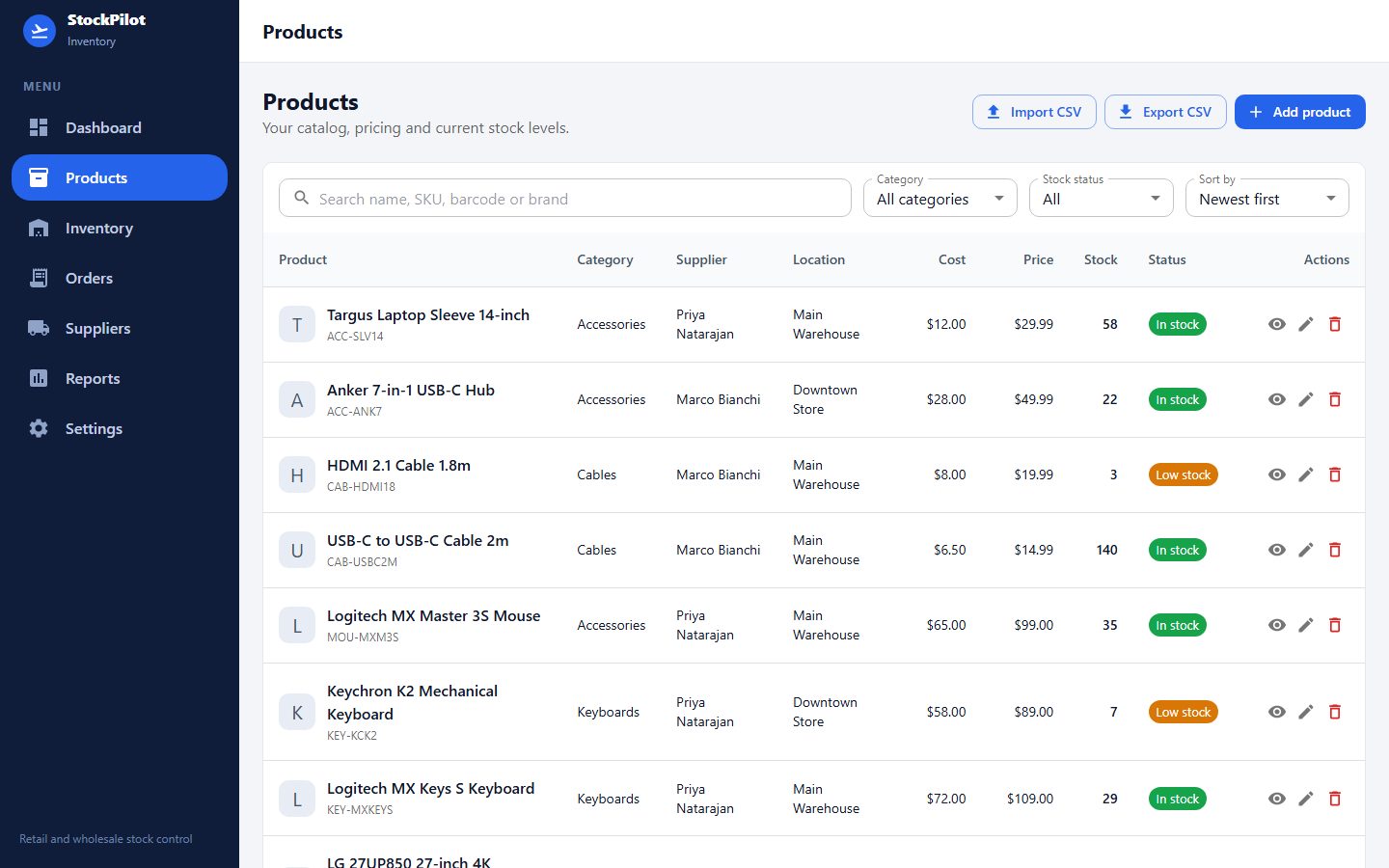
- Does technology help the business itself? Yes, for quotes, project tracking, device records, and care-plan reminders, once the routine is clear
Home automation at a glance: the worked example in this guide
Key figures, all illustrative and to be replaced with your own quotes and invoices
- Team: a designer-salesperson, three installers, a senior programmer, and a coordinator, with a small studio and demo room
- Projects: about 10 a month at an average of ₹1,20,000, from 4 starter packages at ₹55,000, 4 standard at ₹1,20,000, and 2 premium at ₹2,50,000, which is ₹12,00,000
- Care plans: about 120 active plans at ₹6,000 a year, which is ₹60,000 a month, plus ₹90,000 of service visits and add-ons
- Revenue: ₹12,00,000 + ₹60,000 + ₹90,000 = ₹13,50,000 a month, with hardware about 75% of project revenue sold at a 25% margin
- Margin: a blended gross margin of 46.0% and variable costs of 8%, so a 38% contribution
- Fixed cost: about ₹3,35,000 a month including a ₹50,000 owner draw
- Profit: about ₹1,78,000 a month in a mature month, break-even near ₹8,81,579, and start-up investment of about ₹19,60,000
- Ramp: cumulative profit turns positive in month 7 and the capital is repaid in about 17.5 months, because a new firm needs time to earn trust and referrals
Treat these as a template for your own sheet, not as a promise. A new firm rarely signs ten projects in month one, and project size, hardware brand, and city change everything. The point is to see which numbers move profit most: win rate, hardware margin, crew time per project, and callbacks.
What a home automation business really sells
A family does not buy a hub. A family buys a house that feels calmer: lights that follow them in the evening, a lock that does not need a key in the rain, curtains that open with the sun, and the peace of mind of seeing who is at the door. The firm that answers the anxious question first, “Will this actually work every day, and who will fix it?”, wins the project. The firm that only shows a long device list wins the demo and loses the follow-up.
A firm that installs every brand and every protocol sounds flexible and runs badly. Each extra ecosystem needs training, stock, and a way to support it for years. A firm that is known for one clear promise, such as “retrofit smart switches and voice control for rented and existing flats, with no wall breaking” or “pre-wired smart homes for new villas, with a ten-year support plan”, is easier to staff, easier to quote, and easier to defend against a marketplace kit.
How home automation differs from electrical, CCTV, interior, and industrial businesses
Owners often copy the plan of a neighbouring trade and get the wrong cost structure. Home automation mixes hardware resale, skilled configuration, and ongoing support, and its customers judge the work by how it feels every day. That changes how you quote, how long a project takes, and what you promise.
Where the lines fall
- Electrical contractor: wiring, panels, and load design. See electrical contractor for how licensed electrical work is priced and who signs it off
- CCTV and security: cameras, recorders, and access control. See CCTV and security systems for equipment and AMC models that overlap with smart locks and doorbells
- Interior design: layouts, furniture, and finishes, where automation is a feature. See interior design for how designers bring in specialist vendors
- Modular kitchen: built-in appliances and lighting that can be automated. See modular kitchen for how kitchen projects are scheduled
- Industrial automation: PLCs and factory control. See industrial automation for a very different scale and risk
- Electronics retail: sells smart devices without installation. See electronics retail for margin by category
Choose a business model before you buy stock
A home automation business can look like many things, which is why new owners try to be all of them. Pick the model that fits your skills, capital, and the homes you can reach, and treat every other model as an add-on to test later.
Common models and what they ask of you
- Retrofit specialist: smart switches, plugs, curtain motors, and voice control in existing homes, with fast projects and strong word of mouth
- New-build and pre-wired projects: higher value and cleaner results, but long timelines and dependence on builders and designers
- Builder and developer partner: bulk smart-ready flats, lower margin per home and large volumes with payment risk
- Interior-designer channel: referrals from designers who want one reliable vendor, with a referral fee
- Premium wired systems: high-end integrated control for large villas, with high ticket, high skill, and long support
- Rental and renter-friendly kits: low-ticket, plug-in packages with little installation, often sold with an online store
- Care-plan and service specialist: taking over and supporting systems that others installed
Decide these before you commit money
- The one or two project types that will carry the first six months, such as flat retrofits and villa pre-wiring
- The ecosystem and protocol you will support well, and the limits you will state clearly
- The three packages you will own, with fixed device lists and prices
- How you will handle old wiring with no neutral and older boards
- The payment schedule, with an advance large enough to cover hardware
- Who will support the system after handover, and for how long
How a project works: walkthrough, design, install, and handover
A home automation business succeeds when the quote matches what is installed and the family knows how to use it. Smart-home projects fail when expectations are vague, wiring is a surprise, and nobody explains the scenes. A clear sequence protects both the family and the margin.
A simple operating plan
- 1
1. Walkthrough
Visit the home, note the board, back boxes, neutral wires, Wi-Fi coverage, and the family’s daily routine, and ask which three things they want to be easier.
- 2
2. Design and scenes
Draw the device list per room and write the scenes in plain words, such as good morning, movie, and away, before quoting.
- 3
3. Quote with exclusions
Give a fixed package price, the list of devices, what is not included, and a contingency line for old wiring.
- 4
4. Order and pre-check
Take the advance, order the hardware, test hubs and key devices on the bench, and plan crew days.
- 5
5. Install and configure
Fit devices with a licensed electrician where mains work is needed, set up the hub and network, and build and test scenes.
- 6
6. Handover and training
Walk the family through each scene, show manual fallback for every switch, share a written guide, and take final payment.
- 7
7. Follow up
Check in after one week and one month, fix minor changes, and offer a care plan.
Start-up and monthly cost formulas
A home automation firm needs a studio with a demo room, tools and test equipment, an opening stock of fast-moving modules, a way to reach sites, and enough cash to buy hardware before the final payment arrives. Founders most often under-count two lines: the working capital that hardware ties up and the months it takes to build referrals.
Unit economics: hardware margin, project profit, and contribution
Smart-home margins look generous on a quote and shrink after crew time, callbacks, and returns. Work out the margin on each package, the true profit after crew days, and what a discount really costs, and run the firm from those numbers rather than from the biggest project of the month.
Break-even, pipeline, and profit
Because rent and salaries are paid whether you complete four projects or twelve, the revenue you need each month is the most important number in the firm. Put it where the whole team can see it, and test it against your slowest month.
Cash cycle, stock, and warranty returns
Hardware is paid for before the project is finished, and a family pays in stages. A firm with a good margin can still run out of cash because of timing. Take a big enough advance, order against it, and hold only the stock that sells every week.
Registration, device approvals, and safety
A smart-home business touches tax law, electrical safety, product approvals, consumer law, data privacy, and builder or client contracts. The framework differs by state, product, and turnover. Treat this section as a checklist of things to confirm, not as instructions.
Confirm each with a qualified professional and the authority
- GST registration, the rate for hardware and for installation services, and invoice requirements, confirmed with a chartered accountant
- Shop and establishment registration or trade licence, if required by the local body
- Udyam (MSME) registration, which can help with bank credit
- Licensed electrician involvement for mains and board work, and the correct rating of relays and modules for geysers, ACs, and motors
- That radio and electrical devices you import or sell carry the approvals and marks that apply, and that your supplier can show them
- Distributor and brand agreements, including territory, warranty back-to-back terms, and returns
- Written client contracts with scope, exclusions, payment stages, warranty, and a rule on who owns the accounts and passwords
- Data-privacy duties for cameras, doorbells, and locks, including consent, who can view footage, and how long records are kept
- Basic cybersecurity: unique passwords, separate network for devices, updates, and a rule on remote access
- Insurance for tools, transit, and installation work, and professional or product liability where available
- Consumer-law duties on honest claims, so do not promise energy or bill savings you cannot show
Protocols, ecosystems, and the manual fallback
The cheapest way to lose a client is to leave them with a system that stops when the internet or a company’s app does. Choose protocols and brands with an eye on support in five years, and always keep a physical way to switch a light on.
Rules that protect the client and the firm
- Prefer open or widely supported standards and local control where possible, so that a cloud outage does not stop the lights
- Keep the physical switch working in every room, so that any family member can use the home without an app
- Check for a neutral wire before you quote smart switches, and price the alternative module if there is none
- Test Wi-Fi coverage and place a strong router or mesh before adding dozens of devices
- Limit yourself to a small set of brands you can stock, program, and replace
- Write down which hub, which accounts, and which voice assistant the home uses, and give the family the owner account
- Tell the client the lifespan and replacement path for each class of device, in plain words
The team a home automation firm needs
A smart-home firm works when each person can finish a room without calling the owner. A good installer is neat with wiring, patient with a client’s questions, and honest about what cannot be done. Hire for care and curiosity, and train on a short list of brands, not on every product on the market.
Roles that keep projects on schedule and clients calm
- Owner or project head: pricing, brand and distributor relations, referrals, and the weekly review
- Designer-salesperson: walkthrough, design, scenes, quote, and client expectations
- Installers: back boxes, device fitting, labelling, and cable neatness, working with a licensed electrician where needed
- Senior programmer or technician: hub setup, networks, scenes, and fixing hard faults
- Coordinator: scheduling, orders, delivery tracking, payments, and handover paperwork
- Accounts: advances, supplier payments, GST, and payroll, usually a part-time accountant
- Support technician: care-plan checks and callbacks, which can be an installer on a rotating schedule
Pay a base plus an incentive on project margin and low callbacks, not on the quote value alone. An incentive on quote value teaches the team to sell the biggest package to everyone. An incentive that includes callbacks in the first 90 days teaches the habits that protect the margin and the reputation.
Pricing, packages, and care plans
Most clients compare your quote with a kit they have seen online and with the price of a new switch. A firm that fights on the headline price loses the margin that pays for its callbacks. A firm that sells a clear package, a written scene list, and a support plan can hold price and still win the project.
Pricing habits worth keeping
- Sell three clear packages with fixed device lists, and price any extra by the point
- List what is excluded, such as new wiring, wall chasing, and internet service, and put a contingency line for old wiring
- Quote hardware and services as separate lines so the client sees the value of programming and support
- Set a rule for the maximum discount a salesperson may give without the owner, and keep a log
- Use gifts and extras, such as a free year of care or an extra scene, in preference to a straight percentage cut
- Re-price when hardware costs move, and date every quote with a validity period
The client journey from the first walkthrough to the care plan
A client is often excited, nervous about cost, and unsure what is possible. The journey from the first call to the follow-up message is where a firm turns one home into a referral that sends the neighbour and the designer.
A standard journey
- 1
1. Answer fast
Reply within minutes by phone or WhatsApp, ask for the type of home, the number of rooms, and the three things they want to improve.
- 2
2. Walk the home
Visit with a checklist, take photos of the board and switches, and test the Wi-Fi.
- 3
3. Show the demo
Let the family use a scene in your demo room or a client’s home, because feeling it sells more than explaining it.
- 4
4. Quote clearly
Share a package, a device list, a scene list, exclusions, a schedule, and a payment plan.
- 5
5. Install and test
Install in the agreed days, keep the home clean, and test every scene with the family present.
- 6
6. Hand over
Walk through manual fallback, share a written guide and the account details, and take final payment.
- 7
7. Follow up
Check in after a week and a month, fix small changes, and ask for a review if the family is happy.
- 8
8. Support and upgrade
Offer a care plan, remind them of firmware updates, and suggest the next upgrade when it genuinely helps.
A simple weekly rhythm
Run the firm on a short scoreboard
- Daily open: crew plan, deliveries due, site readiness, and the unanswered enquiry list
- Daily close: work done per site, photos, open issues, advances received, and tomorrow’s materials
- Weekly: leads, site visits, quotes sent, wins, and follow-ups due
- Weekly: projects in progress, crew days used against plan, and projects waiting for client decisions
- Weekly: hardware margin by project, discounts given, and funding gap
- Weekly: callbacks open and closed, with cause tags
- Monthly: care-plan sales and renewals, stock ageing, supplier terms, and referral partner results
Money: the numbers that decide survival
Watch these every week and every month
- Revenue and contribution against the monthly break-even of about ₹8,81,579
- Quote-to-win rate, average project value, and package mix
- Hardware margin and true project margin after crew days
- Advances received against hardware committed, which is the funding gap
- Stock at cost, days of cover, and the share older than 120 days
- Callbacks per project in the first 90 days, and the warranty reserve used
- Care-plan count, renewals, and cash in hand against three months of fixed cost
ROI formulas you can use this month
Marketing a home automation business in India
People search for smart-home help when they move into a new flat, start an interior project, or tire of getting up to switch off lights: “smart switches for my flat”, “voice control for home”, “home automation cost for 3 BHK”. Marketing for an automation firm is mostly about being the one who explains clearly, shows a working demo, and gives a straight price range.
What moves projects
- A complete Google Business Profile with photos of real installs and the demo room, hours, a phone number, and a WhatsApp number that is answered
- A simple cost guide by home size and package, with exclusions stated plainly
- Short videos of a real scene running in a real home, with the family’s permission
- Referral arrangements with interior designers, architects, electricians, and builders
- Model-flat and show-home installations that let buyers see the system
- Housewarming and festival offers that use extras or care-plan months rather than deep price cuts
- Honest comparison with a DIY kit, including what you add: planning, wiring checks, support, and warranty
Reviews, relationships, and reputation
A smart-home firm is judged by a few dozen families each year who tell their neighbours, designers, and WhatsApp groups. A review is usually triggered by the handover and by the first fault: whether the family was shown how to use it and whether someone answered when a scene failed.
A routine that works
- Ask each happy client for a Google review one month after handover, with a direct link on WhatsApp, never as a condition of a discount
- Reply to every public review within 48 hours, thank the good ones, and offer a call to fix the bad ones
- Tag every callback by cause: wiring, Wi-Fi, scene, device fault, training, or a change request
- Fix the cause with the biggest count first, and tell the team what changed
- Keep an account sheet with each home’s hub, accounts, devices, and scene list, stored securely
- Never argue publicly and never post a client’s address, photos, or footage without written permission
Channels that bring projects
Rank them by contribution per project and by repeatability, not by volume alone
- Referrals from past clients: the cheapest projects you will ever win, driven by a good handover and follow-up
- Interior designers and architects: steady projects with a referral fee and a shared schedule
- Builders and developers: model flats and bulk work with lower margin and payment risk
- Electricians and electrical contractors: retrofit referrals and joint installs
- Google Maps and search: homeowners who want to compare cost and see photos
- Electronics and appliance retailers: referrals for people who bought devices they cannot install
- Social media and short videos: reach for the visual product, with a long path to a decision
Log the source of every project for a quarter. You will see which channel gives profit and which gives volume that leaves you with nothing.
Automation that frees the owner
Automate these first
- An enquiry form or WhatsApp flow that captures home type, rooms, budget range, and photos of the switchboard
- A quote template with package, device list, scene list, exclusions, and payment stages
- A project tracker with stages, crew days, deliveries, and client approvals
- A device and account register for every home, with hub, firmware, and scene list
- A callback ticket with cause tags, a due date, and a reply deadline
- Care-plan renewal reminders and a pre-season message to opted-in clients
- A weekly owner digest with leads, quotes, wins, margin, funding gap, callbacks, and care plans
Where a WhatsApp chatbot helps
Clients message while they are choosing paint, visiting a model flat, or standing at a switchboard that will not respond: “What does smart home cost for 3 BHK?”, “Can you do it without breaking walls?”, “My curtain scene stopped.” If those messages wait until the next day, the client has asked another firm or switched the old way.
What a business WhatsApp chatbot is good for
- Answering questions on packages, price ranges, retrofit and new-build options, and service areas from a guide you approve
- Taking an enquiry with home type, rooms, budget range, and photos of the switchboard, then alerting a person
- Booking a walkthrough or a demo-room visit and sending reminders
- Collecting a service request with a device, a short description, and a photo or video, then alerting a person
- Sending care-plan renewal reminders and update notices to opted-in clients
- Asking for feedback after handover and routing complaints to the project head
- Handing the whole thread to a person for quotes, discounts, safety questions, security incidents, and anything about liability
Why smart-home firms use it
- Clients already live on WhatsApp and prefer to send a photo of the board or a video of a fault
- One shared inbox instead of the owner’s personal number
- Written scope and scene lists reduce the “you never said that” argument
- Faster first replies, which is where most walkthroughs are won
Use WhatsApp for conversation, your website for packages and proof, and a web app when projects, devices, and care plans need to live in one place.
Growing a home automation business
Growth is not only another van. It is a higher win rate, better package mix, fewer callbacks, a growing care-plan base, and partners who send you projects. Open a second city only after the first runs smoothly without you at every site.
Ways to grow responsibly
- Raise win rate and package attach before adding installers, because both lift profit without new salary
- Build a care-plan base with clear coverage, reminders, and a remote-support routine
- Sign referral arrangements with interior designers, architects, and electricians, with fair fees and a clear scope
- Create a model-flat package for builders, with a hard cap on discounts and a strict advance
- Add one product line at a time, such as locks, curtains, or climate control, after a pilot in your own demo room
- Offer a take-over service for systems others installed, priced by audit and repair
- Open another city only after six months of stable margin, low callbacks, and a project head who can run installs for two weeks alone
Where a website helps
Clients search “home automation cost in my city”, “smart switches for flats”, “voice-controlled lights”, or “smart home installer near me” before they call. Your website should show the packages with price ranges, photos and short videos of real installs, the brands and protocols you support, what is excluded, the support plan, your service areas, and a WhatsApp button, in that order. A site that shows only a logo and a phone number loses to the firm that answers the first three questions on one page. Add clear headings and structured data for a local business so search engines and AI assistants can quote your packages, areas, and contact details correctly.
Start from the AI website builder or build a website with AI and describe your packages, brands, areas, support plan, and the three questions you want a client to answer on the page.
Where a web app helps
A web app helps when quotes, project stages, device registers, callbacks, and care plans outgrow a notebook and a spreadsheet, and when more than a few installers make one person’s memory unreliable. A signed-in board that shows projects by stage, crew days against plan, advances received against hardware committed, open callbacks, and care plans due gives the owner, the coordinator, and the installers the same answer.
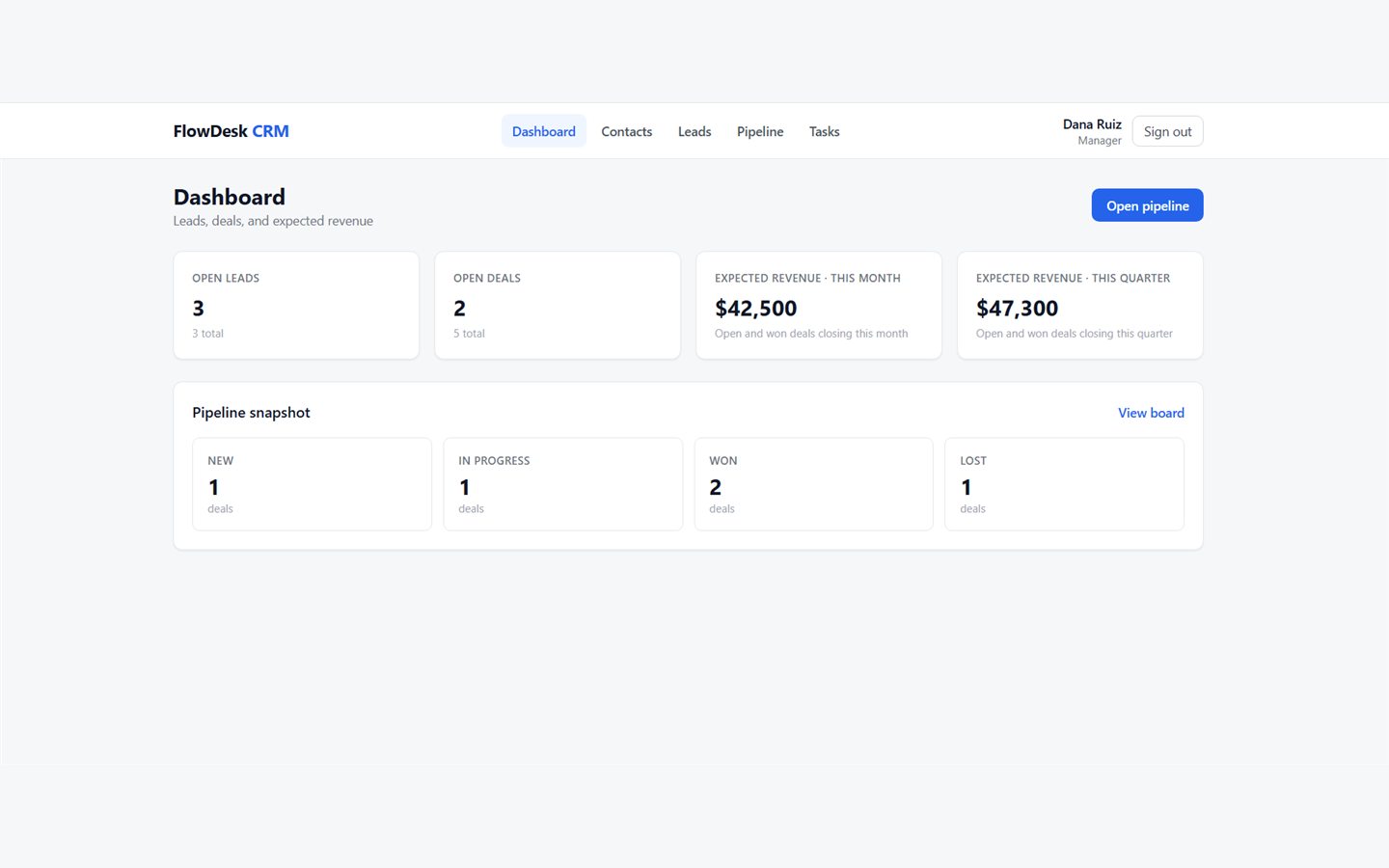
Open the AI app generator or the AI web app builder and describe the screens: enquiry and quote tracker, project board with stages, device and scene register, callback tickets, and care-plan renewals.
Where a mobile app helps
A mobile app suits the installers and programmers who need today’s site list, a checklist per room, photos of the board before and after, a device register with serial numbers, a scene list the client can sign, and a callback form, all from a phone on site. Build it after your spreadsheet has worked for three months. A consumer smart-home app is rarely worth building when strong ones already exist. Start from the AI mobile app builder.
Where a logo and brand mark help
A smart-home brand mark appears on a van, a uniform, a quote, a handover guide, a label inside a distribution board, a WhatsApp profile, and a Google listing, so it should read on a small sticker and in one colour. Pick a short name that is easy to say on a phone, a simple mark that suggests a home or a signal without copying a device maker, and a neat label that stays on the board for years. Use the AI logo generator to explore marks, and test each on a sticker and a small circle before you print.

A ninety-day plan if you are starting
- 1
Days 1 to 15
Install your own home and a friend’s, choose one ecosystem and your three packages, list the designers, electricians, and builders within reach, and cost the studio, demo, stock, and team.
- 2
Days 16 to 45
Secure the studio, register for GST and local licences, sign distributor terms, arrange insurance, build the demo room, and write the quote template and handover checklist.
- 3
Days 46 to 70
Hire and train, set up WhatsApp and the Google profile, publish the package and cost guide, and begin referral outreach to designers and electricians.
- 4
Days 71 to 90
Sign the first projects with a proper advance, review funding gap and callbacks every week, fix the three biggest gaps, and plan the care-plan offer before the first handover.
A ninety-day plan if you already install
- 1
Days 1 to 15
Measure honestly: win rate, average project, true margin after crew days, funding gap, callbacks per project, stock ageing, and care plans.
- 2
Days 16 to 45
Fix one leak: introduce a handover checklist, raise advances, or cap discounts with a log, and start a callback ticket system.
- 3
Days 46 to 70
Rebuild the packages, cut the slowest products, launch a care plan, and start two designer or electrician referral relationships.
- 4
Days 71 to 90
Lock the weekly scoreboard and plan the next two quarters. Only then consider a new product line, a model-flat deal, or a second city.
Common failure patterns
- Quoting a low price without exclusions, then absorbing the cost of old wiring and Wi-Fi fixes
- Taking a small advance and funding the client’s hardware from the firm’s cash
- Installing too many brands and protocols, so that nobody can support them all
- Leaving a client with a system that does not work by hand when the internet fails
- Skipping the handover and the written scene list, so every question becomes a callback
- Discounting heavily for builders and then waiting months for payment
- Holding stock of discontinued or incompatible devices until it is worthless
- Promising energy savings or security guarantees the firm cannot prove
- Ignoring data-privacy and password practices for cameras and locks in clients’ homes
- Opening a second city before the first can run without the owner at every site
When you are ready to build with Nyravi
Use this guide to decide what the firm needs. When the next step is a smart-home website with packages and an enquiry form, a project and callback dashboard, an installer app for site photos and device registers, or a brand mark for your van and board labels, open Nyravi and describe that product. Keep the brief short: who uses it, what they open first, and what they finish.
If you want help writing that description, ask on Support. Start on the [home page](/), or jump to the product pages linked above. For WhatsApp chatbots, start at cognitivesys.io. The operation comes first. The build carries the system once the system is clear.
Questions
What is a home automation business?+
A home automation business designs, supplies, and installs connected devices in homes, such as smart switches, lighting, curtains, locks, sensors, and voice control, and supports them through care plans and add-ons. It earns money from hardware sold at a margin, installation and programming fees, service visits, and annual plans, and its profit depends on win rate, hardware margin, crew time per project, and callbacks.
How do I start a smart home installation business in India?+
Start by installing your own home and a friend’s, then choose one ecosystem and three fixed packages, and list the interior designers, electricians, and builders you can reach. Secure a studio with a small demo room, register for GST and any local licence, sign distributor terms, arrange insurance, write a quote template with exclusions and a handover checklist, and begin with a Google profile, WhatsApp, and designer outreach.
How much does it cost to start a home automation business?+
A single installer can start with a few lakh rupees for tools, demo kit, and a small stock, while a studio with a demo room and a team of six like the worked example in this guide needs about ₹19,60,000, including ₹3,50,000 for the demo room, ₹3,00,000 of opening stock, and ₹6,00,000 of working capital. Brand deposits, demo kit, and city change the total, so cost your own plan.
How much profit can a home automation business make?+
Profit depends on win rate, hardware margin, crew time, and callbacks, not only on the size of projects. In this guide’s example, ₹13,50,000 of monthly revenue, a 38% contribution, and ₹3,35,000 of fixed cost give about ₹1,78,000 a month after the owner’s draw, with break-even near ₹8,81,579, but a new firm needs about seven months to turn cumulative profit positive and about 17.5 months to repay its capital.
How should I price smart-home packages?+
Sell three clear packages with fixed device lists, state what is excluded, add a contingency for old wiring, and show hardware and services as separate lines. In this guide’s example, a ₹1,20,000 standard package has ₹67,500 of hardware cost, a 43.75% gross margin before crew time and a 37.1% true margin after 8 man-days, and a 10% discount needs about 29.6% more projects to earn the same gross profit.
Retrofit or new-build smart homes: which is better?+
Retrofit projects sell faster and have lower tickets, since they add devices to an existing home with little wall work, while new-build and pre-wired projects are larger and cleaner but take longer and depend on builders and designers. Most firms run both, starting with retrofit to build cash and referrals, and adding pre-wired work through interior-designer and builder relationships.
Do I need a licence or electrical qualification to install smart-home systems?+
You will usually need GST registration and a shop and establishment registration or trade licence, and you should involve a licensed electrician for mains and distribution-board work, since rules on who may do electrical work depend on the state. Device approvals, data-privacy duties for cameras and locks, and distributor terms also matter, so confirm with a chartered accountant, a licensed electrician, and the authority.
How do I reduce callbacks after a smart-home installation?+
Use a handover checklist, test every scene with the family present, keep a physical switch working in every room, give a written scene list and account details, and check in after a week and a month. In this guide’s example, cutting callbacks from 3.0 to 1.5 per project saves about ₹13,500 a month across 10 projects.
Can a WhatsApp chatbot help a home automation business?+
Yes, a WhatsApp chatbot can answer questions about packages and price ranges, take enquiries with photos of the switchboard, book walkthroughs and demo visits, collect service requests with photos or videos, and send care-plan reminders to opted-in clients, while handing quotes, discounts, safety, and security questions to a person. CognitiveSys, the parent company behind Nyravi, builds WhatsApp chatbots and shared inboxes. Start at cognitivesys.io.
Does a home automation business need a website, an app, or Nyravi?+
A home automation business benefits most from a simple website with packages, price ranges, photos of real installs, and a WhatsApp button, then from a web app once quotes, projects, devices, and callbacks outgrow a spreadsheet. An installer mobile app helps after the spreadsheet works. Nyravi can build the website, dashboard, installer app, or logo from a plain-language description. For WhatsApp chatbots, start at cognitivesys.io. This guide covers business operations only, not legal or tax advice.