
Cyber cafe & digital service point
Cyber cafe business: how to start, run, and improve one
A practical operator playbook for starting, running, and improving a cyber cafe and digital service point in India: what the business really sells today, service-line contribution, break-even sales, PC-hour utilisation, operator form-capacity, cost-per-page, and equipment-reserve formulas with checked ₹ examples, printing, scanning, form-filling, exam and government-service work only where you are authorised, passport photos and typing, user identification, log-keeping, and customer-document privacy on shared PCs, IT uptime and security, a small team, weekly scoreboards, WhatsApp chatbots for service enquiries and reminders, and when a website, job-and-queue web app, operator mobile app, or logo actually helps. Business operations only, not legal, IT-law, or data-protection advice, and distinct from a gaming cafe.
 Nyravi AILearn playbookFirst-time cyber cafe and digital service point owners, stationery, xerox, and photo-studio shop owners adding PCs and online services, students and job seekers’ service centres near colleges and coaching hubs, village and small-town entrepreneurs planning an authorised public-service centre, and existing cafe owners whose browsing income is shrinking and who want better service mix, safer handling of documents, and steadier profit
Who this guide is for
Read this if you want to open or improve a cyber cafe or internet cafe: a small shop with PCs, printers, scanners, and a counter that helps people print, scan, photocopy, fill online forms, apply for exams and jobs, make passport photos, type documents, and use the internet. It is also for a stationery or xerox shop adding PCs, a photo studio adding online services, a small-town entrepreneur planning an authorised public-service centre, and an owner whose browsing hours have fallen since everyone got a smartphone but whose forms, printouts, and exam work are still busy. If your service mix, your idle PCs, your document handling, or your compliance is the weak part, this playbook is for you.
The playbook covers the business around the counter: service lines, capacity, pricing, document privacy, IT uptime, rules to confirm, and growth. If you sell games and run LAN tournaments, read gaming cafe, which has different economics. If you run a bigger print shop, see printing. If you rent desks to professionals, read coworking space. If you repair phones, see mobile repair. A cyber cafe is judged on accuracy with forms, honest fees, clean and safe machines, and whether a customer’s documents stay private.
What a cyber cafe business is
A cyber cafe business is a small service business that gives the public paid access to computers, printers, scanners, and internet, and staff-assisted help with documents and online forms. Today most of its revenue comes from services and not from browsing time: printouts, copies, form filling, exam and job applications, photographs, typing, and, where authorised, public and financial services. Revenue is capped by operator time, machine uptime, footfall, and how well the shop earns trust with people who hand over personal documents.
Terms you will use every week
- PC-hour: one hour of one computer’s availability, the unit for browsing and self-service sales
- Service fee: what you charge for your time and skill to complete a task, separate from any government or portal fee
- Pass-through fee: money collected on a customer’s behalf for a portal, exam, or agency, which is not your sales
- Authorised service: a service you may offer only because an agency or platform has appointed or registered you
- KYC or user ID record: the identification and log entry the rules may require for a person who uses your computers
- Cafe management software: software that tracks sessions, billing, and logs on customer PCs
- Peak season: exam, admission, results, scholarship, and recruitment windows, when form work surges
- Equipment reserve: money set aside each month to replace PCs and printers when they wear out
A cyber cafe is closer to a small service centre than to a shop. The machines are cheap, the hours are long, and the losses come from one misspelt form, one customer’s document left on a PC, one printer that is down on a deadline day, and one fee collected without being recorded. The resource you manage most carefully is operator time and customer trust.
Cyber cafe at a glance: the worked example in this guide
Key figures, all illustrative and to be replaced with your own data
- Setup: ten customer PCs, two operators, and one part-time helper, open about 12 hours a day for 26 days a month
- Print, copy, scan, and lamination: ₹68,000 a month of sales with about 68% contribution
- Online forms and government-portal service work: about 520 jobs a month at a ₹120 service fee, or ₹62,400
- Exam, admission, and job forms: about 160 forms a month at ₹180, or ₹28,800
- Photos, typing, resumes, and editing: about 300 jobs a month at ₹90, or ₹27,000
- Internet and PC hours: about 1,800 hours a month at ₹20, or ₹36,000
- Authorised service commissions: about ₹32,000, and stationery and accessories: about ₹45,000
- Sales: about ₹2,99,200 a month, with about ₹2,25,490 of contribution, which is a 75.4% contribution margin
- Fixed cost: about ₹1,39,000 a month including a ₹30,000 owner draw and a ₹7,000 equipment reserve
- Break-even: about ₹1,84,438 of sales a month, roughly 62% of the example sales
- Profit at ₹2,99,200 of sales: about ₹86,490 a month, and a loss of about ₹33,490 if sales fall to ₹1,40,000
- Start-up investment: about ₹11,45,000, which pays back in about 13 months at that profit once footfall builds, and in practice longer after a slow first year
Treat these as a template for your own sheet, not as a promise. Footfall, local rates, and the mix vary by town, college, and competition. The point is to see which three numbers move profit most: the mix between high-contribution services and low-contribution browsing, operator capacity on form work, and how many hours your PCs actually sell.
What a cyber cafe really sells today
A customer does not buy a PC hour. A customer buys a form submitted correctly before the deadline, a clean printout of a document they cannot print at home, a photograph that the portal accepts, and a person who explains what the portal wants. Browsing is a small, shrinking part. The skill, the accuracy, and the trust are the product.
A cafe that competes only on a ₹10 hourly rate fights every phone in the neighbourhood and loses. A cafe that becomes the place that fills the scholarship form correctly, prints the admit card at 7 am, and keeps a client’s documents private earns a service fee that does not depend on how many people lack a computer.
How a cyber cafe differs from a gaming cafe, a xerox shop, and a coworking space
Owners often borrow numbers from a neighbouring trade and misjudge their own. A cyber cafe is a service-and-assistance business with a mixed counter, document handling, and compliance on user identification. That changes the staff you need, the machines you buy, and the rules you must respect.
Where the lines fall
- Gaming cafes: high-spec PCs, games, tournaments, and evening and weekend demand, with a younger customer and a high power and licensing bill. See gaming cafe for that model, and do not mix its numbers with yours
- Xerox and stationery shops: copy, print, and stationery with a lower-skill counter. See xerox and stationery, and note that stationery is only one line in the example above
- Printing shops: bulk and design printing at higher volumes. See printing for how larger print jobs are priced
- Photo studios: portraits, ID photographs, and events. See photo studio for how photography is priced and staffed
- Coworking spaces: desks and rooms for professionals. See coworking space for the membership model, which is different from walk-in service
- Mobile repair and accessories: phone-centred service. See mobile repair for a counter that serves the same footfall
- Coaching and career guidance: they send students for forms. See coach and tutor and career counselling for referral partners
Choose a model before you sign a lease
A cafe can offer every service, which is why many offer none very well. Choose the customers you can serve nearby, the services you are authorised and skilled to offer, and the machines you will actually use, and treat every other idea as a pilot.
Common models and what they ask of you
- Student and job-seeker service centre: near colleges, coaching centres, and offices, with seasonal peaks. The challenge is accuracy and deadlines
- Print and document centre: heavy on printing, scanning, binding, and lamination. The challenge is machine uptime and consumables
- Authorised public-service centre: appointed to offer government or financial services. The challenge is the authorisation, training, and compliance
- Browsing and PC-hour cafe: dependent on customers without devices or with specific needs. The challenge is a shrinking base
- Mixed neighbourhood cafe with stationery and photos: broad but thin. The challenge is stock and time
- Village or small-town service point: high trust and few alternatives, with lower fees and power or connectivity limits
- Cafe with a small gaming or LAN corner: a different cost and noise profile. See gaming cafe before you decide
Decide these before you commit money
- The customers and the services you will serve first, and the services you will decline
- Which authorised services you will seek, how you apply, and what training, deposit, and equipment each needs
- The number of PCs you actually need, based on peak-hour demand and not on the size of the room
- Your operator model, such as one skilled operator per counter and one helper for the queue
- Your rate card, receipts, and the way pass-through fees are shown separately
- Where customer documents will be handled, stored, and deleted
How a cyber cafe job works, from walk-in to receipt
Every job follows the same shape: understand the need, quote the fee, collect the documents, do the work, check it with the customer, collect payment, and clean up. The cafes that stay trusted protect the check step and the clean-up step, because most disputes start at one of those two.
A typical job lifecycle
- 1
1. Greeting and need
Ask what the customer needs, the deadline, and the documents they have, and point to the rate card.
- 2
2. Quote
Tell the service fee and any portal or government fee separately, and the likely time.
- 3
3. Documents and consent
Take only the documents needed, tell the customer how they will be used, and keep them out of sight of other customers.
- 4
4. Do the work
Fill in or prepare the form on a staff PC, using the customer’s own mobile number or email where an OTP is needed, and never your own.
- 5
5. Check with the customer
Show the filled form and photographs on screen, and have the customer confirm every name, date, and number before submission.
- 6
6. Submit and record
Submit, save the acknowledgement or print it, and record the job, fee, and operator.
- 7
7. Payment and receipt
Collect the amount, show service fee and pass-through separately, and issue a receipt.
- 8
8. Clean-up
Delete the customer’s files and browser data from the PC, empty the downloads folder, and log out of every account.
Start-up and monthly cost formulas
A cyber cafe needs PCs and printers, a reliable internet connection with backup, power backup, a counter, furniture, licensed software, a few legal and registration costs, and a little cash. Founders most often over-buy PCs and under-budget power backup, software licences, and a backup connection.
Service economics: contribution by line and per-page cost
A cyber cafe pays for itself only if each service line earns more than the paper, toner, power, and time it consumes. Work out the contribution of each line and the cost of each printed page, and set rates from those numbers rather than from the cheapest shop on the road.
Break-even, capacity, and profit
Because rent, salaries, and the internet bill are paid whether the shop is busy or empty, the sales you must reach each month is the most important number on the wall. Compare it with how many form jobs your operators can finish, because a cyber cafe hits its limit at the counter before it hits it at the PCs.
Registration, licences, and compliance basics
A cyber cafe touches business registration, tax, rules on cyber cafes and user identification, the terms of any agency or platform that appointed you, data-protection law, copyright and software licensing, and consumer law. The framework differs by state and by the services you offer. Treat this section as a checklist to confirm, not as instructions.
Confirm each with a qualified professional and the authority
- Business structure and registration, such as proprietorship, partnership, LLP, or company, and Udyam (MSME) registration where it helps
- Shop and establishment registration or an equivalent local registration, and a trade licence where the municipality requires one
- GST registration and the rates on printing, copying, and service fees, and how pass-through fees are treated, confirmed with a chartered accountant
- Whether your state requires registration or a licence for cyber cafes, and what the Information Technology (Guidelines for Cyber Cafe) Rules, 2011 and your state’s implementation require on user identification, log registers, and record retention
- Rules on premises, such as visibility of screens, partitions, and access for minors, to the extent your state or local authority applies them
- Authorisation for each public or financial service you offer, such as a government service centre, bill payment, PAN, or ticketing, directly from the agency or its appointed channel, and never through someone else’s login
- UIDAI and Aadhaar rules on collecting, displaying, and storing Aadhaar numbers and copies, including the use of masked copies, and a rule that you never keep a customer’s Aadhaar on a shared PC
- The Digital Personal Data Protection Act, 2023 and its rules: notice, consent, purpose, security, retention, and deletion for the personal data you handle, confirmed as the rules come into force
- Copyright and software licensing: licensed operating systems and applications, and a rule against printing or copying protected material beyond what the law allows
- Rules on content, such as a policy against accessing unlawful material on your computers, and a duty to cooperate with lawful requests from authorities
- Fire and electrical safety for a room full of machines, including wiring load, earthing, extinguishers, and exits
IT systems: PCs, network, power, and uptime
A cafe with a dead printer on admit-card day loses customers for a year. Uptime is part of the product, so buy for reliability and plan for failure.
Uptime habits worth keeping
- Use two internet connections from different providers, with automatic failover where you can, and keep a mobile hotspot as a last resort
- Fit a UPS and a battery or inverter large enough to keep PCs, router, and printer running through a power cut, and test it monthly
- Buy business-grade printers with a known service network, and keep spare toner, drum, and common parts on the shelf
- Keep a cloned disk image of a standard PC so a failed machine can be restored in an hour, not a day
- Label each PC, record its purchase date and issues, and plan replacement from your equipment reserve
- Keep a service contract or a named technician for printers and the photocopier, with a response-time expectation
- Keep cables tidy and cooling adequate, because dust and heat shorten the life of machines
The team a cyber cafe needs
A cyber cafe works when each person owns a step and a standard, not when the owner types every form. Hire for accuracy, patience, and honesty, and train each operator on the privacy and clean-up routine before they handle a single document.
Roles that keep jobs accurate and customers comfortable
- Owner or cafe head: pricing, authorisations, key relationships, IT decisions, and the weekly review
- Form and service operators: understand each form, guide customers, check data, and submit
- Counter and queue helper: printing, copying, scanning, billing, and keeping customers informed
- Seasonal helper: for exam, admission, and results peaks, trained before the season starts
- Technician on call: PCs, network, and printers, usually a contractor
- Part-time accountant: GST, receipts, cash reconciliation, and payroll
Pay operators a base plus a bonus for error-free jobs, customer reviews, and clean-up compliance, not only for the number of jobs. A bonus on volume alone teaches people to skip the read-back, which costs more in corrections and complaints than it earns.
Pricing, rate cards, and cash handling
Customers compare you on a few common rates, but they stay for accuracy and honesty. Price from your cost and time, publish the rate card, and show every fee. A price that changes with the customer’s face is a rate card that does not exist.
Pricing habits worth keeping
- Publish a rate card for printing, copying, scanning, photographs, typing, and forms, with a minimum charge and a same-day or urgent surcharge
- Show service fee and pass-through fee separately on every receipt, and issue a receipt every time
- Set a fee for each form type from the time it takes, and revise it when the portal changes
- Offer a prepaid card or a monthly plan for regular customers, such as students and small offices
- Use UPI and a QR code at the counter, and reconcile digital payments daily
- Review your rates every quarter against paper, toner, power, and wage changes
The customer journey from first walk-in to the next season’s form
Most customers do not choose the cheapest cafe. They choose the one that explained the form, was patient, and got it right. The journey from the first visit to next year’s exam season is where a counter becomes a trusted point.
A standard journey
- 1
1. First visit
Greet, listen, and quote clearly, with the fee on the board.
- 2
2. Documents and consent
Take only what is needed, explain deletion, and keep documents out of view.
- 3
3. Work and read-back
Do the work and read it back on screen with the customer.
- 4
4. Submit and acknowledge
Submit, print the acknowledgement, and save the number.
- 5
5. Payment and receipt
Take payment, show fees separately, and issue a receipt.
- 6
6. Clean-up
Delete files, log out, and tell the customer you have done so.
- 7
7. Follow-up
With consent, message the customer about the next step, such as an admit card date or a payment deadline.
- 8
8. Next season
Remind opted-in customers before the next exam, admission, or scholarship window.
A simple weekly rhythm
Run the cafe on a short scoreboard
- Daily morning: machines tested, internet and UPS checked, paper and toner stock, and today’s known deadlines
- Daily work: jobs by line, errors and corrections, and every document deleted before the customer leaves
- Daily close: cash counted against records, variance noted, UPI reconciled, and PCs wiped and shut down
- Weekly: sales by line, contribution, and the sales-versus-break-even line
- Weekly: PC-hour utilisation, operator workload, queue complaints, and printer and network issues
- Weekly: error and correction rate, customer feedback, and any privacy or security concern
- Monthly: contribution by line and by operator, equipment reserve status, software licences, compliance renewals, and the season calendar
Money: the numbers that decide survival
Watch these every week and every month
- Sales and contribution by service line, with a daily check against the break-even sales
- Operator utilisation on form work, and the queue length at peak hours
- PC-hour utilisation and revenue per available hour
- Error and correction rate, complaints, and refunds
- Cash variance, UPI reconciliation, and pass-through fees held for customers
- Cash in hand against three months of fixed cost, because a quiet season can follow a busy one
- Equipment age and the reserve balance against the next likely replacement
ROI formulas you can use this month
Marketing a cyber cafe in India
Customers search for a cyber cafe when something is urgent: a form deadline, an admit card, a print on a Sunday morning. Marketing is mostly being easy to find, visibly honest on fees, and the place that never gets the form wrong.
What moves footfall
- A complete Google Business Profile with address, hours, photographs of the counter, phone, and a WhatsApp number that is answered
- A clear rate card on the board, in the window, and on the page, with the fee for each common service and a note on separate government fees
- A seasonal calendar for exam, admission, scholarship, result, and recruitment windows, with an early-reminder message
- Partnerships with coaching centres, schools, colleges, and local employers who send customers for forms and printouts
- A simple loyalty or prepaid card for students and small offices
- Photographs and short videos of your clean, organised counter, with no customer data visible
- Clear, honest claims, with no promise of selection, approval, or a result from any agency
Reviews, relationships, and reputation
A cyber cafe is judged by a few students and families who tell their friends. One error that cost a customer a form is remembered longer than a hundred correct ones, and one corrected quickly and honestly is often forgiven.
A routine that works
- Message opted-in customers after a major form to confirm that the acknowledgement was received
- Tag every complaint by cause: data error, missed deadline, portal failure, queue, or fee dispute
- Fix the cause with the biggest count first, tell the team, and measure the same complaint again next month
- Ask satisfied customers for a Google review with a direct link, never as a condition of service
- Reply to every public review within 48 hours, thank the good ones, and offer a private fix to the unhappy ones
- Never argue publicly, and never reveal a customer’s documents or details in a reply
Channels that bring customers
Rank them by contribution per customer and complaint rate, not by volume alone
- Walk-ins from a good location near a college, bus stand, market, or office: the base of the business, helped by a clear board
- Referrals from happy students, parents, and coaching centres: the highest-trust, lowest-cost channel
- Google search and Google Business Profile: customers search “cyber cafe near me” before they walk in
- Schools, colleges, and employers who need a regular printing and forms partner, on written rates
- Partnerships with xerox, stationery, and photo shops that refer overflow or special jobs. See xerox and stationery and photo studio
- Career guidance centres and coaching institutes. See career counselling and coach and tutor
- WhatsApp status and groups of opted-in customers for seasonal reminders
Log the source of every new customer for a quarter. You will see which channel brings form work and repeat visits, and which brings only a one-time printout.
Automation that frees the owner
Automate these first
- A token and queue system that shows the next customer and estimates the wait
- A job log that records service, fee, pass-through fee, operator, and time for every form
- A checklist for each common form that lists required documents, photographs, and signatures
- Cafe management software that handles sessions, billing, logs, and session wipe
- Daily cash and UPI reconciliation reports
- Reminder messages for opted-in customers before exams, admissions, and scholarship deadlines
- A weekly digest to the owner: sales by line, contribution, utilisation, errors, cash variance, and open issues
Where a WhatsApp chatbot helps
Customers message at night and on holidays: “Is the cafe open on Sunday?”, “What documents do I need for the scholarship form?”, “Can you print my admit card if I send the PDF?” If those messages wait until the next morning, the customer has already gone to another counter.
What a business WhatsApp chatbot is good for
- Answering questions about hours, services, rates, and documents needed, from facts you approve
- Collecting a new request with service, deadline, and preferred time, then alerting a person
- Giving a token number or a booking slot for form work, and reminding the customer before the visit
- Sending a document checklist and photograph and signature specifications for common forms
- Sending exam, admission, and scholarship reminders to opted-in customers
- Sending job status messages, such as “your print is ready”, without including any personal data
- Handing the whole thread to a person for any message that includes identity documents, passwords, OTPs, payment problems, and complaints
Why cafes use it
- Customers already live on WhatsApp and prefer a quick question to a phone call
- One shared inbox instead of the operator’s personal phone holding every request
- Written, time-stamped confirmations reduce disputes about deadlines and fees
- Faster first replies and shorter queues, which are where regular customers are won
Use WhatsApp for conversation, your website for services and rates, and a web app when jobs, queues, cash, and reminders need to live in one place.
Growing a cyber cafe
Growth is not only more PCs. It is a better service mix, faster and more accurate form work, a stronger seasonal calendar, higher trust, and a counter that runs without the owner on every job.
Ways to grow responsibly
- Raise form work and the share of authorised services before you add PCs, because services earn more per square foot than browsing
- Specialise in one segment you serve well, such as students, job seekers, or senior citizens, and become the obvious counter for it
- Sign printing and forms contracts with schools, coaching centres, and small offices at written rates
- Add related services you can do well, such as resume writing, document translation referral, passport photographs, and spiral binding
- Add a prepaid card and a seasonal reminder programme to smooth the year
- Partner with local professionals, such as career counsellors and tutors, for referrals, and disclose any fee to the customer
- Add an operator only when operator utilisation stays above 80% for two months and errors are flat
- Open a second counter only after the first has held its error, cash-variance, and complaint targets for six months, including two weeks with the owner away
Where a website helps
Customers search “cyber cafe near me”, “online form filling in Nagpur”, or “passport photo and print shop” before they walk in. Your website should show your services and rates, a list of forms and documents you commonly handle, your hours and address, how you protect documents, the services you are authorised to offer, a booking or token form, and a WhatsApp button, in that order. A site with only a logo and a phone number loses to the cafe that answers the first five questions on one page. Add clear headings, a page for each service, and structured data for a local business so search engines and AI assistants can quote your location, services, and hours correctly.

Start from the AI website builder or build a website with AI and describe your services, rates, document checklists, hours, privacy approach, and the five questions you want a customer to answer on the page.
Where a web app helps
A web app helps when jobs, queues, fees, pass-through money, and reminders outgrow a notebook and a spreadsheet, and when two operators and a helper need the same truth. A signed-in board that shows each job’s service, fee, pass-through fee, operator, and status, with a daily cash view and a seasonal reminder list, gives the owner an answer without a phone call and keeps customer documents out of personal files.
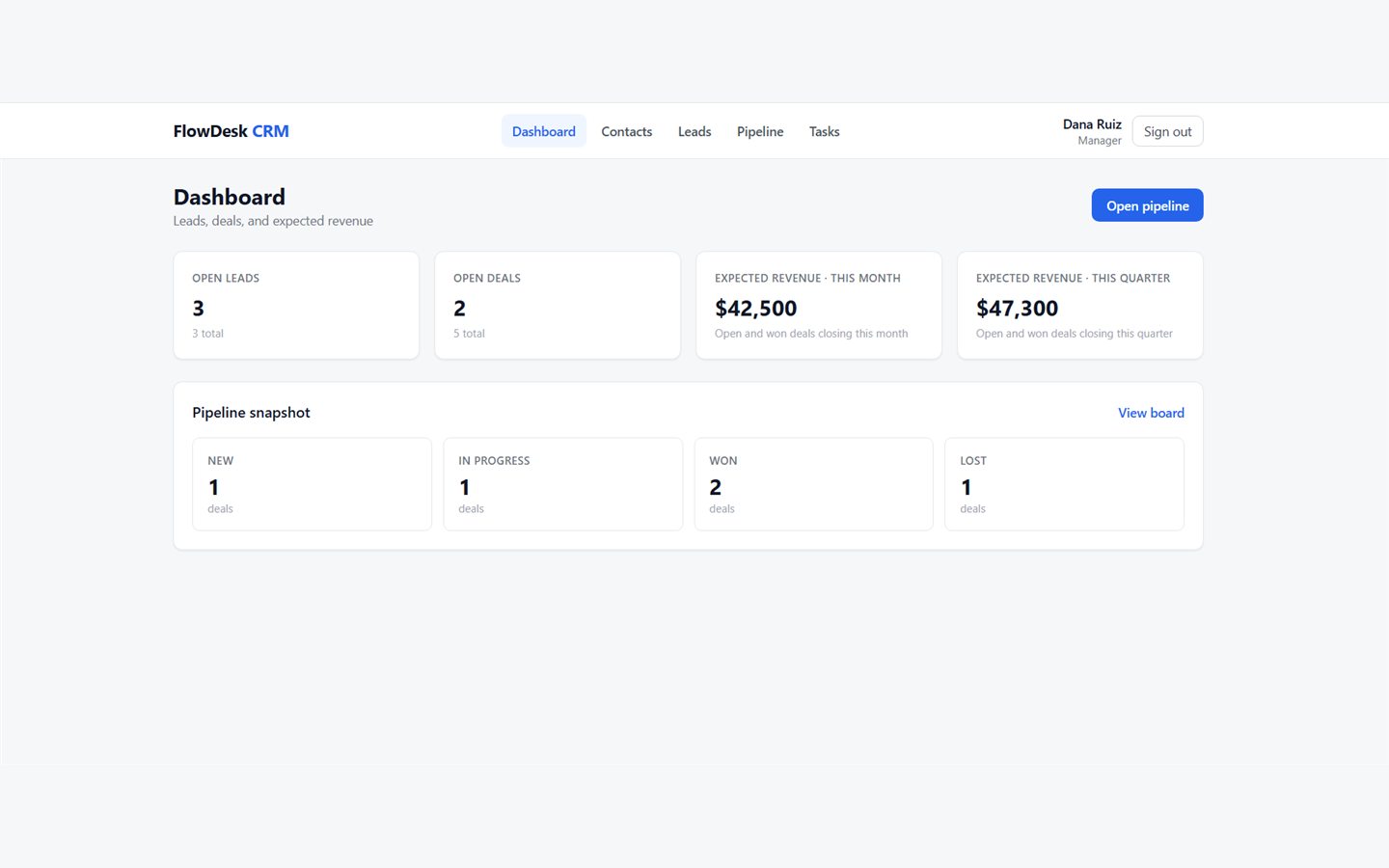
Open the AI app generator or the AI web app builder and describe the screens: job log with fee and pass-through split, queue and token display, document checklists per form, daily cash and UPI reconciliation, and a reminder list with consent status. Describe who may see which data, and keep documents out of the app.
Where a mobile app helps
A mobile app suits the owner and the counter lead who need a daily summary, a token list, a cash check, a reminder queue, and a quick view of open jobs from a phone, with a secure sign-in and a remote lock if a phone is lost. Build it after your web board has worked for three months. A customer-facing app is rarely worth it for a single local cafe, because WhatsApp and a simple page already do the work. Start from the AI mobile app builder.
Where a logo and brand mark help
A cafe’s mark appears on a signboard, a rate card, a receipt, a stamp, a WhatsApp profile, a social profile, and the cover of a spiral-bound set, so it should be clear, modern, and legible from across the road and in one colour. Pick a short name that is easy to say on the phone, a mark that survives being printed small on a receipt, and avoid imagery that hints at an agency link you do not have. Use the AI logo generator to explore marks, and test each on a signboard, a receipt, and a round profile picture before you print.

A ninety-day plan if you are starting
- 1
Days 1 to 15
Choose your location and customer segment, sit at two competitors’ counters for peak days, cost your services, and check registration, user-identification, and authorisation requirements with the authority.
- 2
Days 16 to 45
Register the business, set up four PCs, a printer, a scanner, power backup, and two internet lines, write the rate card, privacy notice, and clean-up routine, and train your operators on form accuracy.
- 3
Days 46 to 70
Open and track jobs by line, errors, cash variance, and queue time weekly, and fix every gap in accuracy, privacy, and uptime.
- 4
Days 71 to 90
Add PCs only against queue evidence, start seasonal reminders, approach coaching centres and employers, and lock the weekly scoreboard.
A ninety-day plan if you already run a cafe
- 1
Days 1 to 15
Measure honestly: contribution by service line, PC-hour utilisation, operator workload, error rate, cash variance, and where customer documents actually sit today.
- 2
Days 16 to 45
Fix one leak: idle PCs, an unprofitable copy price, or documents left on machines. Rewrite the rate card and the clean-up routine.
- 3
Days 46 to 70
Add a job log, a queue token, form checklists, and reminders, and retrain every operator on read-back and deletion.
- 4
Days 71 to 90
Lock the weekly scoreboard, ask happy customers for reviews and referrals the right way, and plan the next two quarters. Only then consider a new authorised service or a second counter.
Common failure patterns
- Buying ten PCs for browsing when most footfall now wants forms and printing
- Leaving customer documents, photographs, and logins on shared PCs
- Using your own phone number for a customer’s OTP or keeping a customer’s password
- Offering government or financial services without authorisation, or through someone else’s login
- Counting pass-through fees as sales and then being short when they are due
- Pricing photocopies below the real cost and calling it footfall marketing
- Skipping the read-back, then paying for the mistakes in free corrections and angry reviews
- Running without power backup, spares, or a service contract on deadline days
- Ignoring registration, user-identification, and log-keeping rules until an inspection
- Opening a second counter before the first runs well without the owner at the desk
When you are ready to build with Nyravi
Use this guide to decide what the cafe needs. When the next step is a cyber cafe website with a rate card and booking form, a job and queue dashboard, an owner’s mobile app, or a brand mark for your signboard and receipts, open Nyravi and describe that product. Keep the brief short: who uses it, what they open first, what they finish, and who may never see it.
If you want help writing that description, ask on Support. Start on the [home page](/), or jump to the product pages linked above. For WhatsApp chatbots, start at cognitivesys.io. The operation comes first. The build carries the system once the system is clear.
Questions
What is a cyber cafe business?+
A cyber cafe business is a small service business that gives the public paid access to computers, printers, scanners, and internet, and staff-assisted help with documents and online forms. Today most of its revenue comes from services such as printing, form filling, photographs, and authorised public services, and it is limited by operator time, machine uptime, footfall, and how well it protects customers’ documents.
How do I start a cyber cafe in India?+
Choose a location with steady footfall, such as near a college or market, and check local registration and user-identification rules and any authorisation you want. Open with a few PCs, a printer, a scanner, power backup, and two internet lines, write a rate card, privacy notice, and clean-up routine, and train operators on form accuracy. Add machines only when the queue shows demand.
How much does it cost to start a cyber cafe in India?+
A small cyber cafe can start with a few lakh rupees, while a ten-PC cafe with a photocopier, power backup, and fit-out often needs roughly ₹8 lakh to ₹14 lakh depending on city and rent. The worked example in this guide totals ₹11,45,000, including ₹3,50,000 for ten PCs, ₹1,20,000 for printers and scanners, ₹1,50,000 for shop deposit and fit-out, and ₹1,00,000 of working capital.
Is a cyber cafe business still profitable in India?+
A cyber cafe can still be profitable when it earns from services such as forms, printing, photographs, and authorised services rather than from browsing alone. In this guide’s example, a 75.4% contribution margin and ₹1,39,000 of monthly fixed cost break even at about ₹1,84,438 of sales and earn about ₹86,490 a month at ₹2,99,200 of sales after the owner’s draw. A weak month at ₹1,40,000 loses about ₹33,490.
What rules and licences apply to a cyber cafe in India?+
A cyber cafe generally needs business registration, GST where applicable, Udyam registration where it helps, and a shop and establishment or trade licence. The Information Technology (Guidelines for Cyber Cafe) Rules, 2011 and state rules may require registration, user identification, and logs, and authorised services need an appointment from the relevant agency. Rules differ by state and change over time, so confirm with the local authority and a professional.
How should a cyber cafe protect customers’ documents and data?+
Save customer files only in a temporary folder and delete them before the customer leaves, use staff PCs for form work, and wipe sessions and browser data after each use. Use masked Aadhaar copies where possible, never keep passwords or use your own phone for an OTP, and train every employee on confidentiality. This is operations guidance only, so have a data-protection adviser review your setup.
How much should a cyber cafe charge for printing and form filling?+
Charges vary by town, competition, and form complexity, so set them from your own cost and time. In this guide’s example a printed page costs about ₹1.30 in paper, toner, drum, and power, a ₹2 photocopy earns about ₹0.70, a ₹3 print earns about ₹1.70, and an online form carries a ₹120 service fee separate from any government or portal fee. Always show both fees on the receipt.
How is a cyber cafe different from a gaming cafe?+
A cyber cafe earns mostly from assisted services such as printing, form filling, photographs, and authorised public services, while a gaming cafe earns from high-spec PCs, games, and tournaments. They differ in machines, customers, power use, software licensing, and peak hours, so their numbers should not be mixed. For the gaming model, see the gaming cafe guide in this Learn library.
Can a WhatsApp chatbot help a cyber cafe?+
Yes, a WhatsApp chatbot can answer questions about hours, services, rates, and documents needed, give a token or booking slot, send form checklists and exam reminders, and share job status, while handing any message with identity documents, passwords, OTPs, or payment problems to a person. It must never ask for or store sensitive details. CognitiveSys, the parent company behind Nyravi, builds WhatsApp chatbots. Start at cognitivesys.io.
Does a cyber cafe need a website, an app, or Nyravi?+
A cyber cafe benefits most from a simple website with services, rates, document checklists, and a booking or token form, then from a web app once jobs, queues, and cash outgrow a spreadsheet. An owner’s mobile app helps after the web board works. Nyravi can build the website, dashboard, mobile app, or logo from a plain-language description. For WhatsApp chatbots, start at cognitivesys.io.