
CSC & digital seva center
CSC (Common Service Center) and digital seva center business: how to start, run, and improve one
A practical operator playbook for starting, running, and improving a Common Service Center (CSC) or digital seva center in India: what the business really sells, service-line, yield-per-counter-minute, counter-capacity, float, commission-risk, rework, and break-even formulas with hand-checked ₹ examples, the mix of government, document, banking-agent, bill-pay, print, and training services, compliance habits such as displayed fee schedules, consent, and data protection, a small counter team, a citizen journey from the document checklist to the acknowledgement and the follow-up, weekly scoreboards, WhatsApp chatbots for checklists and status updates that never collect OTPs or Aadhaar numbers, and when a website, application-register web app, staff mobile app, or logo actually helps. Compliance and business operations only, not legal, tax, banking, insurance, or financial advice.
 Nyravi AILearn playbookFirst-time CSC and digital seva center operators, village-level entrepreneurs, owners of cyber cafes, xerox and stationery shops, and mobile shops adding government and digital services, graduates and women entrepreneurs in towns and villages looking for a local service business, and existing centres that want steadier income, cleaner compliance, fewer rejected applications, and less dependence on a single commission
Who this guide is for
Read this if you want to open or run a Common Service Center or a similar digital seva center that helps citizens apply for government certificates, schemes, scholarships, exam and job forms, identity documents, banking-agent services, bill payments, printing, and basic digital training. It is also for a village-level entrepreneur who has just received an ID and is unsure where the income will come from, a cyber cafe or xerox shop that is asked about government forms every day, a mobile shop that wants a steadier second line, an unemployed graduate or a woman entrepreneur looking for a local service business with modest capital, and an operator whose counter is busy but whose month-end income is thin. If your centre has footfall but the income, the rejected forms, or the compliance routine are not where you want them, this playbook is for you.
The playbook covers the business around the counter: service mix, pricing, time, cash float, compliance, trust, and growth. If you run a retail recharge and bill-pay shop, read the mobile recharge shop guide. If you run a photocopy and stationery shop, see xerox and stationery. If you print for businesses, the printing guide fits better. If you advise on tax returns, read tax consultant. A CSC is judged on whether the citizen gets the right service, at the displayed fee, with a receipt, and whether the application is accepted the first time.
What a CSC and digital seva center business is
A Common Service Center is a local access point, usually a small shop or room with computers, a printer, a scanner, and an internet connection, run by a local entrepreneur, often called a village-level entrepreneur (VLE), who delivers government and private services to citizens under a programme and earns a fee or commission per service. A digital seva center is the same idea under a state or private scheme. Revenue comes from many small transactions, each with a modest net fee, and profit is limited by which services your ID is authorised for, the time each service takes at the counter, the share of applications accepted first time, and the commission rates you are paid.
Terms you will use every week
- VLE: the village-level entrepreneur who runs a centre under the programme
- Authorised service: a service your centre’s ID is allowed to deliver, which differs by programme, state, and approval
- Service charge or commission: the net amount you earn on a transaction, which is set by the programme or the partner, not by you
- Fee schedule: the displayed list of services and prices a citizen can see
- Acknowledgement: the receipt or tracking number generated after an application is submitted
- Rejection or rework: an application returned for wrong or missing documents
- Float: cash and wallet balance you hold to pay out banking-agent and bill-pay transactions
- Counter minute: one minute of a staff member’s time at the service counter
- Consent: the citizen’s clear permission to use their documents and details for a stated purpose
- Grievance: a complaint about a service, which you must record and answer
A CSC is a trust business. Citizens hand over their identity documents, phone numbers, and sometimes their fingerprints. The skill you manage most carefully is not speed but conduct: the right fee, the right service, the right record, and the right protection of someone else’s data.
Quick answers: CSC and digital seva centers in plain language
Short, direct answers to the questions people ask most
- What is a CSC? A local service point that helps citizens use government and private digital services, run by a local entrepreneur under a programme, with a fee or commission earned per service
- What does a CSC earn from? Commissions and service charges on government forms and documents, banking-agent and bill-pay transactions, printing and photocopying, and training or exam-form services, depending on what is authorised
- How do I register? Only through the official programme channels, and be careful of any agent who sells an ID for a fee or promises guaranteed income
- Which number matters most? Net income per counter minute, because the same minute can earn very different amounts depending on the service
- Can I charge extra for a service? Charge only what the programme or partner allows, display the fee schedule, and give a receipt, because overcharging can put your ID and all your income at risk
- What should I never ask for? OTPs, PINs, passwords, or biometric data for any purpose other than the official transaction, and never share your own credentials with anyone
- Does technology help? Yes, for application registers, deadlines, receipts, reminders, and status updates, once the counter routine is clear
CSC center at a glance: the worked example in this guide
Key figures, all illustrative and to be replaced with your own records
- Centre: a small shop in a town or large village with the operator and one assistant, open about 10 hours a day for 26 days
- Government and form services: 400 a month at an average net fee of ₹60, which is ₹24,000
- Document services: 80 a month at ₹100, which is ₹8,000
- Banking-agent services: 1,000 transactions a month at an average commission of ₹7, which is ₹7,000
- Bill payments and recharges: 800 a month at ₹5, which is ₹4,000
- Print, scan, photo, and stationery: 900 jobs a month at about ₹40, which is ₹36,000, with a 35% consumables cost
- Training: 12 learners a month at ₹1,500, which is ₹18,000, with a 25% cost, and enrolment support of about ₹3,000
- Revenue: ₹1,00,000 a month, a gross margin of 82.9%, variable costs of 3.5%, and a 79.4% contribution
- Profit: fixed cost of ₹54,000 including a ₹25,000 operator draw leaves about ₹25,400 a month, break-even near ₹68,010, and start-up investment of about ₹3,32,000
Treat these as a template for your own sheet, not as a promise. Commission rates are set by the programme and partners and can change, and many centres earn less than this in their first year. The point is to see which numbers move income most: the service mix, the time each service takes, rejected applications, and the commission you depend on.
What a CSC really sells
A citizen does not buy a form. A citizen buys relief from a confusing process: a trip to a distant office avoided, a scholarship form submitted before the deadline, a certificate that arrives without a second visit, and the comfort of someone who explains the documents in their own language. The centre that answers the anxious question first, “Do I have everything, and will it be accepted?”, earns trust and referrals. The centre that only advertises a list of services earns walk-ins who may never come back.
A centre that offers every service in the programme sounds generous and runs badly. Each extra service needs training, a fee schedule, a checklist, and a way to avoid mistakes. A centre that is known for one clear promise, such as “scholarship, exam, and job forms checked before submission, with a printed acknowledgement” or “the digital seva point for farmers and pensioners in this block”, is easier to staff, easier to explain, and easier to protect against rejections.
How a CSC differs from recharge shops, cyber cafes, printing, and tax consultants
Owners often copy the plan of a neighbouring shop and get the wrong cost structure. A CSC earns small net amounts on many regulated transactions, depends on programme approvals, and handles other people’s identity records. That changes how you price, how you train, and what you must record.
Where the lines fall
- Mobile recharge and bill-pay shop: retail commissions on telecom and utility payments, with accessories. See mobile recharge shop for wallet float and take-rate economics
- Xerox and stationery: copying, printing, and school supplies. See xerox and stationery for consumables and margin by job
- Printing: commercial print and design work for businesses. See printing for job costing and turnaround
- Tax consultant: advice and filings under a professional’s responsibility. See tax consultant for how advisory work is priced and who may do it
- Insurance agency: a licensed sales role with its own rules. See insurance agency for licensing and commissions
- Career counselling: guidance for students that often follows exam and admission forms. See career counselling for how that service is run
Choose a centre model before you spend money
A digital service centre can look like many things, which is why new operators try to be all of them. Pick the model that fits your approvals, capital, location, and the people who already pass your door, and treat every other model as an add-on to test later.
Common models and what they ask of you
- Village or panchayat centre: low rent and low competition, with steady government and farmer services and a lower average fee
- Town centre near a school, college, or market: more students, exam forms, printing, and training, with higher rent
- Cyber cafe plus CSC: print and browsing income with a service counter, with a risk that browsing crowds the counter
- Banking-agent focused centre: high transaction counts, a high float, and security duties
- Training and digital literacy centre: batches with a schedule and a trainer, with a different cost structure
- Mobile or camp-based service: occasional outreach to villages and schools, with portable equipment
- Shop-in-shop: a counter inside an existing stationery, mobile, or general store, sharing rent and footfall
Decide these before you commit money
- Which services your ID is actually authorised for, and which are pending approval
- The two or three services that will carry the first six months
- Your opening hours, staff, and the counter minutes you can sell
- The fee schedule you will display and the receipts you will give
- The float you can safely hold and how you will keep it secure
- Who will train and supervise the assistant, and how you will handle data
How the centre works: checklist, submit, receipt, and follow-up
A centre succeeds when a citizen leaves knowing that the application was submitted correctly and what happens next. Most rejections come from a missing document, a mismatched name, or a poor scan, not from the portal. A checklist before submission is the cheapest quality control you will ever buy.
A simple operating plan
- 1
1. Greet and identify the need
Ask what the citizen wants to do, and which service and scheme or office it concerns.
- 2
2. Check the documents
Use a printed checklist for each service, check names, dates, photos, and sizes, and ask for what is missing before starting.
- 3
3. Take consent
Tell the citizen what you will do with their documents and details, and use them only for that purpose.
- 4
4. Submit and verify
Enter the details with the citizen watching the screen, read them back, and submit once they confirm.
- 5
5. Charge the displayed fee
Collect only the published fee, give a receipt, and hand over the acknowledgement with the tracking number.
- 6
6. Record and follow up
Log the application in the register with the date and status, and tell the citizen when to check or return.
- 7
7. Close and delete
Return original documents, remove copies you do not need to keep, and note any complaint.
Start-up and monthly cost formulas
A digital service centre needs a small shop, computers, a printer and scanner, certified devices where a service requires them, reliable internet and power backup, and enough cash to carry a float. Founders most often under-count two lines: the backup for power and internet, and the working capital before the footfall builds.
Unit economics: yield per counter minute and contribution
Small fees hide very different yields. A service that pays ₹100 but needs half an hour earns less per minute than a ₹40 print job that takes three. Work out the net income per counter minute for each service, and use it to decide where to spend your best staff time, rather than judging services by the fee alone.
Break-even, seasons, and profit
Because rent and salary are paid whether you serve 200 citizens or 400, the revenue you need each month is the most important number in the centre. Put it where the whole team can see it, and test it against your quietest months, which often follow a big application season.
Cash float, banking-agent work, and daily reconciliation
Banking-agent and bill-pay services need cash and wallet balances in hand before the commission arrives. A centre that holds too little loses citizens at the peak. A centre that holds too much carries a security risk. This section is about operations and control, not about any financial product, and the rules of your partner bank and programme apply.
Safety habits for a centre that holds cash
- Keep the float within the limit your partner and your insurance allow, and bank the excess at a set time
- Use a safe or locked drawer, a visible camera, and a rule on who may open it
- Never share your login, device, or biometric access with an assistant or any outside person
- Teach staff about fake fingerprints, fake notes, and callers who ask for OTPs, and write a script to follow
- Log every payout with the time, the amount, and the account reference your system records
Compliance, conduct, and data protection
A CSC touches programme rules, state and departmental requirements, tax law, banking-partner terms, consumer law, and data-protection duties. The framework differs by programme, state, and service. Treat this section as a checklist of things to confirm, not as instructions.
Confirm each with the official programme channel, your partners, and a qualified professional
- Which services your ID is authorised to deliver, and never offer a service that is not authorised for your centre
- The official registration route and fees, and never pay an agent who offers an ID, a guaranteed income, or a shortcut
- The fee or service charge you may collect for each service, and display it on a board in the local language
- Receipts or acknowledgements for every transaction, with the date, the service, and the amount
- Your own credentials and devices: never lend, rent, or share an ID, password, or biometric device
- Consent and purpose for every document you copy or scan, and a rule on how long copies are kept and when they are deleted
- Data-protection duties for Aadhaar numbers, biometrics, bank details, and phone numbers, including secure storage and no use for marketing without permission
- Banking-agent and bill-pay terms with your partner, including limits, cash handling, reporting, and complaint timelines
- GST registration and treatment for your income, and any tax deducted at source on commissions, confirmed with a chartered accountant
- Shop and establishment registration or trade licence, if required by the local body
- A grievance register and a written timeline to answer every complaint
- Insurance for equipment and cash, and a plan for power and internet failures
The team a CSC needs
A centre works when each person treats a citizen’s documents with care. A good operator is patient with questions, exact with data, and calm in a queue. Hire for reliability and clean conduct, and train on the checklist for each service and on the rules about data and cash.
Roles that keep the counter clean and the queue short
- Operator or VLE: programme relationship, compliance, pricing, float, complaints, and the weekly review
- Counter assistant: document checks, data entry under supervision, printing, and receipts
- Banking-agent operator: transactions, float count, and security routine, ideally the operator or a trusted staff member
- Trainer: digital literacy and typing batches, which can be part-time
- Field or camp helper: outreach to panchayats, schools, and groups, which can be a rotating role
- Accounts: daily collections, GST, and payroll, usually part-time or the operator
Pay a base plus an incentive on accepted-first-time applications and a clean cash count, not on the number of transactions alone. An incentive on count teaches the counter to rush and skip the checklist. An incentive on first-time acceptance and a clean record teaches the habit that protects citizens and the centre’s ID.
Pricing, displayed fees, and own-priced services
Most of your fees are set for you, so the price you control is your own: print, scan, photo, lamination, typing, training, and convenience services that are outside the regulated list. A centre that competes by overcharging regulated services loses its ID. A centre that prices its own services well can hold margin and still be trusted.
Pricing habits worth keeping
- Display one board with every service and the fee you may charge, in the local language
- Price print, scan, and photo by the page and by the job, with a minimum charge, and keep the same price for everyone
- Bundle photo, copies, and lamination with a form so that the citizen gets one clear total
- Price training by the batch and the hour, with a clear certificate rule
- Do not quote the cost of a government service from memory, and check the current fee before you say it
- Keep a receipt book or a billing screen for every payment, including small ones
The citizen journey from the checklist to the follow-up
A citizen is often anxious, short of time, and unsure of the documents. The journey from the first question to the follow-up message is where a centre turns a one-off visit into the first place a family goes for everything.
A standard journey
- 1
1. Ask before they come
Share a document checklist for each service on a board, a poster, or a WhatsApp message, so the citizen arrives prepared.
- 2
2. Greet and tokenise
Welcome the citizen, give a token if there is a queue, and ask what they need.
- 3
3. Check and consent
Check the documents against the checklist, explain what you will do, and take consent.
- 4
4. Submit with the citizen watching
Enter the details on screen, read them back, and submit after the citizen confirms.
- 5
5. Receipt and acknowledgement
Collect the displayed fee, give a receipt, and hand over the acknowledgement and the tracking number.
- 6
6. Tell them what happens next
Say when to check the status, what documents will arrive, and where to return if anything is wrong.
- 7
7. Follow up
Send a status update or a call after a few days, and help with a correction if the application is returned.
- 8
8. Remind and refer
Remind opted-in families of renewal and deadline dates and ask them to bring a neighbour.
A simple weekly rhythm
Run the centre on a short scoreboard
- Daily open: float counted, devices and internet checked, fee board in place, and the application register ready
- Daily close: transactions by service, receipts matched to cash, wallet reconciled, copies deleted, and the grievance list
- Weekly: transactions and net revenue by service line
- Weekly: applications accepted first time, applications returned, and the cause of each return
- Weekly: counter minutes used against available, queue times at the peak hour, and walk-aways
- Weekly: print and training income, consumables stock, and power or internet downtime
- Monthly: commission statements checked against your records, compliance checklist, and a review of the next application season
Money: the numbers that decide survival
Watch these every week and every month
- Net revenue and contribution against the monthly break-even of about ₹68,010
- Net income per counter minute by service, and the share of revenue that is own-priced
- Share of revenue that depends on a single commission or partner
- First-time acceptance rate and the cost of rework
- Float, daily variance, and cash banked
- Cash in hand against three months of fixed cost, because quiet months follow busy ones
- Complaints open, complaints closed, and days to close
ROI formulas you can use this month
Marketing a CSC in India
People look for a service centre when a deadline is close: a scholarship form, an exam registration, a certificate for admission, or a pension document. Marketing for a CSC is mostly about being the place people already know and trust, with a clear board, a list of documents, and a date they can rely on.
What moves footfall
- A clear shop board in the local language that lists the main services and the opening hours
- A complete Google Business Profile with photos, hours, a phone number, and a WhatsApp number that is answered
- Document checklists on a wall poster and in short WhatsApp messages for the services you offer most
- Notices at schools, colleges, panchayat offices, and self-help groups before application seasons
- Camps or outreach days in nearby villages, with the programme’s permission
- Referral relationships with teachers, anganwadi workers, local clerks, and community leaders
- A simple ‘last checked’ date on every fee and document list you publish, so information never looks stale
Reviews, relationships, and reputation
A centre is judged by a few thousand people each year who tell their families and neighbours where they were treated well. A review is usually triggered by the moment of the fee and the moment of a rejection: whether the price was the displayed one and whether someone helped fix an error.
A routine that works
- Ask a happy citizen for a Google review a few days after a service, with a direct link on WhatsApp, never as a condition of service
- Reply to every public review within 48 hours, thank the good ones, and offer a call to fix the bad ones
- Tag every complaint by cause: fee, wait time, rejection, behaviour, or lost document
- Fix the cause with the biggest count first, and tell the team what changed
- Keep a grievance register with dates, and close every complaint in writing within a set number of days
- Never argue publicly and never post a citizen’s name, documents, or number without permission
Channels that bring citizens
Rank them by net contribution per visit and by repeatability, not by volume alone
- Walk-in and word of mouth: the main source, driven by trust, a clear board, and a short queue
- Schools, colleges, and coaching classes: students with forms, photos, and printing during application seasons
- Panchayats, self-help groups, and farmer groups: groups of families with similar scheme needs
- Google Maps and search: citizens who want to know what is offered and when you open
- WhatsApp groups and status updates: reminders and checklists for opted-in contacts
- Neighbouring shops and clinics: referrals for printing, photos, and documents
- Camps and outreach days: new villages and families, with a cost of staff time
Log the source of every new citizen for a quarter. You will see which channel gives families who return and which gives one-time visits.
Automation that frees the operator
Automate these first
- A document checklist for each service, printed and sent on request
- An application register with citizen name, service, date, acknowledgement number, status, and the date to follow up
- A token and queue screen or a simple numbered slip that shows who is next
- A daily summary that matches receipts, cash, and wallet and flags any variance
- Reminders for deadlines and renewals to opted-in citizens only
- A grievance ticket with a due date and a reply template
- A weekly owner digest with transactions, net revenue, first-time acceptance, returns, float variance, and complaints
Where a WhatsApp chatbot helps
Citizens message while the deadline is near and the shop is closed: “What documents do I need for a scholarship form?”, “Is the centre open tomorrow?”, “What is the fee for this service?”, “What is the status of my application?” If those messages wait until the next day, the citizen has already gone to another centre or an agent they do not know.
What a business WhatsApp chatbot is good for
- Sharing the document checklist for each service from a list you approve and date
- Sharing opening hours, the displayed fee schedule, and the location
- Booking a time or a token for a service, then alerting a person
- Sharing a status update that a person has entered, such as received, submitted, or ready to collect
- Sending deadline and renewal reminders to opted-in citizens
- Asking for feedback after a service and routing a complaint to the operator
- Handing the whole thread to a person for anything involving identity details, money, rejections, or disputes
Why centres use it
- Citizens already live on WhatsApp and prefer a checklist they can save
- One shared inbox instead of the operator’s personal number
- A written checklist reduces wrong-document visits and rejections
- Faster first replies, which is where most repeat families are won
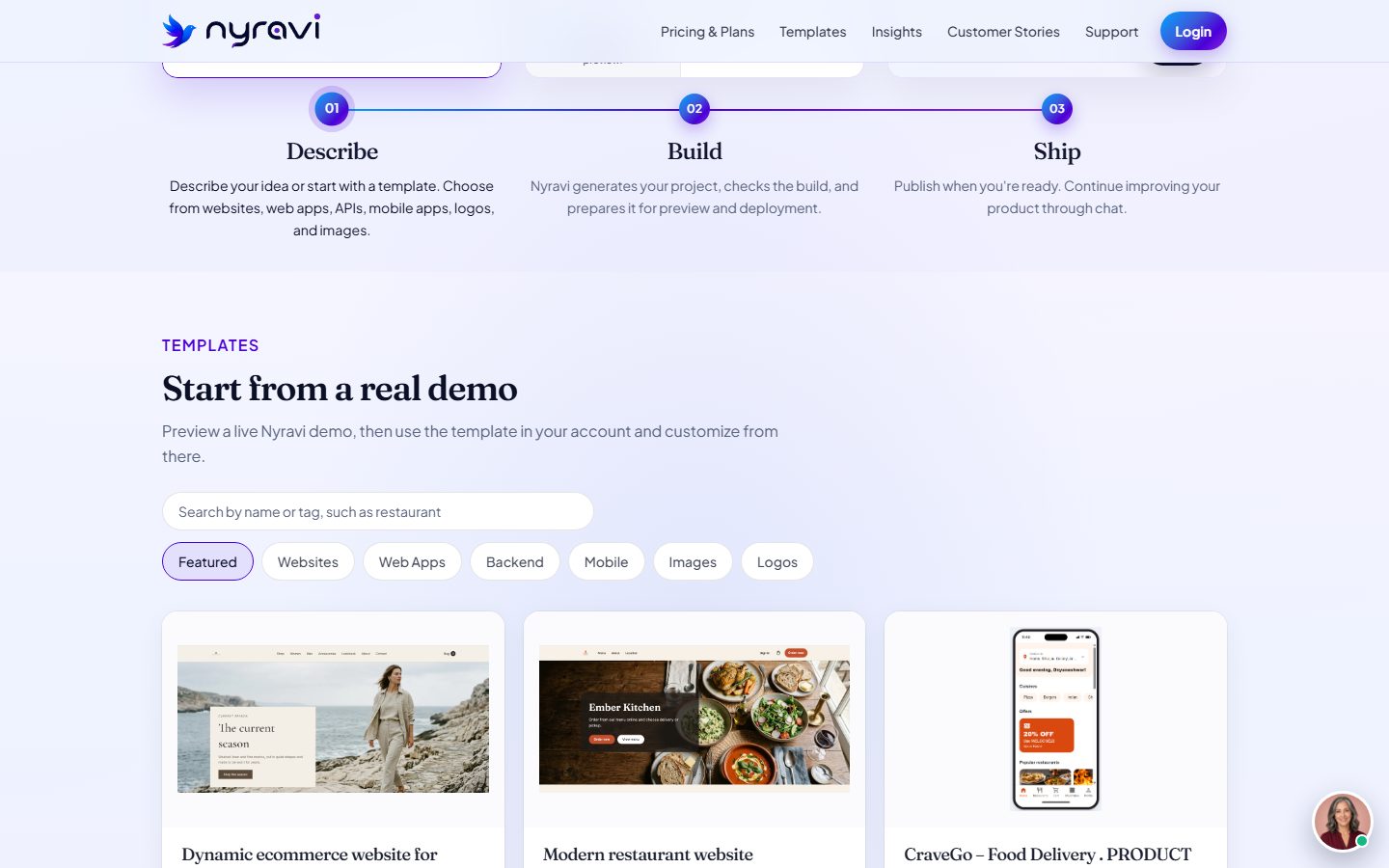
Use WhatsApp for conversation, your website for the service list and checklists, and a web app when applications, receipts, and complaints need to live in one place.
Growing a CSC
Growth is not only more services. It is higher first-time acceptance, a better mix of own-priced income, more families who return, and a clean record that keeps your ID safe. Add a service or a second counter only after the first runs smoothly and compliantly without the operator doing every task.
Ways to grow responsibly
- Raise first-time acceptance and add-on attach before adding services, because both lift income without new rent
- Add authorised services one at a time, after the checklist and training are ready
- Run a digital-literacy and typing batch, and build a relationship with local schools and colleges
- Sign simple arrangements with panchayats, self-help groups, and farmer groups for camps and reminders
- Build own-priced income such as printing, photos, lamination, and stationery to reduce reliance on commissions
- Add a second counter or terminal at peak hours before adding a second shop
- Open another centre only after six months of stable income, a clean grievance record, and an assistant who can run the counter for two weeks alone
Where a website helps
Citizens search “CSC center near me”, “digital seva center for scholarship form”, “documents for income certificate”, or “PAN card help near me” before they visit. Your website should show the services you are authorised for, a document checklist for each with a last-checked date, the fee schedule, opening hours, the map, and a WhatsApp button, in that order. A site that shows only a logo and a phone number loses to the centre that answers the first three questions on one page. Add clear headings and structured data for a local business so search engines and AI assistants can quote your services, hours, and contact details correctly.
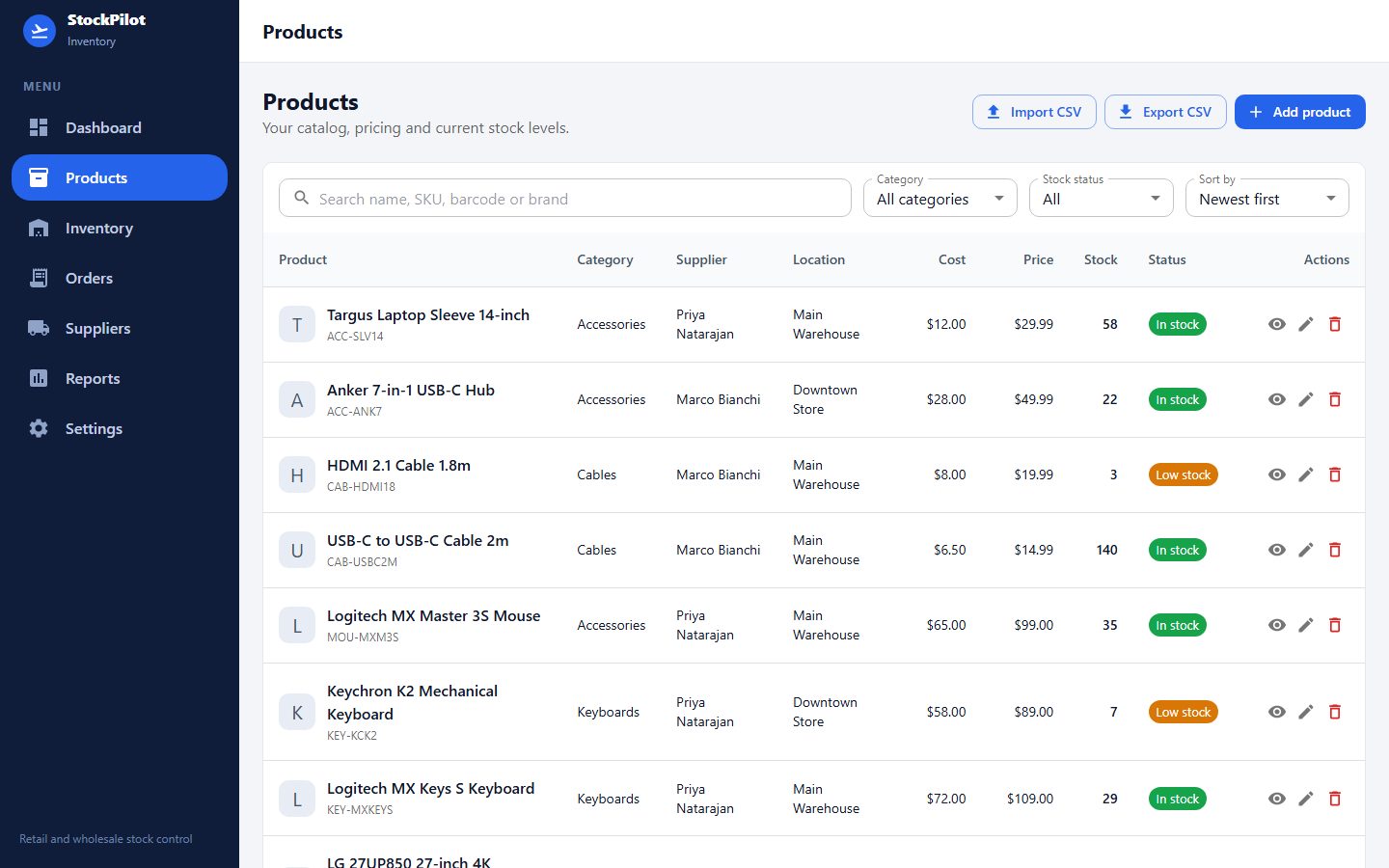
Start from the AI website builder or build a website with AI and describe your services, checklists, fee schedule, hours, and the three questions you want a citizen to answer on the page.
Where a web app helps
A web app helps when applications, receipts, deadlines, complaints, and several staff outgrow a notebook and a spreadsheet, and when more than one person at the counter makes one person’s memory unreliable. A signed-in board that shows applications by status, returns by cause, float and daily variance, and complaints due gives the operator and the assistant the same answer. Store as little personal data as possible and protect what you keep.
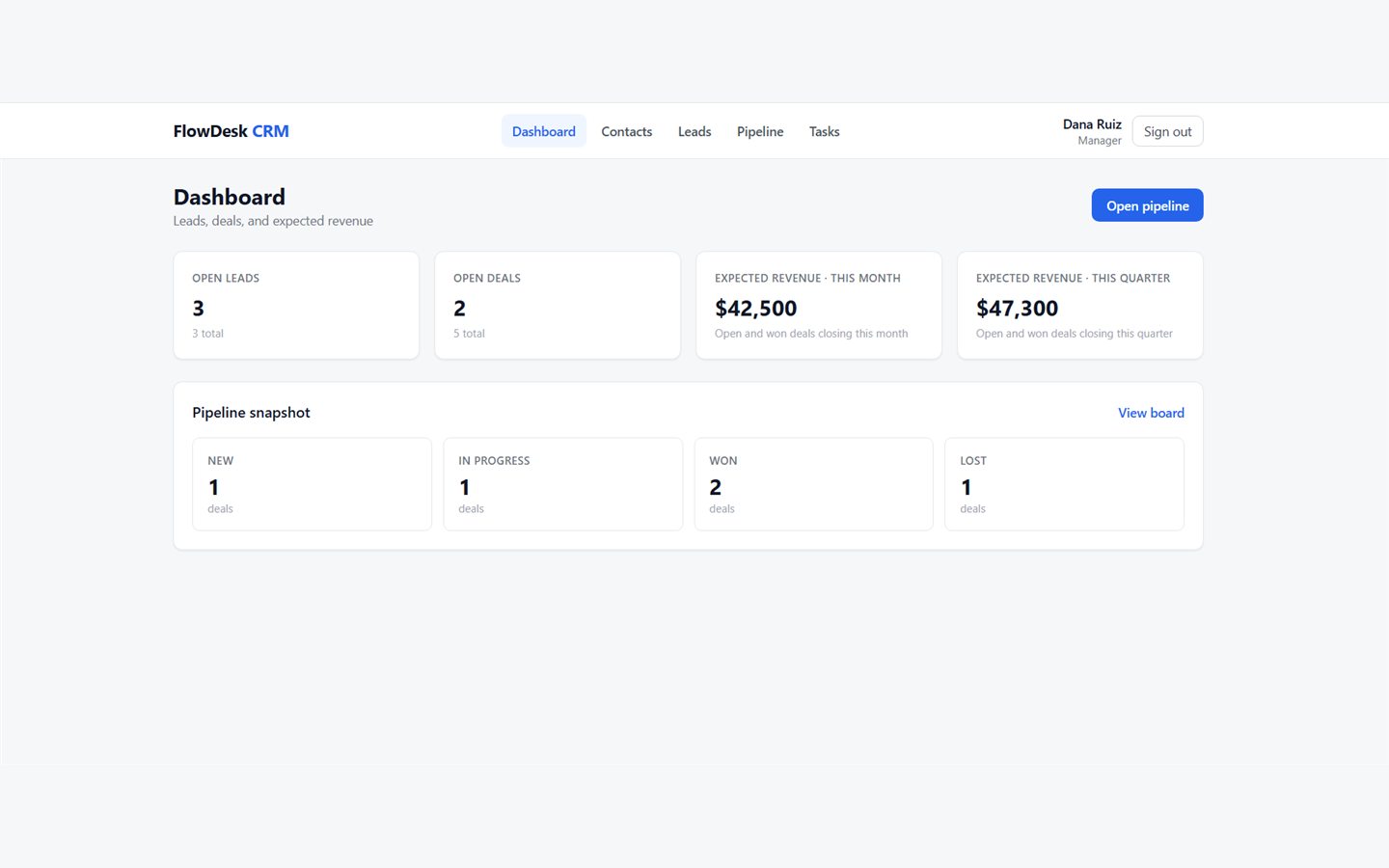
Open the AI app generator or the AI web app builder and describe the screens: application register with status and follow-up dates, daily cash and wallet reconciliation, grievance tickets, and a weekly summary.
Where a mobile app helps
A mobile app suits the operator and the field helper who need to log an application at a camp, check a document list offline, take a consented photo of a document for the register, record a payment, and see the day’s totals, all from a phone. Build it after your spreadsheet has worked for three months, and keep personal data on the device to the minimum. A citizen-facing app is rarely worth it for a single centre. Start from the AI mobile app builder.
Where a logo and brand mark help
A centre’s mark appears on a shop board, a receipt, a document checklist, a banner at a camp, a WhatsApp profile, and a Google listing, so it should read from across a road and in one colour. Pick a short name that is easy to say and write in the local language, a simple mark that suggests service and trust, and use the programme’s official name and logo only as its branding rules allow. Use the AI logo generator to explore your own mark, and test it on a board and a small circle before you print.

A ninety-day plan if you are starting
- 1
Days 1 to 15
Register only through the official channel, confirm which services you are authorised for, sit at a busy centre for two days, and map the schools, panchayats, and shops within walking distance.
- 2
Days 16 to 45
Secure a small shop, buy computers and devices from the approved list, set up power and internet backup, arrange insurance, and write a checklist and fee board for each service.
- 3
Days 46 to 70
Train the assistant on the checklists and data rules, set up the application register and daily reconciliation, fill the Google profile, and start outreach to schools and panchayats.
- 4
Days 71 to 90
Open, review first-time acceptance and returns every week, fix the three biggest gaps, and plan the next application season before it starts.
A ninety-day plan if you already operate
- 1
Days 1 to 15
Measure honestly: transactions by service, net income per counter minute, returns by cause, float variance, power downtime, and complaints.
- 2
Days 16 to 45
Fix one leak: introduce a checklist and read-back step, display the fee board, or start a daily reconciliation, and audit that every service you offer is authorised.
- 3
Days 46 to 70
Build own-priced income with print bundles and a training batch, add a token system at peak hours, and start two school or panchayat relationships.
- 4
Days 71 to 90
Lock the weekly scoreboard and the compliance checklist, and plan the next two application seasons. Only then consider a new authorised service or a second counter.
Common failure patterns
- Paying an agent for an ID or a guaranteed income, and losing the money and the right to operate
- Offering a service that your centre is not authorised for
- Charging more than the displayed or permitted fee, and losing the ID after one complaint
- Sharing an ID, password, or biometric device with an assistant or an outsider
- Skipping the document checklist, so that a large share of applications are returned
- Keeping copies of citizens’ documents without consent or a deletion routine
- Holding too much cash or too little, and having no daily reconciliation
- Depending on one commission for most of the income, and ignoring a rate change
- Having no power or internet backup, so that a cut loses a day of income
- Opening a second centre before the first can run without the operator at the counter
When you are ready to build with Nyravi
Use this guide to decide what the centre needs. When the next step is a centre website with service checklists and a fee schedule, an application register and reconciliation dashboard, a staff app for camps and counters, or a brand mark for your board and receipts, open Nyravi and describe that product. Keep the brief short: who uses it, what they open first, and what they finish.
If you want help writing that description, ask on Support. Start on the [home page](/), or jump to the product pages linked above. For WhatsApp chatbots, start at cognitivesys.io. The operation comes first. The build carries the system once the system is clear.
Questions
What is a CSC (Common Service Center) business?+
A Common Service Center business is a local service point, usually a small shop with computers, a printer, a scanner, and internet, run by a local entrepreneur who delivers government and private services to citizens under a programme and earns a fee or commission per service. Income depends on which services are authorised for the centre, the commission rates, the time each service takes, and how many applications are accepted first time.
How do I start a CSC center in India?+
Register only through the official programme channel, confirm which services your ID is authorised for, and be careful of any agent who sells an ID or promises guaranteed income. Then secure a small shop, buy the approved devices, set up power and internet backup, arrange insurance, prepare a checklist and a fee board for each service, train an assistant on data and cash rules, and begin outreach to schools and panchayats.
How much does it cost to start a CSC center?+
A small centre can start with a few lakh rupees, and the worked example in this guide needs about ₹3,32,000, including a ₹24,000 deposit, ₹60,000 for two computers, ₹25,000 for a printer and scanner, ₹15,000 for a UPS or inverter, ₹40,000 for fit-out, and ₹1,00,000 of working capital and float. Onboarding fees and device lists are set by the programme, so confirm them on the official channel.
How much can a CSC center earn?+
Earnings depend on the service mix, commission rates, and counter time, and many centres earn less in the first year. In this guide’s illustrative example, ₹1,00,000 of monthly revenue, a 79.4% contribution, and ₹54,000 of fixed cost give about ₹25,400 a month of profit after a ₹25,000 operator draw, with break-even near ₹68,010. A 20% commission cut would lower profit to about ₹16,522, so build own-priced income too.
Which services does a CSC center offer?+
Common services include government certificates and scheme applications, scholarship, exam, and job forms, identity and document help, banking-agent services, bill payments and recharges, insurance enrolment support, printing, scanning, photos, and digital literacy training. Which of these your centre may offer depends on the services your ID is authorised for, your state, and your partners, so confirm each service before you advertise it.
Can a CSC operator charge extra for a service?+
A CSC operator should charge only the fee or service charge that the programme or partner allows for each regulated service, display the fee schedule, and give a receipt. Charges for your own services, such as printing, photos, and training, can be set by you. In this guide’s example, adding ₹10 to 400 forms earns ₹4,000 a month but risks losing an ID that supports the other ₹96,000.
What data and compliance rules should a CSC follow?+
Use citizens’ documents only for the stated purpose with their consent, store as little as possible, delete copies you do not need, never share your credentials or biometric device, and keep a grievance register. Banking-agent and bill-pay terms, GST, and local registrations also apply. This is not legal advice, so confirm duties with the programme, your partners, and a qualified adviser.
How do I reduce rejected applications at a CSC?+
Use a printed checklist for each service, check names, dates, photos, and scan quality before you submit, read the details back to the citizen, and tag the cause of every returned application. In this guide’s example, a rejection costs about ₹136.35, and cutting the rate from 5% to 2% on 400 forms saves about ₹1,636 a month.
Can a WhatsApp chatbot help a CSC center?+
Yes, a WhatsApp chatbot can share document checklists, opening hours, and the displayed fee schedule, book tokens, share status updates that a person has entered, and send deadline reminders to opted-in citizens, while handing identity, money, rejection, and dispute questions to a person. It must never ask for OTPs, PINs, passwords, biometrics, or full Aadhaar numbers. CognitiveSys, the parent company behind Nyravi, builds WhatsApp chatbots and shared inboxes. Start at cognitivesys.io.
Does a CSC center need a website, an app, or Nyravi?+
A CSC benefits most from a simple website with services, document checklists with a last-checked date, a fee schedule, and a WhatsApp button, then from a web app once applications, receipts, and complaints outgrow a spreadsheet. A staff mobile app helps after the spreadsheet works. Nyravi can build the website, dashboard, staff app, or logo from a plain-language description. For WhatsApp chatbots, start at cognitivesys.io. This guide covers compliance and business operations only, not legal, tax, or financial advice.