
Virtual office & registered address
Virtual office and registered address business: how to start, run, and improve one
A practical operator playbook for starting, running, and improving a virtual office and registered-address service in India: what the business really sells, plan-ladder, revenue-per-client, break-even-clients, churn and lifetime-value, meeting-room utilisation, and mail-handling capacity formulas with hand-checked ₹ examples, the landlord, authority-verification, client-screening, and misuse-prevention basics, a small front-desk and compliance team, a client journey from the first enquiry to the renewal reminder, weekly scoreboards, WhatsApp chatbots for mail alerts and plan questions, and when a website, client web app, front-desk mobile app, or logo actually helps. Business operations only, not legal, tax, or company-law advice.
 Nyravi AILearn playbookFirst-time virtual office founders, coworking and serviced-office owners adding an address product, commercial-property owners and managers who want a mail-and-address line, chartered accountants and company secretaries who refer start-ups, incorporation and compliance-service firms, and existing virtual office operators who want cleaner client screening, higher plan mix, lower churn, and better use of meeting rooms
Who this guide is for
Read this if you want to open or run a business that gives start-ups, freelancers, consultants, e-commerce sellers, overseas companies, and small firms a professional business address, mail and parcel handling, a phone-answering or call-forwarding service, and occasional meeting rooms and day desks, without a permanent desk. It is also for a coworking operator who wants a high-margin product for people who do not need a seat, a commercial-property owner with spare space in a good building, a chartered accountant or company secretary whose clients keep asking for an address, a small-city entrepreneur who wants a first-in-town service, and an owner who already runs one and watches the same few clients churn, the meeting rooms sit empty, and the phone ring with questions about whether the address will work for a registration. If your client count is fine but your plan mix, churn, room usage, or screening is not, this playbook is for you.
The playbook covers the business around the address: plans, mail handling, client screening, landlord and authority matters, meeting rooms, referrals, and growth. If you run a shared workspace with desks, read the coworking space guide. If you manage buildings for owners, see property management. If you are a professional who refers clients, the accounting firm and tax consultant guides fit better. If you are an individual who uses such addresses, read freelancer. A virtual office business is judged on whether an address is genuine and usable, whether every letter reaches the right client fast, and whether the operator keeps clean records when an authority asks.
What a virtual office business is
A virtual office business is a service business that lets clients use a real, staffed business premises as their official business or correspondence address, with mail and parcel handling, optional call answering, and pay-per-use meeting rooms and day desks, in exchange for a monthly or annual plan. Revenue comes from subscriptions and add-ons across many clients sharing one premises, and profit is capped by how many clients you can serve well, the plan mix, churn, meeting-room use, and how carefully you screen the businesses you let use your address.
Terms you will use every week
- Business or mailing address: an address a client may print on a website, letterhead, or invoice, with mail received for them
- Registered address plan: a plan that also provides the property documents and consent letters a client may need to submit for a registration, which the authority may or may not accept
- No-objection certificate (NOC) and consent letter: the written permission from the owner or landlord allowing the client to use the premises address, subject to your agreement with the owner
- Mail handling: receiving, logging, photographing, notifying, scanning, forwarding, holding, and disposing of letters and parcels
- KYC and screening: collecting identity and business documents and checking what the client does before accepting them
- Authority verification: a visit, call, or document check by a tax or company authority to confirm that a business is connected to the address
- Plan ladder: the set of plans from address-only to registered address with calls and meeting hours
- ARPA: average revenue per account per month
- Churn: the share of clients who leave in a month
- Meeting-room utilisation: sold room-hours divided by available room-hours
A virtual office is a trust-and-records business sitting on top of a real premises. The address is only valuable if it is genuine, reachable, and managed. The skill you manage most carefully is knowing who is using your address and what is arriving for them.
Virtual office business at a glance: the worked example in this guide
Key figures, all illustrative and to be replaced with your own invoices and logs
- Premises: a 1,800 sq ft leased floor in a business district with a reception, two meeting rooms, four day desks, and a mail room, staffed by a community manager, a part-time receptionist, and an operations executive
- Clients: 170 active subscribers, made of 50 on the Basic plan at ₹600 a month, 100 on the Registered plan at ₹1,200, and 20 on the Plus plan at ₹2,500, billed mostly annually, so ₹2,00,000 of subscription revenue a month
- Add-ons: ₹72,000 of meeting-room hire (160 hours at ₹450), ₹40,000 of day-desk passes (80 at ₹500), ₹10,000 of parcel handling (250 at ₹40), and ₹8,000 of onboarding fees (4 new clients at ₹2,000), so ₹3,30,000 of total monthly revenue
- Variable cost: 10%, made of payment fees, partner commissions, mail consumables, and per-use room costs, so a 90% contribution
- Fixed cost: about ₹2,23,000 a month including a ₹30,000 owner draw and ₹80,000 of rent
- Break-even: about ₹2,47,778 of monthly revenue, roughly 128 clients
- Profit: about ₹74,000 a month at steady state
- Start-up investment: about ₹21,80,000, with a payback of about 29.5 months on profit after the owner’s draw
Treat these as a template for your own sheet, not as a promise. Rent, plan prices, city, and the pace of client acquisition change everything. The point is to see which numbers move profit most: client count against break-even, plan mix, churn, and how much of the meeting-room capacity you actually sell.
What a virtual office business really sells
A client does not buy a street address. A client buys credibility on a letterhead, a place where a courier can leave a parcel, a real person who signs for it, and the comfort that an official letter will not be lost. A one-person company buys proof that it is a real business. The operator that answers the anxious question first, “Will my mail be safe, and who is looking after this address?”, wins the client. The operator that only quotes a monthly rate wins the client who leaves after three months for someone ₹100 cheaper.
An address that is offered to hundreds of businesses with no screening, no mail discipline, and no clear promise damages every client who uses it. A business known for one clear promise, such as “a staffed address with same-day mail alerts for start-ups”, “a registered-address service with documents ready in two days and a compliance partner”, or “a business address and meeting rooms for overseas founders”, is easier to explain, easier to staff, and easier to defend when an authority or a bank asks about it.
How a virtual office differs from coworking, property management, and professional firms
Owners often copy the plan of a coworking space and get the wrong economics. A virtual office has almost no seat cost per client, a heavy admin and compliance burden, and a reputation that depends on the worst client you accept. That changes how you price, how you staff, and what you refuse.
Where the lines fall
- Coworking space: desks, cabins, and community, with revenue tied to seats and occupancy. See coworking space for seat economics, which a virtual office can use as an add-on
- Property management: managing buildings and tenants for owners. See property management for how owners and tenants interact and how consent letters fit in
- Accounting firm: bookkeeping, audit, and compliance for clients. See accounting firm for a major referral source
- Tax consultant: GST, income tax, and registrations for small businesses. See tax consultant for how your clients’ filings link to the address
- Law firm: company and contract work for founders, who need addresses for notices. See law firm for how legal notices and service of process affect an address operator
- Freelancer: individuals who use a professional address. See freelancer for what a solo client expects
Choose a model and a plan ladder before you sign a lease
A virtual office business can look like many things, which is why new owners try to be all of them. Pick the model that fits your premises, your landlord’s terms, and the clients within reach, and treat every other model as an add-on to test later.
Common models and what they ask of you
- Stand-alone virtual office on a leased floor: the model in this guide, with a front desk, meeting rooms, and a mail room, and a need for landlord consent
- Virtual office inside a coworking space: an extra product on existing seats and desks, using the same reception and meeting rooms
- Serviced-office or business-centre operator: virtual plans bundled with private offices, which suits larger premises
- Property-owner address service: the owner of a commercial building offers an address and mail service to small firms, with fewer consent issues but less service depth
- Incorporation and compliance bundle: address plus company registration and filings through a partner chartered accountant or company secretary
- Network of addresses in several cities: each location must be a real, staffed premises with its own agreements, and the brand must not outrun your control
Decide these before you commit money
- Whether the landlord will give written consent for virtual-address use, and what the lease says about use, sub-licensing, and signage
- A plan ladder of three or four plans with clear inclusions, prices, and the things each plan does not cover
- A maximum number of clients per address, set below your mechanical mail-handling capacity
- Which businesses you will not accept, written down and applied to every enquiry
- Which services you will provide in-house and which you will partner for, such as company registration and GST filing
- The premises size and rent you can afford at a target rent-to-revenue ratio below about 25 to 30% for this model
How the business works: onboarding, mail, and verification
A virtual office succeeds when every client goes through the same screening and every letter goes through the same short sequence. The sequence below is operational, and it is worth writing on the wall of the mail room.
A simple client-to-mail flow
- 1
1. Screen the enquiry
Ask what the business does, who the directors are, why they need the address, and which registration, if any, they are planning to use it for.
- 2
2. Collect documents
Collect identity, business, and address documents under your written policy, and store them securely with limited access.
- 3
3. Agree terms
Sign a service agreement that states what the address may be used for, what is prohibited, the mail policy, authority cooperation, fees, notice, and termination.
- 4
4. Issue documents
Issue only the documents your agreement and landlord consent allow, with the validity period clearly stated.
- 5
5. Receive and log mail
Log every item on arrival with the date, sender, and recipient, and photograph the envelope or parcel label.
- 6
6. Notify
Notify the client the same day, and notify government and legal mail immediately by phone and message.
- 7
7. Scan, forward, or hold
Scan, forward, or hold according to the plan, and keep a record of every action.
- 8
8. Review and renew
Review client activity every quarter, handle verification visits with a prepared routine, and remind the client of renewal well in advance.
Start-up and monthly cost formulas
A virtual office needs a deposit, a reception that looks like a real business, meeting rooms, a secure mail room, camera and access control, a phone and mail system, legal documents, and enough cash to carry the ramp-up while clients accumulate. Founders most often under-count two lines: the working capital for the months before you reach break-even clients and the legal set-up with the landlord.
Unit economics: plans, revenue per client, and contribution
Virtual office margins look high on a price list and shrink when you count admin time, referral commissions, and clients who use more than they pay for. Work out what each plan earns after admin time, what a typical client contributes, and how long a client stays, and run the business from those numbers rather than from the plan on the brochure.
Break-even, ramp-up, and profit
Because rent, salaries, and the front desk cost the same whether you serve 80 clients or 170, the number of clients you need is the most important number in the business. A virtual office has little seasonality but a long ramp. Put the break-even client count where the whole team can see it, and plan the ramp before you sign the lease.
Meeting rooms, day desks, and add-on revenue
Add-ons are 39% of revenue in this example, and they have the lowest acquisition cost because the client is already inside your door. They are also where an empty room becomes real money, so treat room-hours like airline seats: unsold ones are gone for good.
Ways to lift add-on revenue
- Show a live room calendar with prices on your website and WhatsApp, so a client books without calling
- Bundle hours with plans, and offer an off-peak rate for early mornings and evenings
- Charge fairly for parcels, scans, and courier forwarding, and tell clients in advance
- Offer a call-answering add-on with a script the client approves, and record the messages in a log
- Offer a notary, translation, or courier partner, with a commission, for clients who need documents handled
- Sell onboarding as a service: a one-time fee that covers screening, document issue, and a welcome call
Renewals, annual billing, and cash
Most virtual office clients prefer to pay once a year, and operators prefer that too, because cash arrives up front. But annual billing creates a liability, a renewal cliff, and a temptation to spend money that you still owe in service. Manage it like a subscription business.
A renewal routine that works
- Send a first reminder 60 days before expiry, a second at 30, and a call at 15, each with the payment link and the benefits used in the year
- Show the client a one-line usage summary: mail items received, meeting hours used, and any issues solved
- Offer a small discount for early renewal, rather than a discount after the client has already left
- Ask every leaving client for the reason, and log it by category: price, moved, closed business, service, or compliance concern
- Close the account properly: return documents, stop mail, record the end date, and keep records for the period your policy requires
Client screening and misuse prevention
The fastest way to lose a premises is to accept a client who uses your address for something that should never have been there. One bad client can bring an inspection, a police notice, or a landlord termination that affects all 170. Screening is not a favour you do to authorities. It is how you protect the other clients.
A screening and monitoring routine
- Ask what the business does, who the directors or owners are, how they will use the address, and look at a website, a profile, or a past invoice before accepting
- Verify identity and business documents under a written policy, keep copies securely, and do not accept clients who refuse to provide them
- Publish a list of businesses you will not accept, such as unlawful activities, deceptive lending or investment schemes, and anything that would put your premises at risk
- Watch for red flags: pressure to issue documents immediately, requests to say that staff sit at the address, many companies with the same directors, or mail that suggests complaints or enforcement
- Write in your agreement that the client must keep its registrations current, must collect mail within a stated time, and that you may suspend or end service for misuse
- Review each client every quarter against mail patterns, complaints, and contact responsiveness, and act on what you find
- Keep a register of notices received for clients and the date and method of delivery to them
- Have a written procedure for an authority visit: who receives them, what records are shown, and who is informed
The team a virtual office needs
A virtual office works when each person owns a step in the mail and screening flow, and when the front desk looks and sounds like a real business. A good community manager remembers names, spots the odd letter, and escalates what matters. Hire for reliability, discretion, and calm, and train on the mail and verification routine before the first client.
Roles that keep the address credible and the mail safe
- Owner or centre manager: landlord relationship, plan design, partners, cash, and the quarterly screening review
- Community manager: client relationships, meeting-room bookings, day-desk passes, and renewals
- Receptionist: reception hours, visitor log, mail receipt, and call answering under a script
- Operations and compliance executive: onboarding, document checks, agreement control, notices register, and authority visits
- Part-time accountant: GST, subscription billing, receivables, and payroll
- Referral and partnership lead: chartered accountants, company secretaries, and incorporation partners, often the owner in a small centre
- Housekeeping and security: a clean, well-lit reception and safe premises, often outsourced
Pay a base plus a small incentive tied to renewals, on-time mail notification, and clean audits of the notices register, not to the number of clients signed. An incentive on sign-ups alone teaches the team to accept every enquiry and brings the client you would have refused.
Pricing, plans, and partner commissions
Many buyers compare the lowest monthly price they can find and pay the cheapest operator for a year. A business that sells a staffed address, same-day mail alerts, a clear screening policy, and a partner for registrations can hold its price and still win the client who cares about getting it right.
Pricing habits worth keeping
- Offer three or four plans with clear inclusions and exclusions, and show the annual price next to the monthly price
- Price annual plans at a visible discount, such as ₹7,200 against ₹750 monthly for Basic, which brings cash up front and reduces churn
- Include a limited number of mail items and scans in each plan, and charge fairly for extras so that heavy users pay for their use
- Price the Registered plan on its value, which includes documents, screening, and compliance time, not just on the cost of an address
- Set a rule for the maximum discount a salesperson may give without the manager, and keep a log
- Pay referral partners a clear commission, such as 10% of the first-year fee, and settle it only after the client has paid
- Review prices once a year, and tell existing clients early about any rise
The client journey from the first enquiry to the renewal reminder
A start-up founder or a consultant is usually busy, new to compliance, and anxious about whether an address will work. The journey from the first question to the renewal is where an operator becomes the address that a client keeps for years and recommends to others.
A standard journey
- 1
1. Enquire
Ask what the business does and what the address will be used for, and reply within the same working day.
- 2
2. Explain
Explain the plans, inclusions, and exclusions, and say plainly that acceptance for any registration is for the authority to decide.
- 3
3. Screen and sign
Collect documents, check the business, and sign the agreement with the prohibited-use list.
- 4
4. Onboard
Issue the documents your agreement allows, set up the mail alerts, and explain how and when mail will be handled.
- 5
5. Receive and notify
Log each item, notify the client the same day, and phone for government or legal mail immediately.
- 6
6. Use
Help the client book meeting rooms, desks, and add-ons, and check in every few months.
- 7
7. Review
Review the account quarterly against mail patterns and responsiveness, and resolve concerns early.
- 8
8. Renew
Send reminders at 60, 30, and 15 days, offer an easy payment link, and ask for a testimonial from a happy client.
A simple weekly rhythm
Run the centre on a short scoreboard
- Daily open: reception ready, visitor log open, mail room secure, and the day’s meeting-room bookings checked
- Daily close: mail received and notified, parcels held, notices register updated, doors locked, and the unanswered WhatsApp list
- Weekly: active clients, new clients, leavers, and plan mix
- Weekly: meeting-room and day-desk utilisation, and add-on revenue
- Weekly: mail items received, items not collected after the stated period, and government or legal notices handled
- Weekly: renewals due in the next 60 days and the status of each reminder
- Monthly: churn, revenue per client, rent ratio, referral-partner performance, and the quarterly screening review
Money: the numbers that decide survival
Watch these every week and every month
- Revenue, contribution %, and fixed cost against the break-even of about ₹2,47,778 and 128 clients
- Net client adds, churn, and the cause of each departure
- Revenue per client and the share of add-on revenue
- Cash in hand against three months of fixed cost, and the deferred-revenue balance you still owe in service
- Meeting-room and day-desk utilisation against the targets
- Partner commissions due and paid
- Landlord obligations: rent due dates, deposit, and any change in consent terms
ROI formulas you can use this month
Marketing a virtual office in India
People search for a virtual office when they are about to register a company, start selling online, hire their first person, or tell clients where to send a letter. Marketing for a virtual office is mostly about being the operator that answers “is this address real, who handles my mail, and what happens if an authority asks” clearly, with proof, a price, and a person who replies.
What moves clients
- A website page for each city or building with the address, photographs of the reception and meeting rooms, plans and prices, and a clear statement of what the address can and cannot be used for
- Referral partnerships with chartered accountants, company secretaries, incorporation platforms, and tax consultants, with a clear commission and a reliable service
- Helpful guides written in plain language on what a business address is for, which documents to ask for, and what to check with the authority
- A complete Google Business Profile that follows the platform’s current rules for the type of premises you operate, with accurate hours and staffing, and a WhatsApp number that is answered
- A visible, honest screening policy, which attracts serious clients and puts off those who would put your premises at risk
- Community events for founders, freelancers, and online sellers in your meeting rooms, which fill off-peak hours and build referrals
- A client testimonial page with permission, showing real businesses and their use of the address
Reviews, relationships, and reputation
A virtual office is judged by a few hundred clients who tell other founders where they got their address. A review is often triggered by simple things: whether a letter arrived on time, whether someone called about an official notice, and whether the team handled a renewal politely.
A routine that works
- Ask each client for a short testimonial or a Google review after the first quarter, never as a condition of service
- Reply to every public review within 48 hours, thank the good ones, and offer a call to fix the bad ones
- Tag every complaint by cause: late mail notification, lost parcel, unclear terms, room booking issue, or staff behaviour
- Fix the cause with the biggest count first, and tell the team what changed
- Call every client who leaves, and treat each call as a free consulting session on what to change
- Never argue publicly and never post a client’s name, business, or mail details without permission
Channels that bring clients
Rank them by contribution per client and by retention, not by volume alone
- Chartered accountants, company secretaries, and incorporation firms: steady referrals of start-ups at the moment they need an address
- Search and your website: people searching for virtual office, registered address, and business address in your city
- Coworking spaces, incubators, and startup communities: founders who want an address without a desk
- E-commerce and marketplace sellers: clients who need a business address and parcel handling, who must be told clearly what the address can and cannot do for registrations
- Overseas companies and founders: clients who need a local address and a meeting room on visits
- Freelancers and consultants: small plans with low churn and good word of mouth
- Repeat and referral clients: the cheapest signings you will ever make, driven by mail you handled well
Log the source and the first-year contribution of every client for a quarter. You will see which channel gives retention and which gives sign-ups that churn within three months.
Automation that frees the owner
Automate these first
- An onboarding form that collects client details and documents, flags missing items, and creates the agreement for signature
- A mail log that records each item with a photo, notifies the client by message, and tracks scan, forward, or hold
- A notices register that marks government and legal mail for immediate phone follow-up and records when the client was told
- A room calendar with live availability, payment link, and automatic confirmation and reminder
- Renewal reminders at 60, 30, and 15 days with a payment link, and a lapse workflow that holds mail politely and records the end date
- A referral-partner tracker that records each referral, its status, and the commission due after payment
- An automatic thank-you and review request after the first quarter
- A weekly owner digest with clients, churn, utilisation, mail volumes, notices, renewals, and overdue payments
Where a WhatsApp chatbot helps
Clients message when a courier is at the door, when an official letter is expected, or when a meeting room is needed in an hour: “Has a parcel come for me?”, “Can I book the small room at four?”, “What is the difference between the plans?” If those messages wait for an email, the client has already asked someone else.
What a business WhatsApp chatbot is good for
- Answering plan, price, inclusion, and opening-hours questions from content you approve
- Sending a same-day mail alert with a photo of the item and options to scan, forward, or hold
- Checking meeting-room and day-desk availability and taking a booking with a payment link
- Collecting an enquiry with the business type, the purpose of the address, and contact details, then alerting a person for screening
- Sending renewal reminders and receipts, and a quick way to pay
- Sending event invitations to opted-in clients
- Asking for feedback after a visit or a quarter and routing complaints to the owner
- Handing the whole thread to a person for questions about registrations, official notices, refunds, and anything about what the address may be used for
Why virtual offices use it
- Founders and freelancers already live on WhatsApp and prefer a photo of a parcel to an email
- One shared inbox instead of the front desk’s personal number, so an alert is never lost
- A written trail of every mail alert, which settles the “you never told me” question
- Faster first replies, which is where most enquiries are won
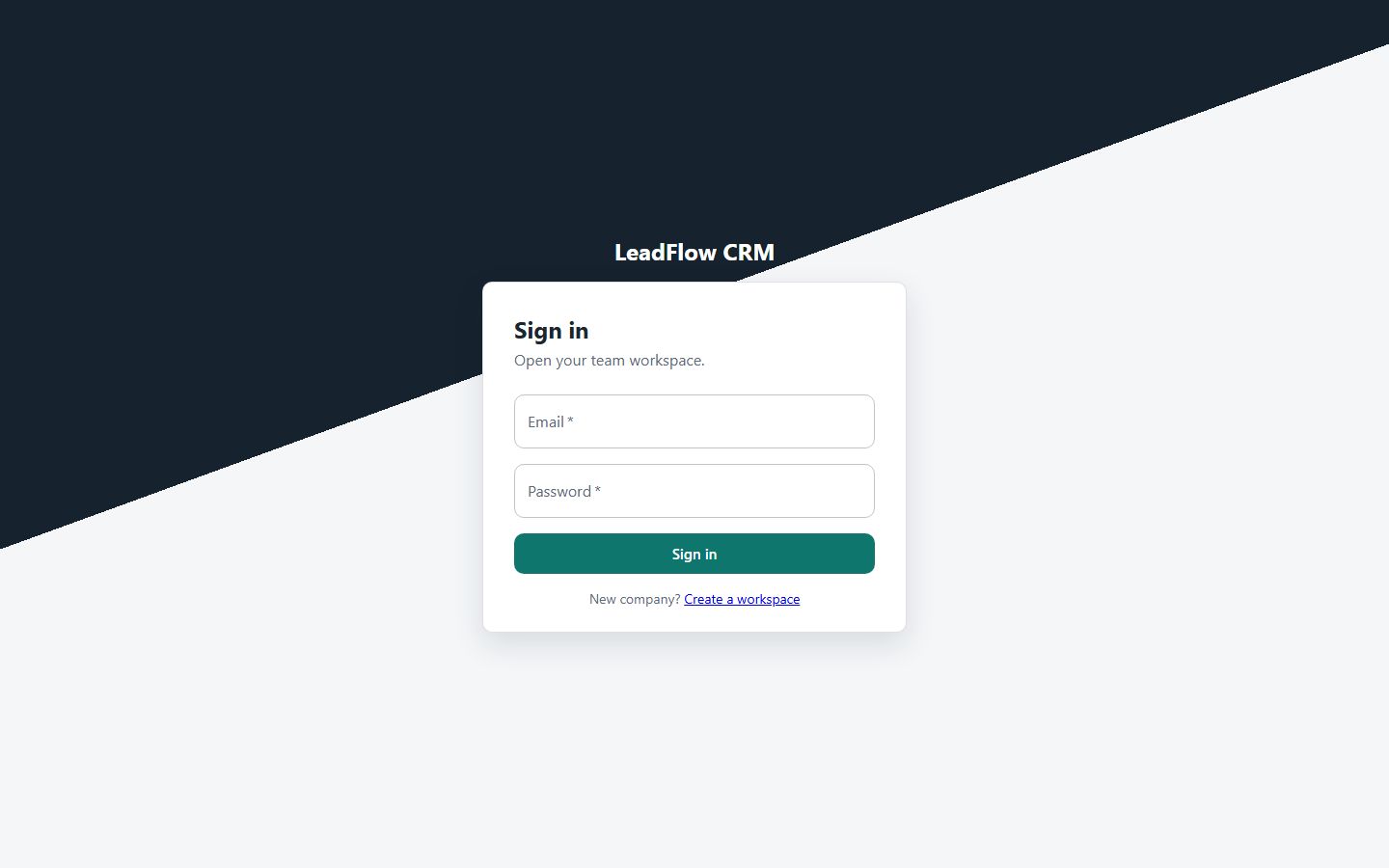
Use WhatsApp for conversation, your website for plans and proof, and a web app when clients, mail, rooms, and renewals need to live in one place.
Growing a virtual office business
Growth is not only more clients on the same address. It is a better plan mix, lower churn, fuller meeting rooms, stronger partners, and a screening process that keeps the premises safe. Add a second address only after the first runs cleanly without you at the front desk.
Ways to grow responsibly
- Raise renewals and plan upgrades before adding clients, because both lift profit without new acquisition cost
- Lift meeting-room and day-desk utilisation with bundles, off-peak rates, and community events
- Build a partner programme with chartered accountants and company secretaries, with a clear commission and a clean record on screening
- Add compliance-adjacent services through partners, such as company registration and filings, with a clear boundary on what you do and do not provide
- Add call answering, scanning, and courier forwarding as paid features with simple scripts and logs
- Raise prices once a year with notice, and use the price-rise check in this guide to see the break-even client loss
- Set a client cap per address and open a second location, with its own lease, consent, and team, rather than overloading one address
- Open another location only after six months of break-even clients, a clean notices register, and a manager who can run the front desk for two weeks alone
Where a website helps
Clients search “virtual office in my city”, “registered office address for a company”, “business address for GST”, or “virtual office with meeting rooms” before they enquire. Your website should show the plans and prices, what each plan includes and excludes, a clear statement about what the address can be used for, photographs of the reception and rooms, how mail is handled, your screening policy, a booking calendar, and a WhatsApp button, in that order. A site that shows only a logo and a phone number loses to the operator that answers the first three questions on one page. Add clear headings and structured data for a local business so search engines and AI assistants can quote your location, plans, and contact details correctly.

Start from the AI website builder or build a website with AI and describe your plans, inclusions, screening policy, rooms, and the three questions you want a client to answer on the page.
Where a web app helps
A web app helps when clients, documents, mail, notices, room bookings, and renewals outgrow a notebook and a spreadsheet, and when a second address or a larger team makes one person’s memory unreliable. A signed-in board that shows clients by plan and renewal date, mail items awaiting action, notices requiring follow-up, room bookings, and overdue invoices gives the owner, the front desk, and the compliance executive the same answer. A client portal can let each client see their own mail log and documents.
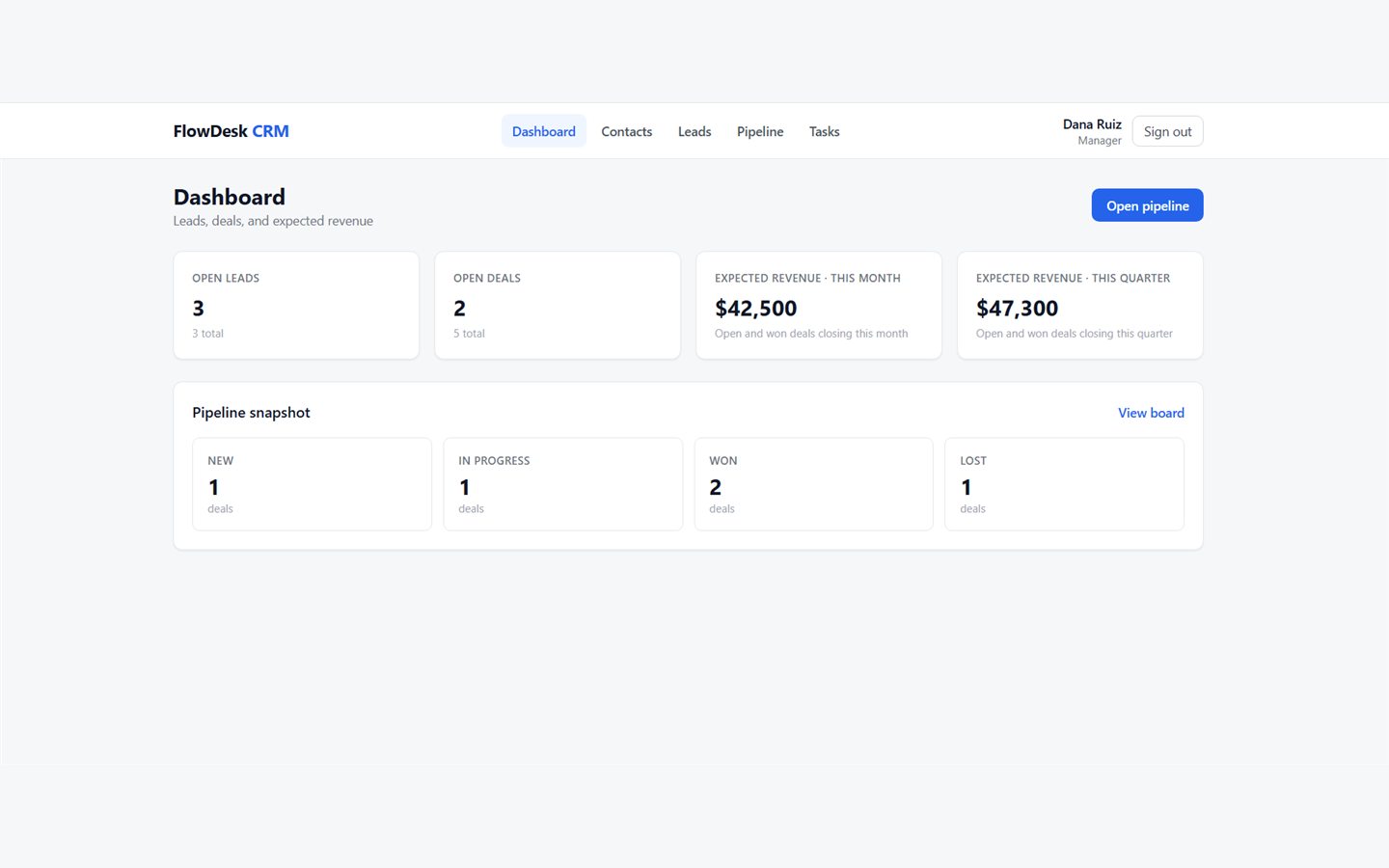
Open the AI app generator or the AI web app builder and describe the screens: client onboarding, mail and notices log, room booking, renewal tracker, and a client portal for mail and documents.
Where a mobile app helps
A mobile app suits the receptionist and the operations executive who need to photograph an incoming item, tag it to a client, send an alert, record a hand-over signature, and log a visitor, all from a phone at the front desk or in the mail room. Build it after your spreadsheet and forms have worked for three months. A consumer app is rarely worth it for a single address. Start from the AI mobile app builder.
Where a logo and brand mark help
A virtual office mark appears on a reception wall, a door sign, a mail-room label, a welcome kit, an email footer, and a WhatsApp profile, so it should read clearly in one colour and look like an established business. Pick a short, credible name that does not suggest a bank or a government body, a simple mark that signals trust and place, and a clean layout for letterheads that clients may print. Use the AI logo generator to explore marks, and test each on a door sign and a small circle before you print.

A ninety-day plan if you are starting
- 1
Days 1 to 15
Speak with five chartered accountants or company secretaries, ask what their clients need from an address and what authorities have accepted or refused in your city, shortlist premises, and ask each landlord for written consent terms.
- 2
Days 16 to 45
Secure the lease with written landlord consent, draft the agreement and screening policy with a lawyer, set up GST and local registrations, and sign three referral partners and a pipeline of pre-sold clients.
- 3
Days 46 to 70
Fit out the reception, rooms, and mail room, install cameras and access control, train the team on the mail and notices routine, and launch the website, Google profile, and WhatsApp number.
- 4
Days 71 to 90
Open with pre-sold clients, review the weekly scoreboard, fix the three biggest gaps in mail handling or onboarding, and plan the renewal calendar and the quarterly screening review.
A ninety-day plan if you already operate
- 1
Days 1 to 15
Measure honestly: clients by plan and months active, churn and its causes, mail volumes, notices handled, meeting-room and desk utilisation, and the clients who raise the most concern.
- 2
Days 16 to 45
Fix one leak: tighten screening, set a client cap, rewrite the agreement with a lawyer, or build a renewal reminder routine, and call the quiet and unusual clients.
- 3
Days 46 to 70
Rebuild the plan ladder, add meeting-hour bundles, start a referral-partner programme, and move heavy mail users to the right plan.
- 4
Days 71 to 90
Lock the weekly scoreboard and plan the next two quarters. Only then consider a price rise, a second address, or a new compliance partner.
Common failure patterns
- Signing a lease without written landlord consent, and then facing a termination after clients have printed the address
- Accepting every enquiry with no screening, and then dealing with an authority visit about a client you never met
- Promising that an address will be accepted for a registration, and then handling refunds when it is not
- Telling an authority or a client that staff or seats exist at the address when they do not
- Letting mail pile up with no log, no alert, and no register of government notices
- Opening with no pre-sold clients and running out of cash before reaching break-even clients
- Spending annual prepayments as profit, and then being unable to serve or refund clients
- Leaving meeting rooms empty at 34% utilisation while clients book somewhere else
- Paying incentives on sign-ups alone, so the team accepts clients that should have been refused
- Opening a second address before the first can run without the owner at the front desk
When you are ready to build with Nyravi
Use this guide to decide what the business needs. When the next step is a website with plan comparison and room booking, a dashboard for clients, mail, and renewals, a front-desk app for mail photos and visitor logs, or a brand mark for your reception and welcome kit, open Nyravi and describe that product. Keep the brief short: who uses it, what they open first, and what they finish.
If you want help writing that description, ask on Support. Start on the [home page](/), or jump to the product pages linked above. For WhatsApp chatbots, start at cognitivesys.io. The operation comes first. The build carries the system once the system is clear, and neither replaces the landlord consent, legal drafting, and authority confirmations that only the relevant professionals can give.
Questions
What is a virtual office business?+
A virtual office business lets clients use a real, staffed premises as their official business or correspondence address, with mail and parcel handling, optional call answering, and pay-per-use meeting rooms and day desks, in exchange for a monthly or annual plan. It earns subscription and add-on revenue across many clients sharing one premises, and it is limited by client count, plan mix, churn, room utilisation, and how carefully clients are screened.
How do I start a virtual office business in India?+
Start by speaking with chartered accountants and company secretaries about what clients need, shortlist premises, and get the landlord’s written consent for offering the address to third parties. Draft an agreement and a screening policy with a lawyer, register for GST and local licences, fit out a credible reception and mail room, sign referral partners, and open with a pipeline of pre-sold clients. Rules and acceptance of addresses differ by authority, so confirm each requirement in writing.
How much does it cost to start a virtual office business?+
A small address-and-mail service in a shared building can start with a few lakh rupees, while an 1,800 sq ft premises with a reception, two meeting rooms, and four day desks like the worked example in this guide needs about ₹21,80,000, including ₹4,80,000 of deposit, ₹7,00,000 of fit-out, ₹2,40,000 of furniture and IT, ₹1,20,000 of cameras and fire safety, and ₹4,00,000 of working capital for a pre-sold ramp. Rent, deposit months, and legal costs change the total.
How much profit can a virtual office make?+
Profit depends on client count against break-even, plan mix, churn, and meeting-room use. In this guide’s example, 170 clients at about ₹1,941 of monthly revenue each, a 90% contribution, and ₹2,23,000 of fixed cost break even at about 128 clients and earn about ₹74,000 a month after the owner’s draw. A slow start can need far more cash, about ₹16.9 lakh in the guide’s example if you open with only 20 clients.
How much should I charge for a virtual office?+
Plans usually range from a basic address and mail alert to a registered-address plan with documents, and a premium plan with call answering and meeting hours. In this guide’s example, Basic is ₹600 a month (₹7,200 a year), Registered ₹1,200 (₹14,400), and Plus ₹2,500 (₹30,000), with meeting rooms at ₹450 an hour and day desks at ₹500. Price on value and your local market, include limits on mail and scans, and charge fairly for extras.
Can a virtual office address be used for GST or company registration?+
Sometimes, but it depends on what the relevant authority accepts, the documents provided, and the facts of the business, and it can be subject to verification. A virtual office cannot guarantee approval and should never promise it. Ask the authority and a chartered accountant or company secretary what documents and checks apply, provide only documents your agreement and landlord consent allow, and never claim that staff or seats exist when they do not.
How do I prevent misuse of my virtual office address?+
Screen every client by asking about the business and its owners, verifying identity and business documents under a written policy, publishing a list of businesses you will not accept, and watching for red flags such as pressure to issue documents or unusual mail. Write misuse and suspension terms into the agreement, keep a register of notices, review clients every quarter, and have a prepared routine for authority visits.
Can a WhatsApp chatbot help a virtual office?+
Yes, a WhatsApp chatbot can answer plan and price questions, send same-day mail alerts with photos, check room availability and take bookings, collect enquiries for screening, send renewal reminders, and ask for feedback, while handing questions about registrations, official notices, refunds, and permitted uses to a person. CognitiveSys, the parent company behind Nyravi, builds WhatsApp chatbots and shared inboxes. Start at cognitivesys.io.
What is the difference between a virtual office and coworking?+
Coworking sells desks, cabins, and community, so revenue depends on seats and occupancy. A virtual office sells an address, mail handling, and occasional rooms, so it uses almost no space per client but carries a heavier admin, screening, and compliance burden. Many operators combine them, using virtual plans to add high-margin revenue on top of a coworking space’s reception and meeting rooms.
Does a virtual office need a website, an app, or Nyravi?+
A virtual office benefits most from a simple website with plans, inclusions, a clear statement about permitted use, mail handling, a room booking calendar, and a WhatsApp button, then from a web app once clients, mail, notices, and renewals outgrow a spreadsheet. A front-desk mobile app helps after the spreadsheet works. Nyravi can build the website, dashboard, front-desk app, or logo from a plain-language description. For WhatsApp chatbots, start at cognitivesys.io. This guide covers business operations only, not legal, tax, or company-law advice.